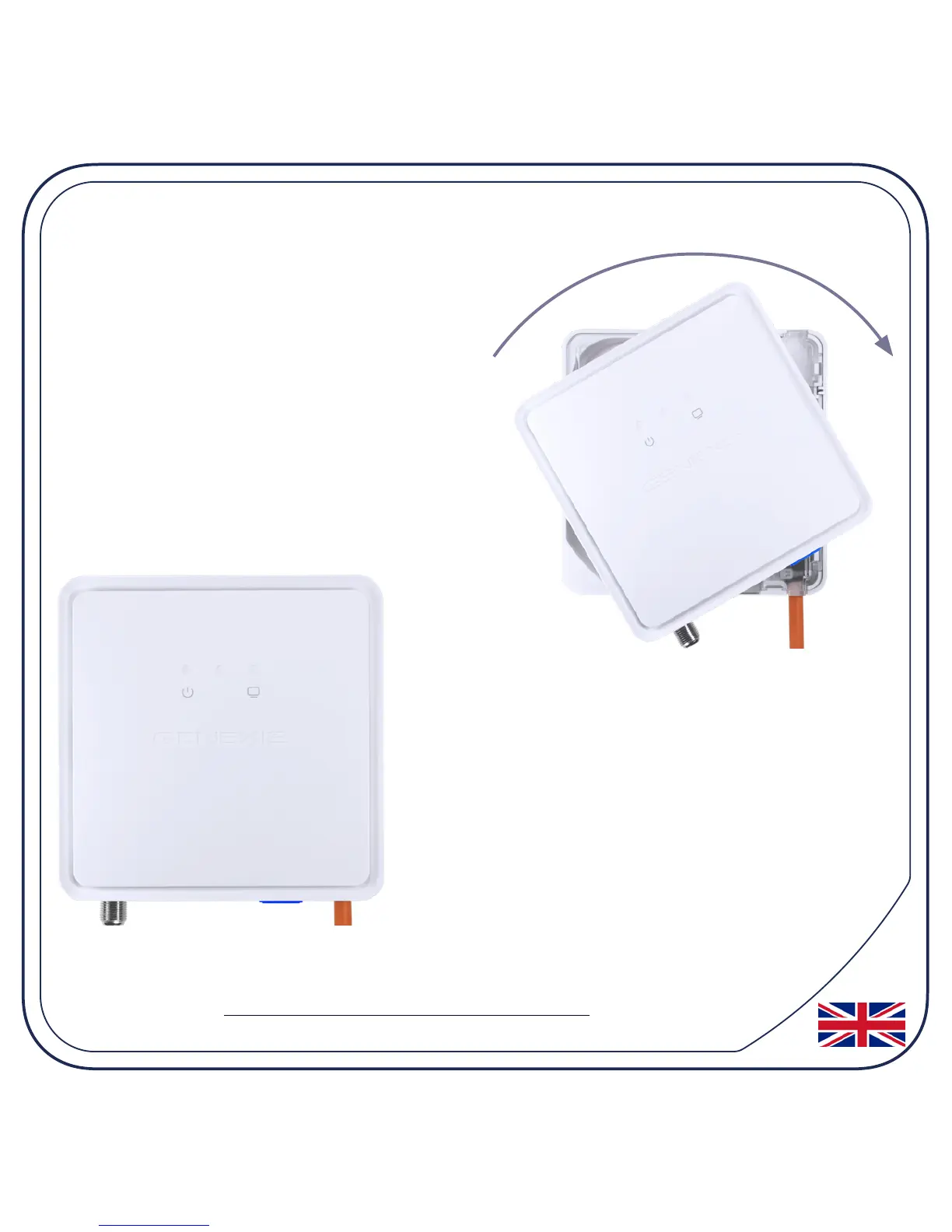
4. Twist!
Place the FiberTwist on the FTU as
shown and rotate clockwise (in the
direction of the arrow) until it clicks
into place.
Make sure the FiberTwist is aligned
squarely on the FTU - each edge must
line up directly with the FTU below.
Your FiberTwist is now installed!


 To Next Page