4
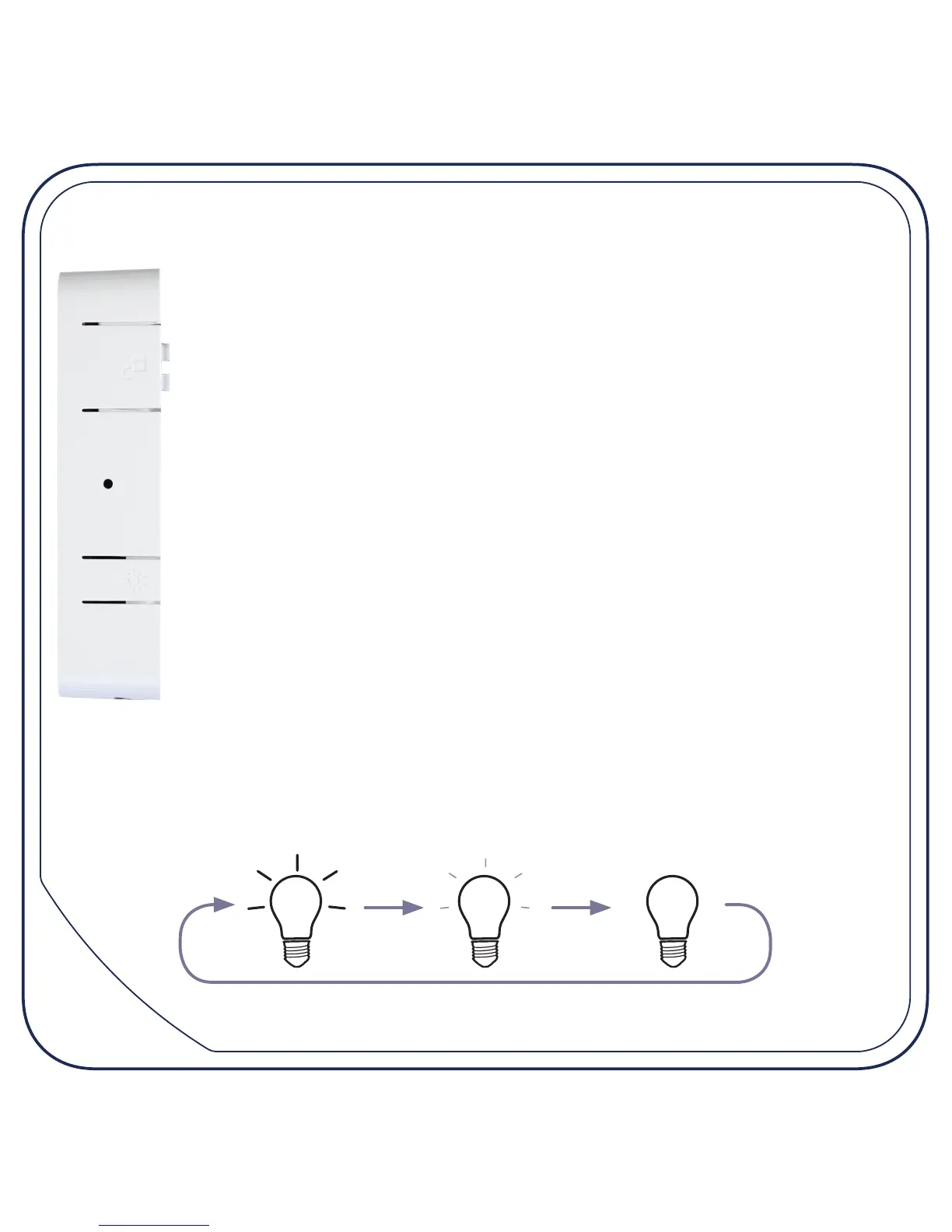
Overview (side)
Unlock button: press and hold while twisting to the left to
remove the FiberTwist or blind cover from the FTU (ber
termination unit).
Reset button: *
• press and release to reset (retain custom settings)
• press and hold for more than 5 seconds to perform a factory
reset (deletes all custom conguration)
Dim button: dims the lights on the device as described below.
* On some models, the reset button is on the end of the device next to the power
connector. Not present on the P2110.
Dim button behaviour (all models)
Each press of the dim button cycles through the following sequence of
brightness levels:
fully lit offhalf lit
(not on the P2110)


 To Next Page