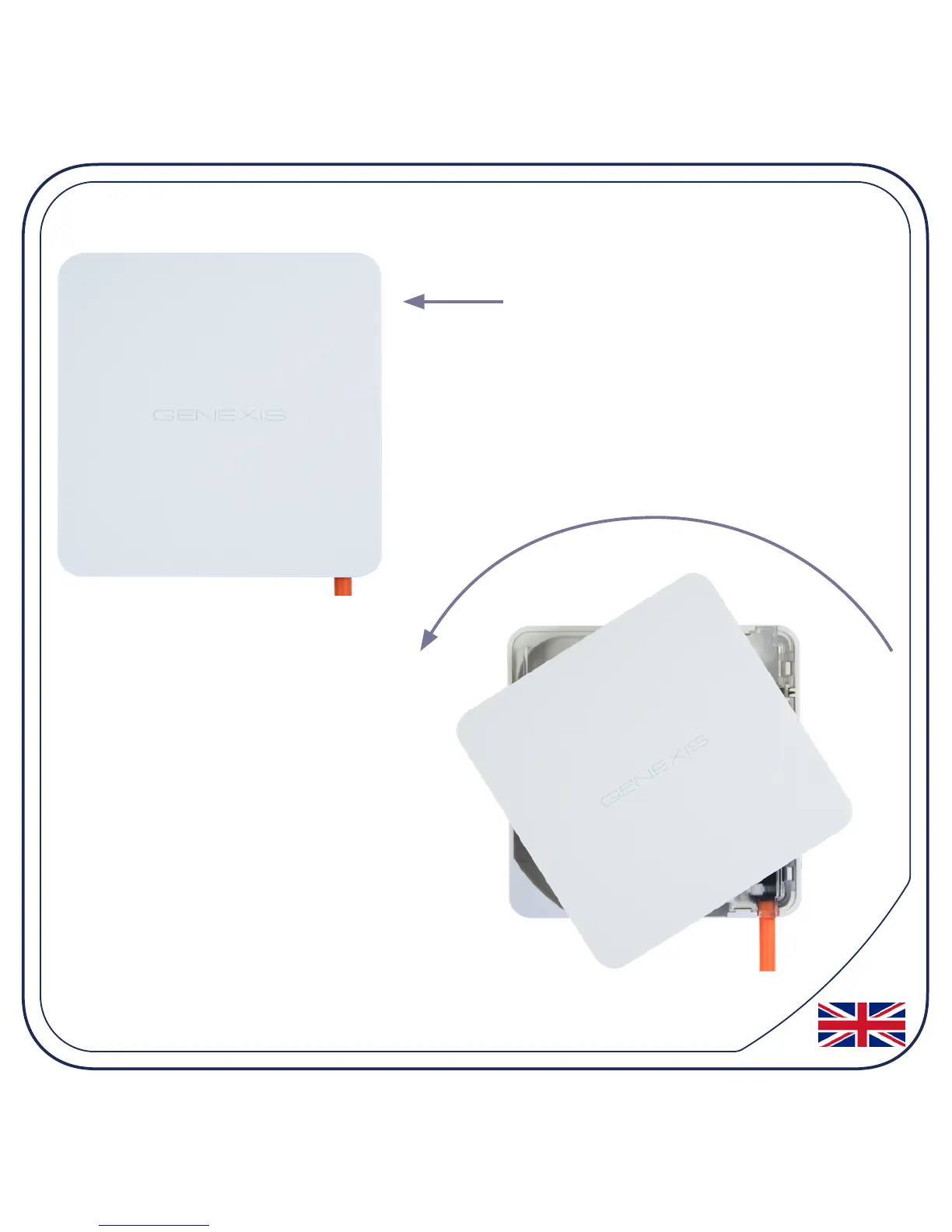
2. Remove the blind cover (if present)
Press and hold the unlock button.
Rotate the blind cover counter-
clockwise (in the direction of
the arrow).
When it won’t rotate any
further, the blind cover can be
removed.
Please store the blind cover in a safe place.


 To Next Page