2 - 17
The following instruction describes the general procedure when operating the
optical storage device, including the DVD-ROM drive.
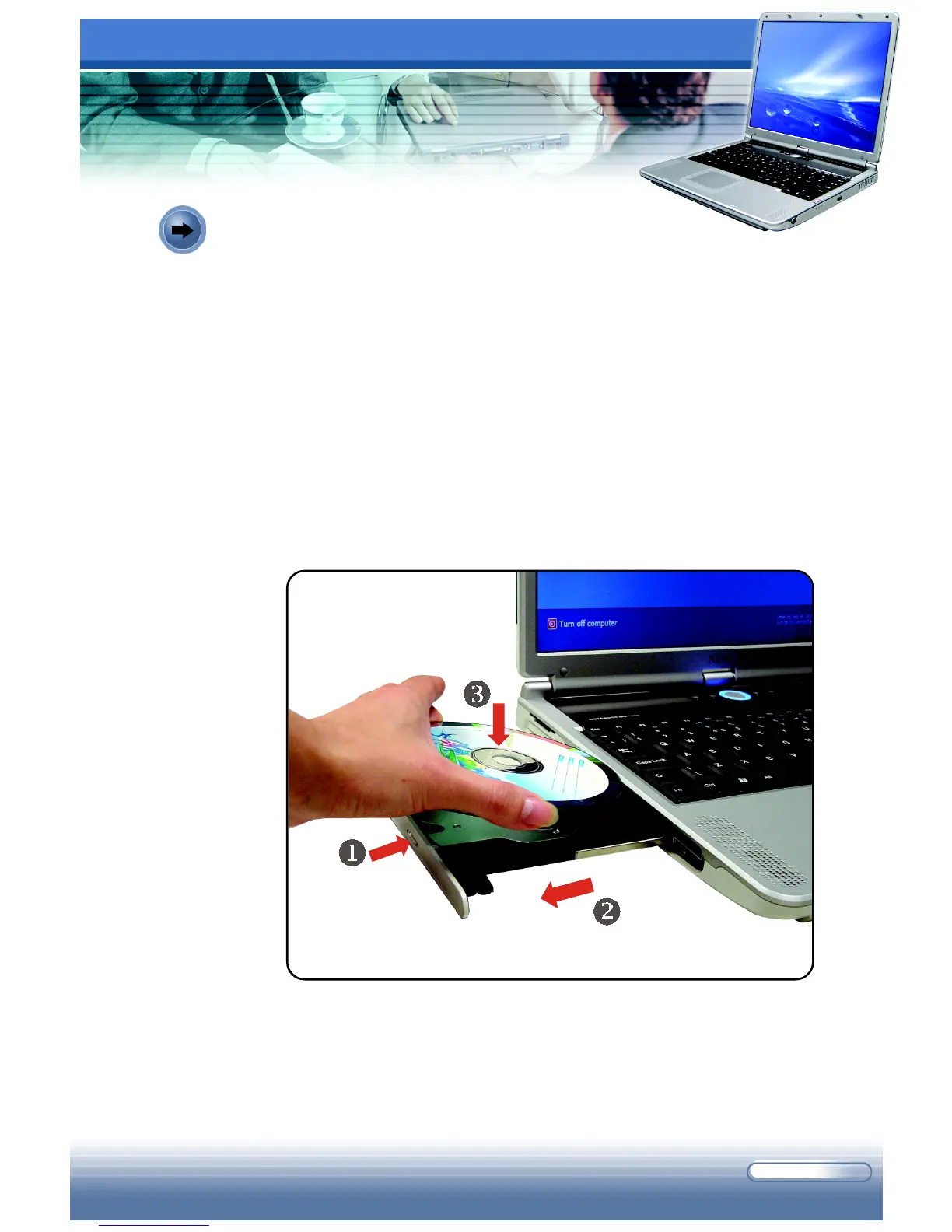
1. Confirm that the computer is turned on.
2. Press the Eject Button on the drive’s panel (
), and the CD tray will
slide out partially. Then, gently pull the tray out until fully extended
(
).
3. Place your CD in the tray with its label facing up. Slightly press the
center of the CD to secure it into place (
).
4. Push the tray back into the drive.
Inserting the CD
Inserting the CD



 To Next Page