3
UserManual
SYNESTHESIA
(FirmwareV1.0.2)
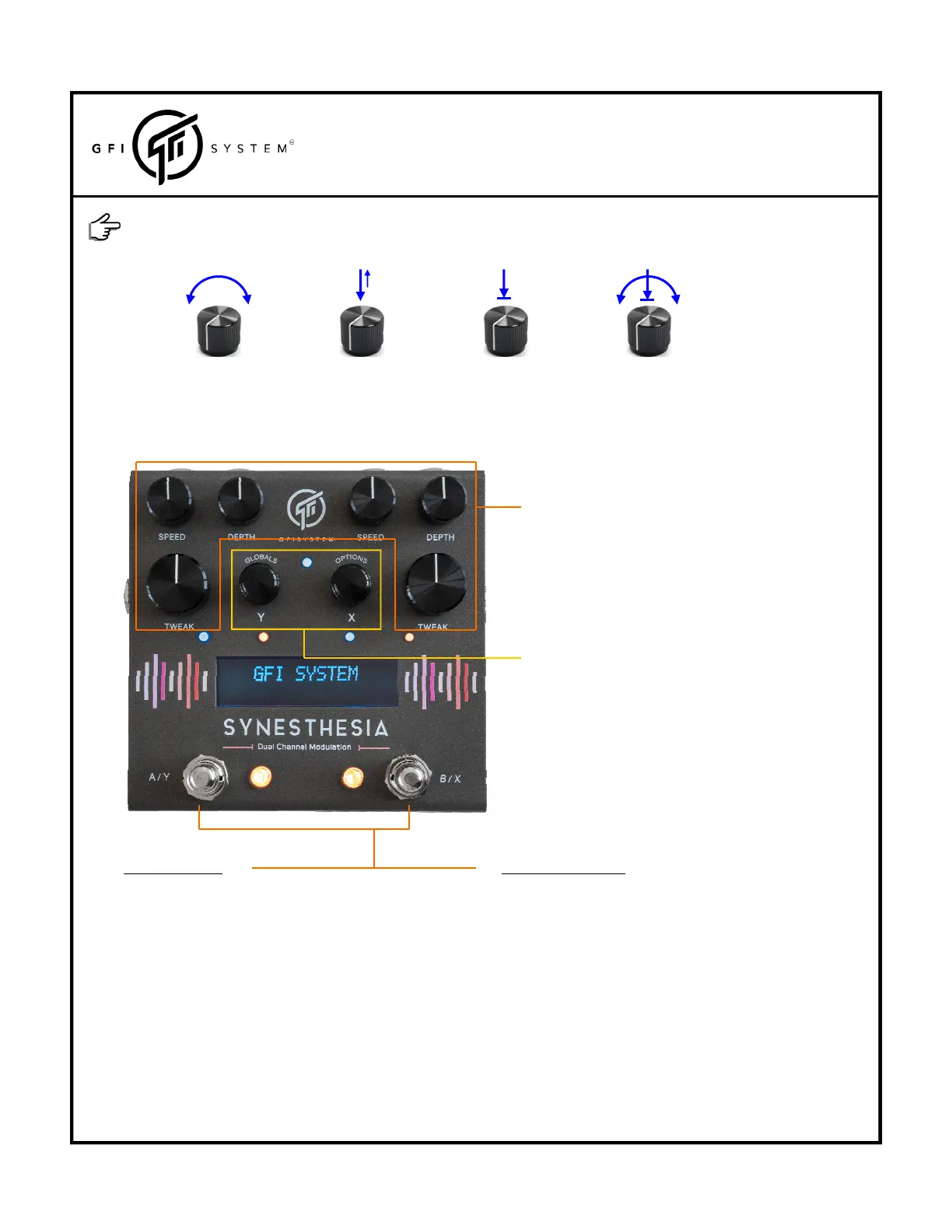
Turn‐adjustprimaryparameters.
Push‐setrampingspeed.
Hold‐map/unmapknobtoexpressionpedal.
Twist‐Adjustsecondaryparameters.
Turn‐selectalgorithm.
Push‐turnselectedalgorithmon/off.
HoldX‐enterOptionsmenu
Y‐enterGlobalsmenu
TwistX‐scrollthroughthepresetbanks.
InPresetMode
PushB/X‐LoadpatchB/Bypass.
A/Y‐LoadPatchA/Bypass.
HoldB/X>500ms‐initiatesDSP‐Xramping.
A/Y>500ms‐initiatesDSP‐Yramping.
PushA&Btogether‐BankUp.
HoldA&Btogether‐Switchto
Stompboxmode.
Everyknobisalsoabutton.Thefollowingoperationscanbedoneoneachknob:
TURN PUSHorTAP HOLD TWIST (turnwhileholdingdown)
InStompboxMode
PushB/X‐turnDSP‐Xon/off.
A/Y‐turnDSP‐Yon/off.
HoldB/X>500ms‐initiatesDSP‐Xramping.
A/Y>500ms‐initiatesDSP‐Yramping.
PushA&Btogether‐BankUp.
HoldA&Btogether‐Switchto
Presetmode.
Here’sasummaryofwhateachknobandeachswitchdoes,thisisjustaquickreference,moredetailedexplaination
willbegiveninthenextchapter.



 To Next Page