Set Altitude
Set Altitude
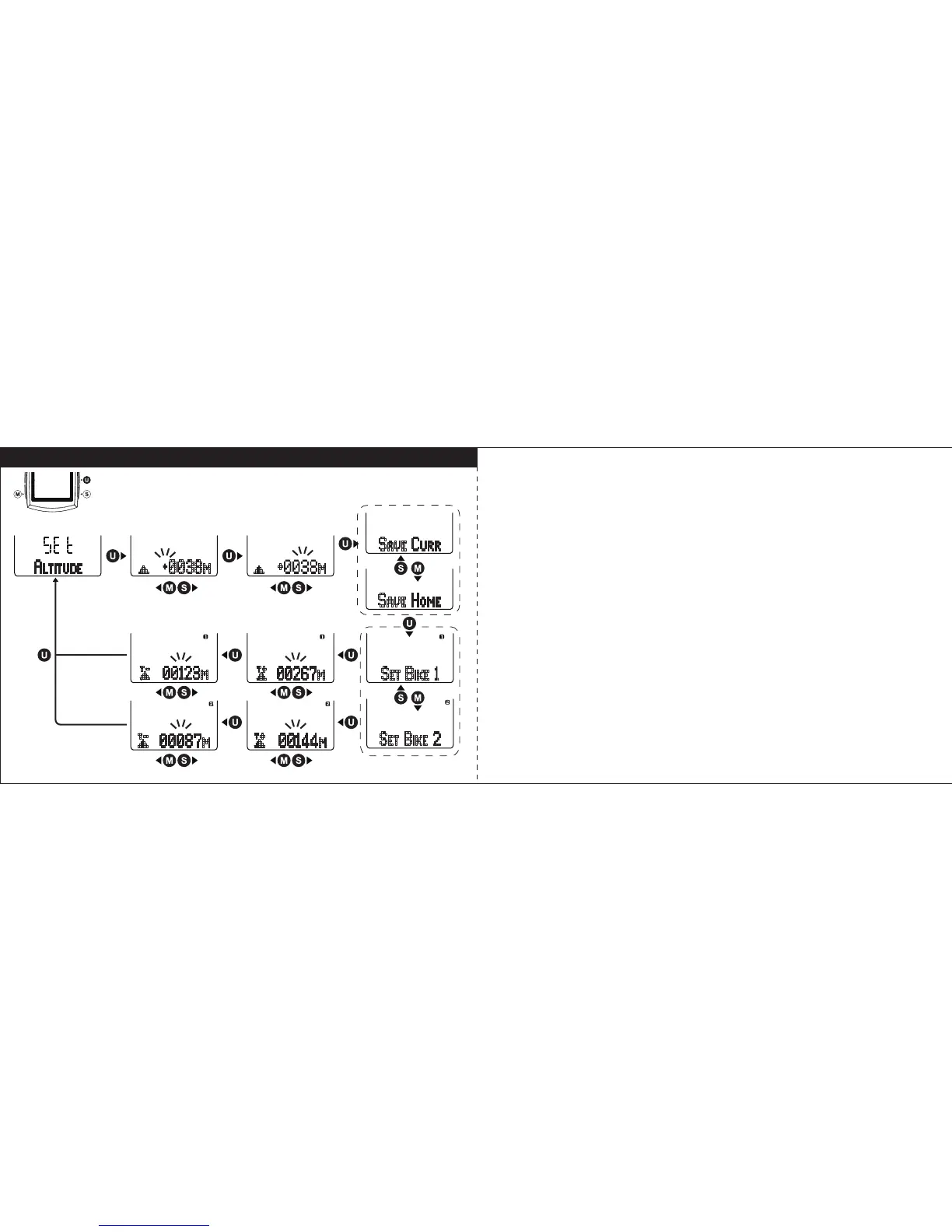
Select “
ALTITUDE”
in setting mode, and press U key to enter Altitude setting.
Follow the key flow diagram. Press S or M to adjust the altitude above (+) or
below (-) horizontal line and the altitude height, and press U key to confirm it.
Then you can save it as current altitude or set as home altitude. To set as
home altitude, the display will show the height base on current altitude is 0.
Then set the total altitude gain and loss of Bike1 and Bike2. For first time
setting, the recommend value is 0. (Tips: press and hold S or M key will
speed up the digital number setting)
27 28



 To Next Page