Set User Data / Set Unit
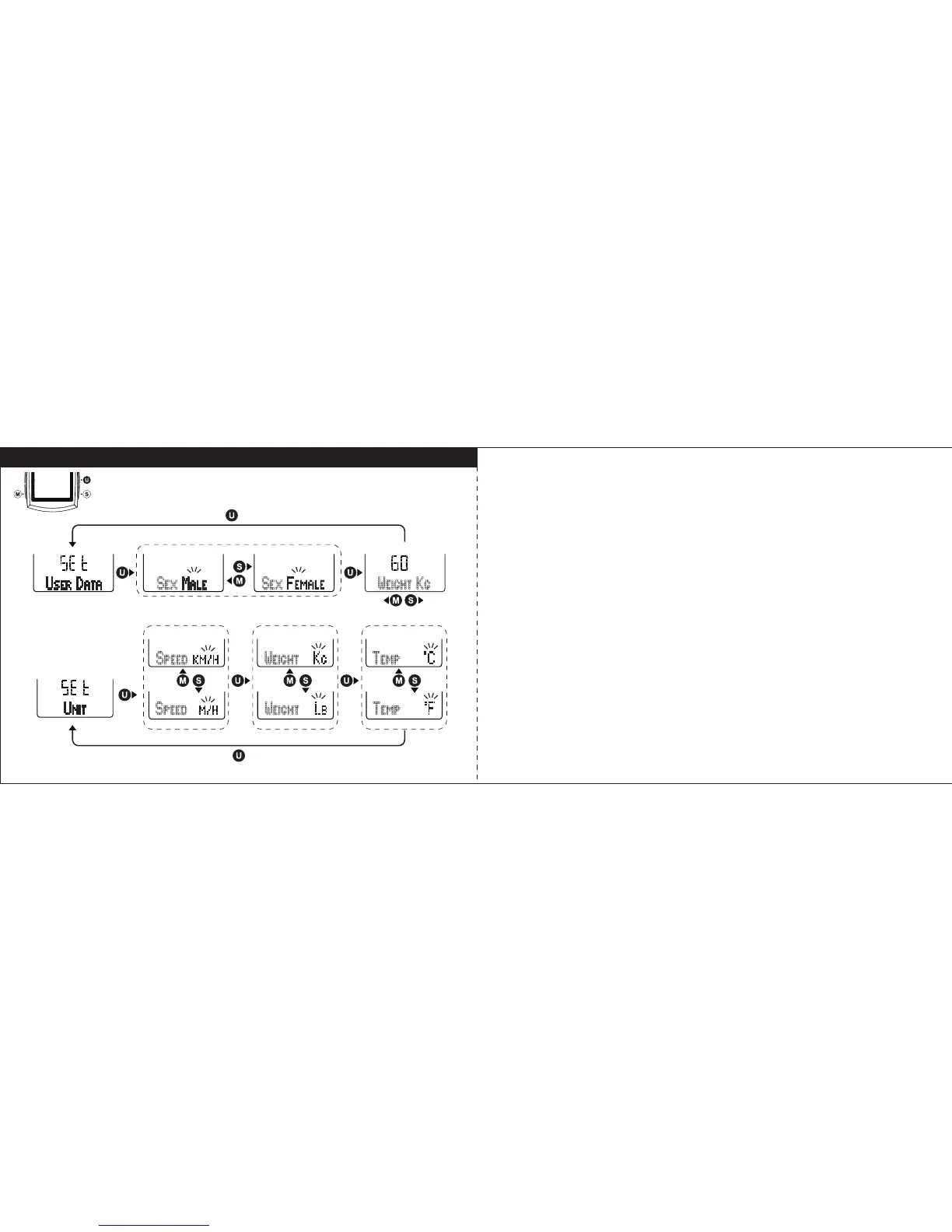
Set User Data
Select “
USER DATA
” in setting mode, and press U key to enter User Data
setting. Follow the key flow diagram. Press S or M key to select Male or
Female and press U key to set personal weight, the range is 20 ~ 220 kg or
44 ~ 485 lb. (Tips: press and hold S or M key will speed up the digital number
setting).
Set Unit
Select “
UNIT
” in setting mode, and press U key to enter Unit setting. Follow the
key flow diagram. Press S or M key to select Speed in KM/H or M/H, Weight
in KG or LB, and Temperature in °C or °F.
29 30



 To Next Page