- 24 -
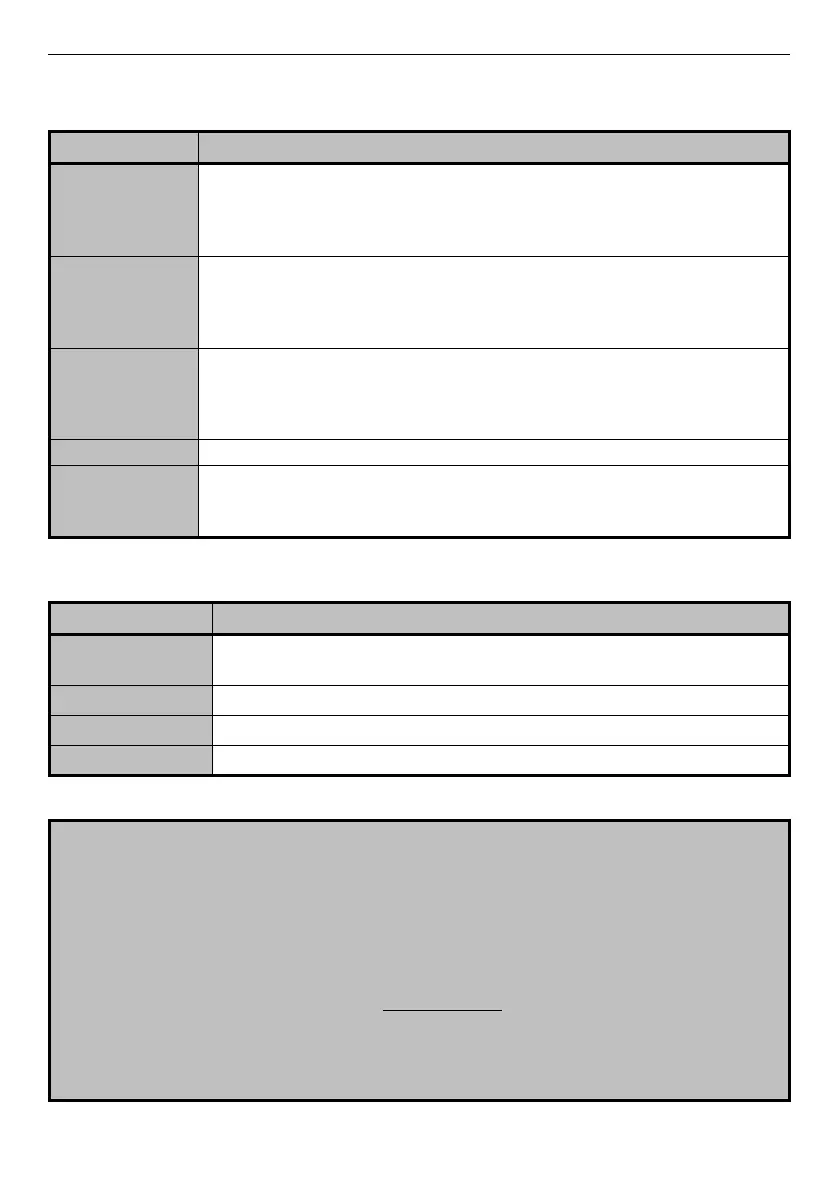
When we are in operating mode the functions of the keys are the following:
If pressed for more than one second, it activates the PRINT function but
only if the PRINTER protocol is active (see Sec. 6.2).
Note: in mod. 7500DR, BP version, it changes the balance division if
pressed for less than one second.
RANGE-PRINT
(only mod. DR)
In the first 950g of the capacity, if pressed for less than one second, it
changes the balance division.
If pressed for more than one second, it activates the PRINT function (if
the printing protocol is active, see Sec. 6.2).
Pressed for less than one second, it selects the second unit, if enabled
(see Sec. 6.1).
If pressed for more than one second, the balance get into a
configuration mode (see Sec. 6).
It zeroes the value on the display
If pressed for less than one second, it switches off the display
illumination.
If pressed longer, it puts the balance in stand-by mode (see Sec. 5.4).
When we are in configuration mode instead (see Sec. 6) the functions change as follows:
Pressed for less than one second it scrolls the possible selections.
Press for less than one second to exit from the selection function.
Pressed for less than one second it confirms the showed selection.
ATTENTION !
If the balance stops working because of incorrect operations on the keyboard, operate
as follows:
a- unplug the power supply unit from the mains socket and wait some seconds
b- plug in again the power supply unit and simultaneously press the ON-OFF key.
Release the key when the display shows “EU-C”.
For the version “BP” (models with rechargeable battery) operate as follows:
a- turn off the power switch put on the rear of the balance and wait some seconds;
b- turn on the power switch and, simultaneously, press the ON-OFF key of the
keyboard.
c- Release the ON-OFF key when the message “EU-C” appears.
In both cases the message "SEt Factory" will confirm the reset of default parameters
(factory settings).



 To Next Page