User Guide
GD32450Z-EVAL
33
5.16. SDIO_SDCardTest
5.16.1. DEMO purpose
This demo includes the following functions of GD32 MCU:
Learn to use SDIO to single block or multiple block write and read
Learn to use SDIO to erase, lock and unlock a SD card
GD32450Z-EVAL-V1.1 board has a secure digital input/output interface (SDIO) which
defines the SD/SD I/O /MMC CE-ATA card host interface. This demo will show how to
use SDIO to operate on SD card.
5.16.2. DEMO running result
Jump the JP5 to USART to show the print message through HyperTerminal, and
download the program <16_SDIO_SDCardTest> to the EVAL board and run. Connect
serial cable to COM0, open the HyperTerminal. Firstly, all the LEDs are turned on and off
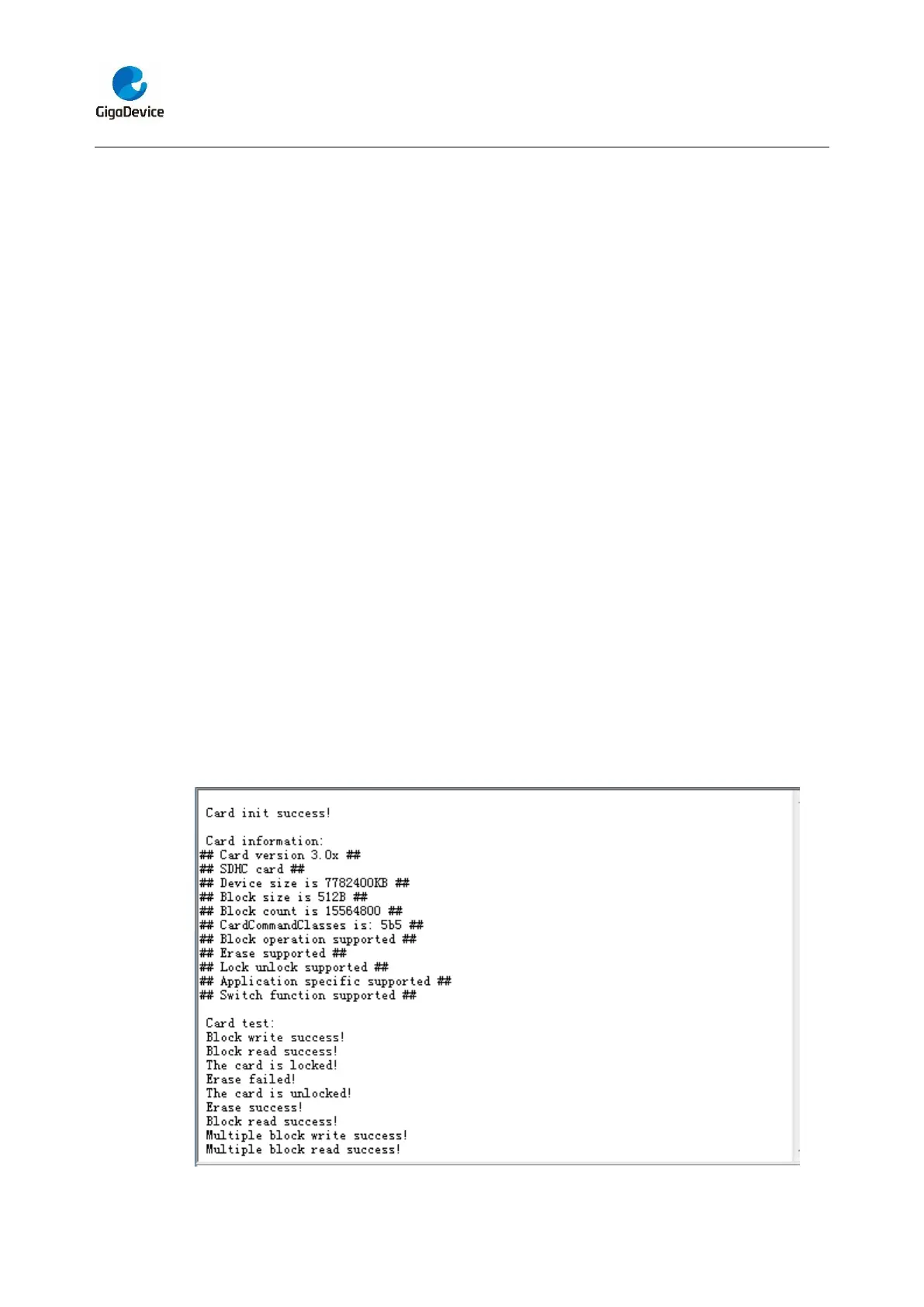
for test. Then initialize the card and print out the information of the card. After that, test
the function of single block operation, lock and unlock operation, erase operation and
multiple blocks operation. If any error occurs, print the error message and turn on LED1,
LED3 and turn off LED2. Otherwise, turn on all the LEDs.
Uncomment the macro DATA_PRINT to print out the data and display them through
HyperTerminal. Set bus mode(1-bit or 4-bit) and data transfer mode(polling mode or DMA
mode) by comment and uncomment the related statements.
Information via a serial port output as following.



 To Next Page