User Guide
GD32450Z-EVAL
47
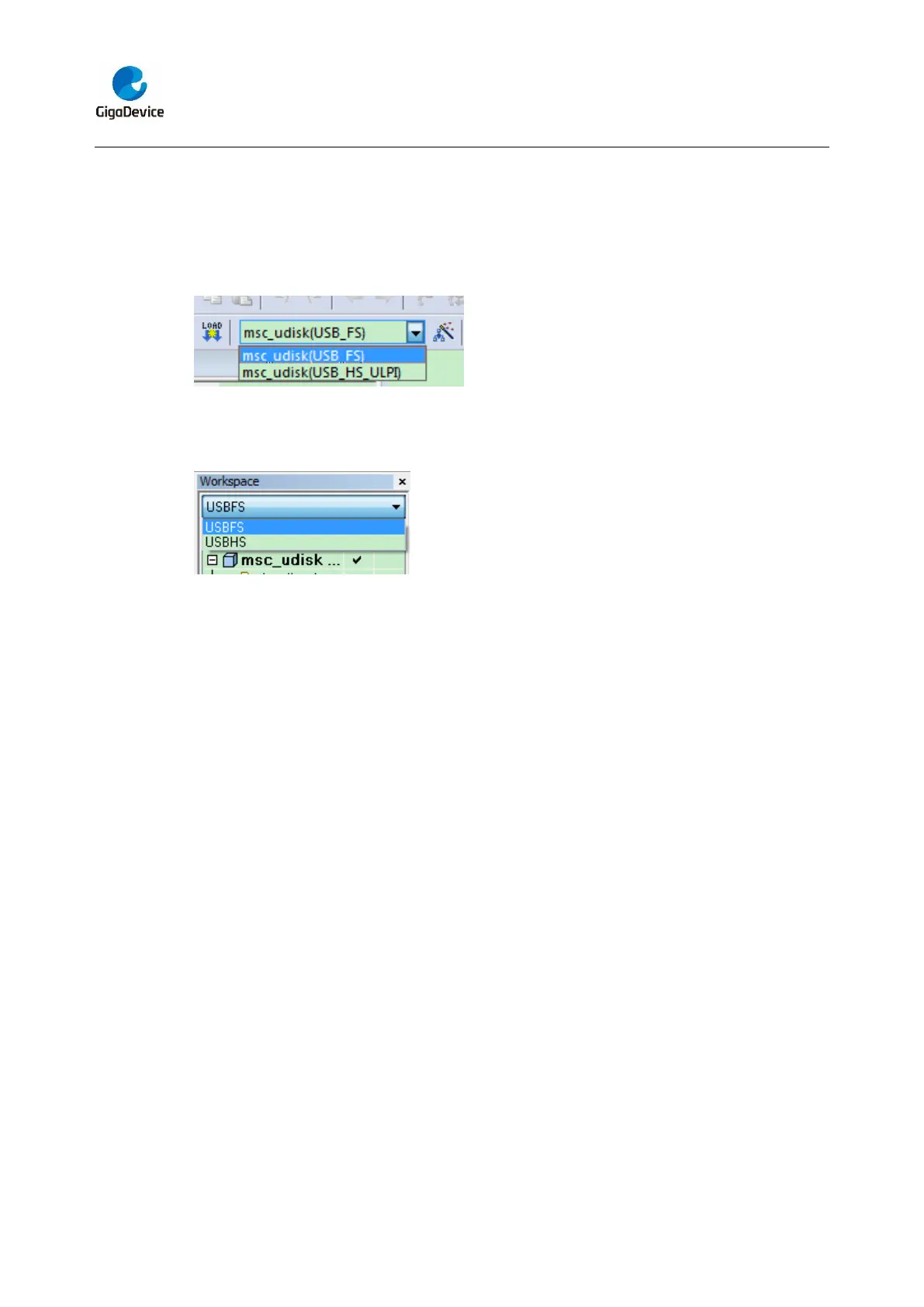
In the workspace toolbar, user should select the project configuration,
In the keil4:
- GD32450Z_EVAL_USBFS: to configure the project for GD32F450Z devices using
USBFS peripheral
- GD32450Z_EVAL_USBHS (ULPI): to configure the project for GD32F450Z devices
using USBHS peripheral
In the IAR:
- USBFS: to configure the project for GD32F450Z devices using USBFS peripheral
- USBHS: to configure the project for GD32F450Z devices using USBHS peripheral
DEMO Running Result
According to the VBUSIG bit in USBFS_GCCFG register, user can decide whether or not
to jump JP13 to USB_FS if user use USBFS core. Then connect the EVAL board to the
PC through USB cable to the USB_FS connector if user use USBFS core or the
USB_HS_ULPI connector if use USBHS core. After doing this, download the program
<27_USB_Device\MSC_Udisk> to the EVAL board and run. When the EVAL board
connect to the PC, you will find a USB large capacity storage device is in the universal
serial bus controller, and there is 1 more disk drives in the equipment manager of PC, as
shown below:



 To Next Page