User Guide
GD32E507Z-EVAL
35/43
Download the program <Raw_tcpudp> to the EVAL board.
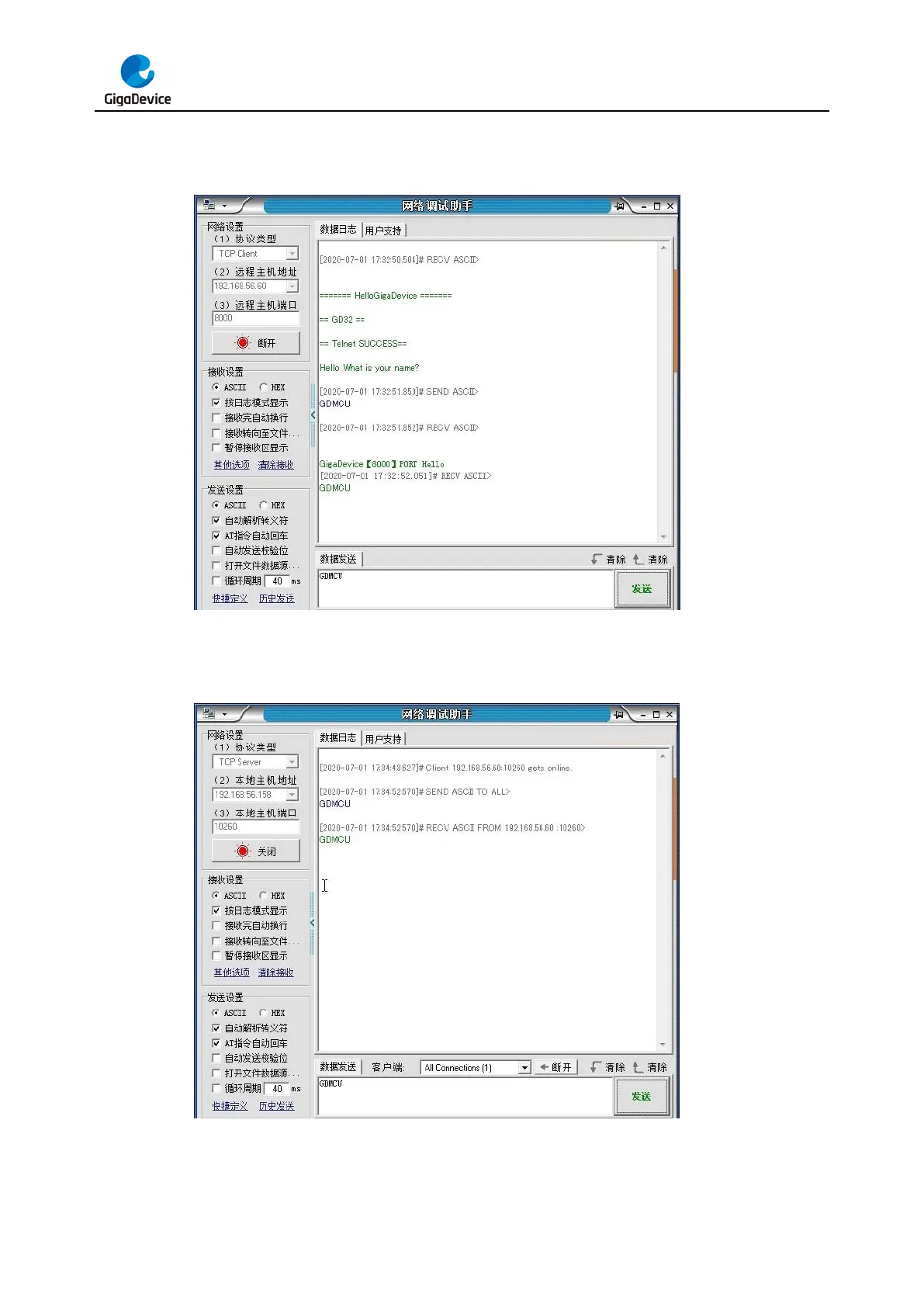
Using Network assistant software, configure the pc side to tcp client, using 8000 port, and
when send something through the assistant, users can see the reply from the server:
Using Network assistant software, configure the pc side to tcp server, using 10260 port, press
the Tamper key, and when send something through the assistant, users can see the echo
reply from the client:
Using Network assistant software, configure to use udp protocol, using 1025 port, and when
send something through the assistant, users can see the echo reply from the board:



 To Next Page