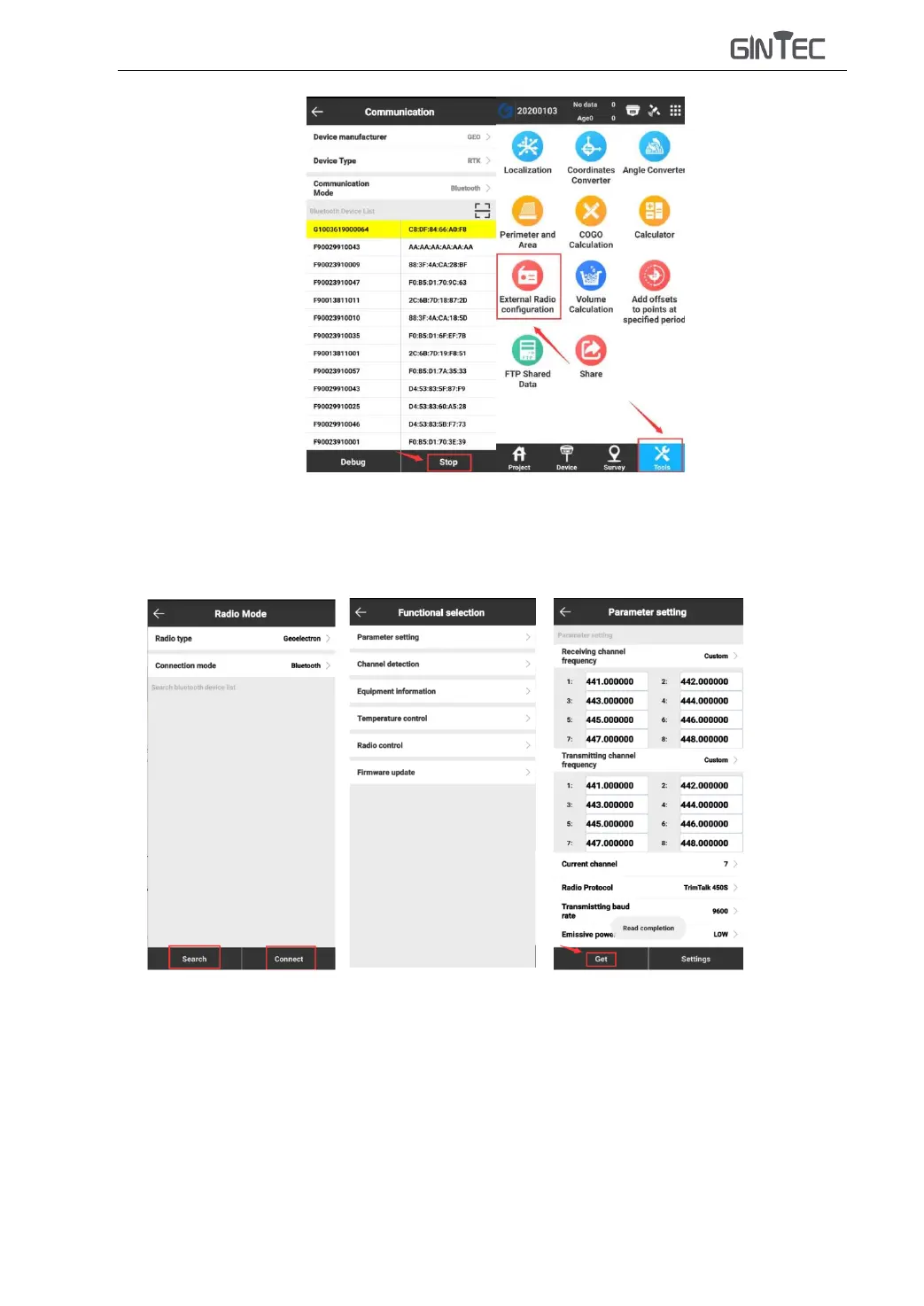
4) In “External Radio configuration”, choose “Radio type” to be “Geoelectron” and
“Connection mode” to be “Bluetooth”, then search TRU35 radio and connect it.(Pairing
code is “1234”).
5) After connected, you will come to “Functional selection” interface, click “Parameter
settings”, click “Get” to receive TRU35 parameters and there to change the “Receiving
channel frequency”, “Transmitting channel frequency” and other settings, then press
“Settings” to finish settings.



 To Next Page