G30 GNSS Receiver User Manual
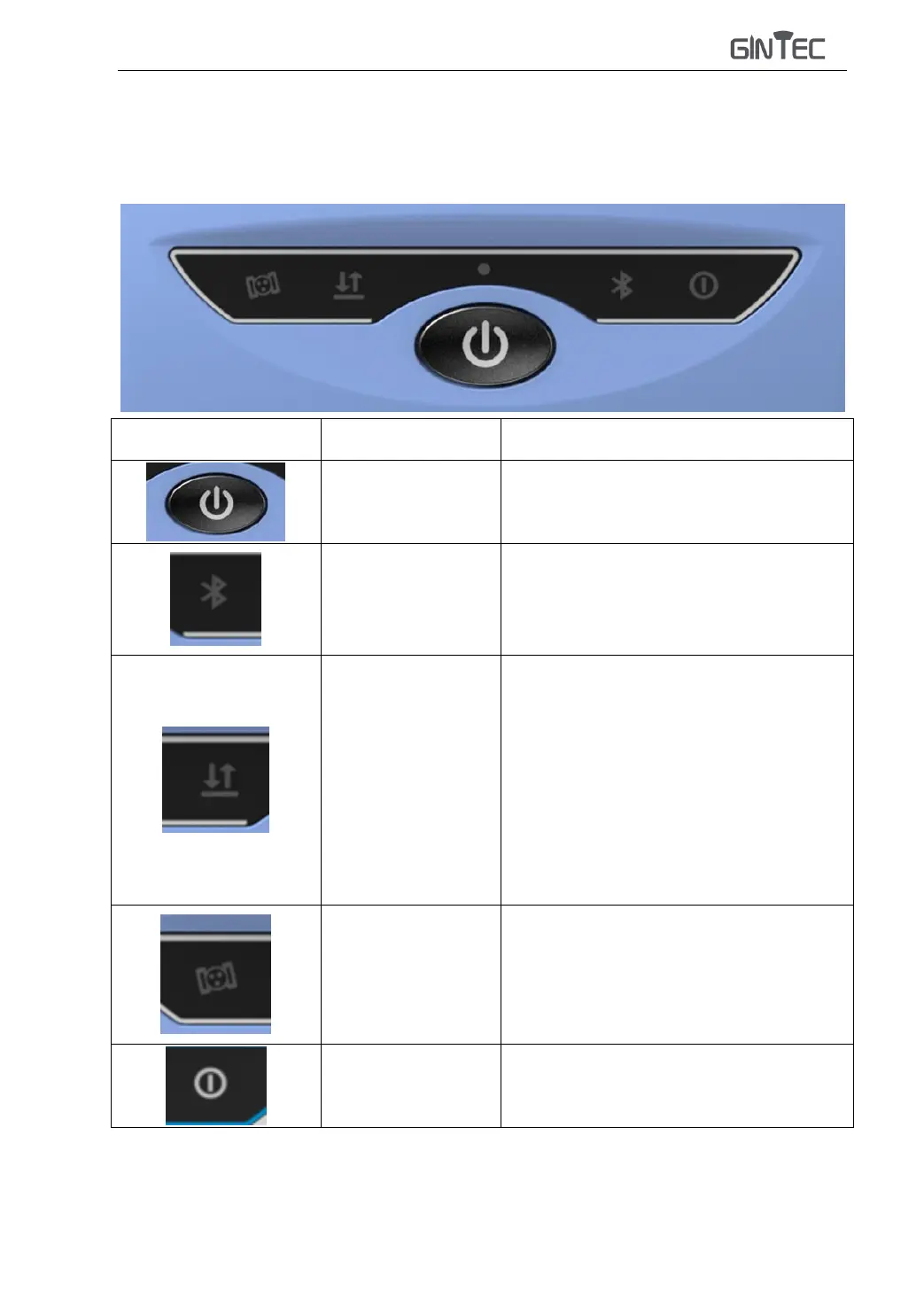
§2.2.2 Buttons and Indicators
G30 has four indicators and one button.:
Switch on/off,
confirm, modify
Power on, power off, confirm the
modification item, and select the
modification content
Always on when Bluetooth is connected
Radio mode: Blink by receiving interval
or transmitting interval.
Network mode:
1) Blink fast during network dial-up and
WIFI connection (10Hz)
2) After successful dialing, blink by
receiving interval or transmitting interval.
Static mode: When recording data, blink
at the set collection interval
It starts flash every five seconds, and the
number of flashes represents the number of
locked satellites
Always on when the battery is full; Flicker
when power is low(<10%)



 To Next Page