Handing of the Operator
Always disconnect power to unit BEFORE making these setting changes.
CAUTION:
Glidermatic™
Commercial Door Operator
User Manual
4
The Glidermatic Operator may be fi tted to either the left hand or right hand side of the door, viewed from
the inside looking outward. However, all units as standard factory issue are confi gured to Right Hand
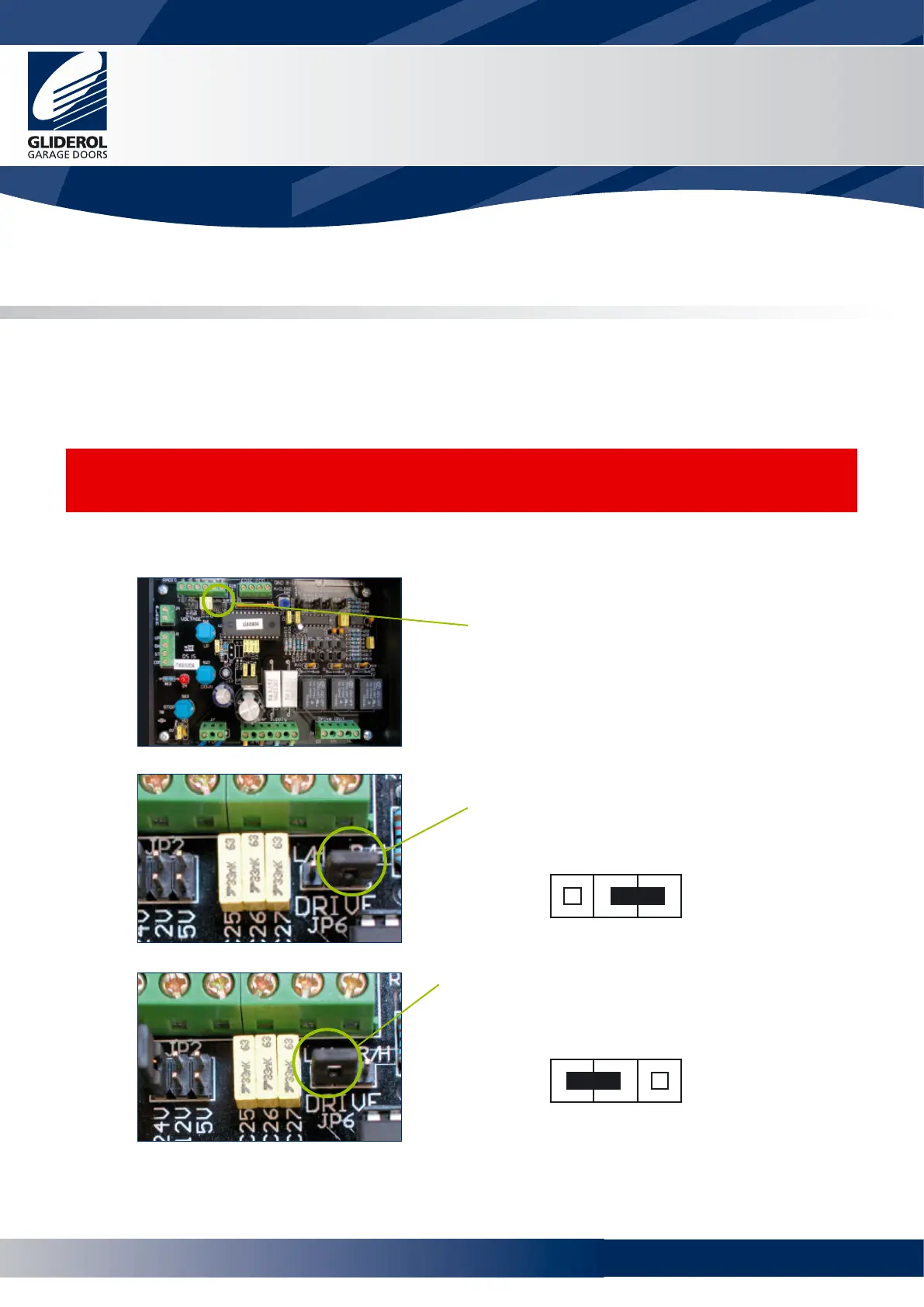
operation. If required the handing of the operator may be changed by setting jumper JP6.
1. Set jumper JP6 according to whether the
operator is installed for Right Hand or Left
Hand operation
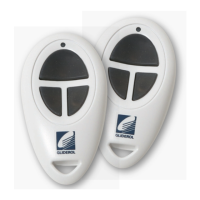
2. For Right Hand operation (RH) ensure the
jumper is set according to diagram
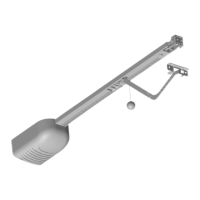
3. For Left Hand operation (LH) ensure the jumper
is set according to diagram
JP6
DRIVE
R/H
L/H
JP6
DRIVE
R/HL/H
www.garagedoorsonline.co.uk



 To Next Page