Door Travel Adjustment
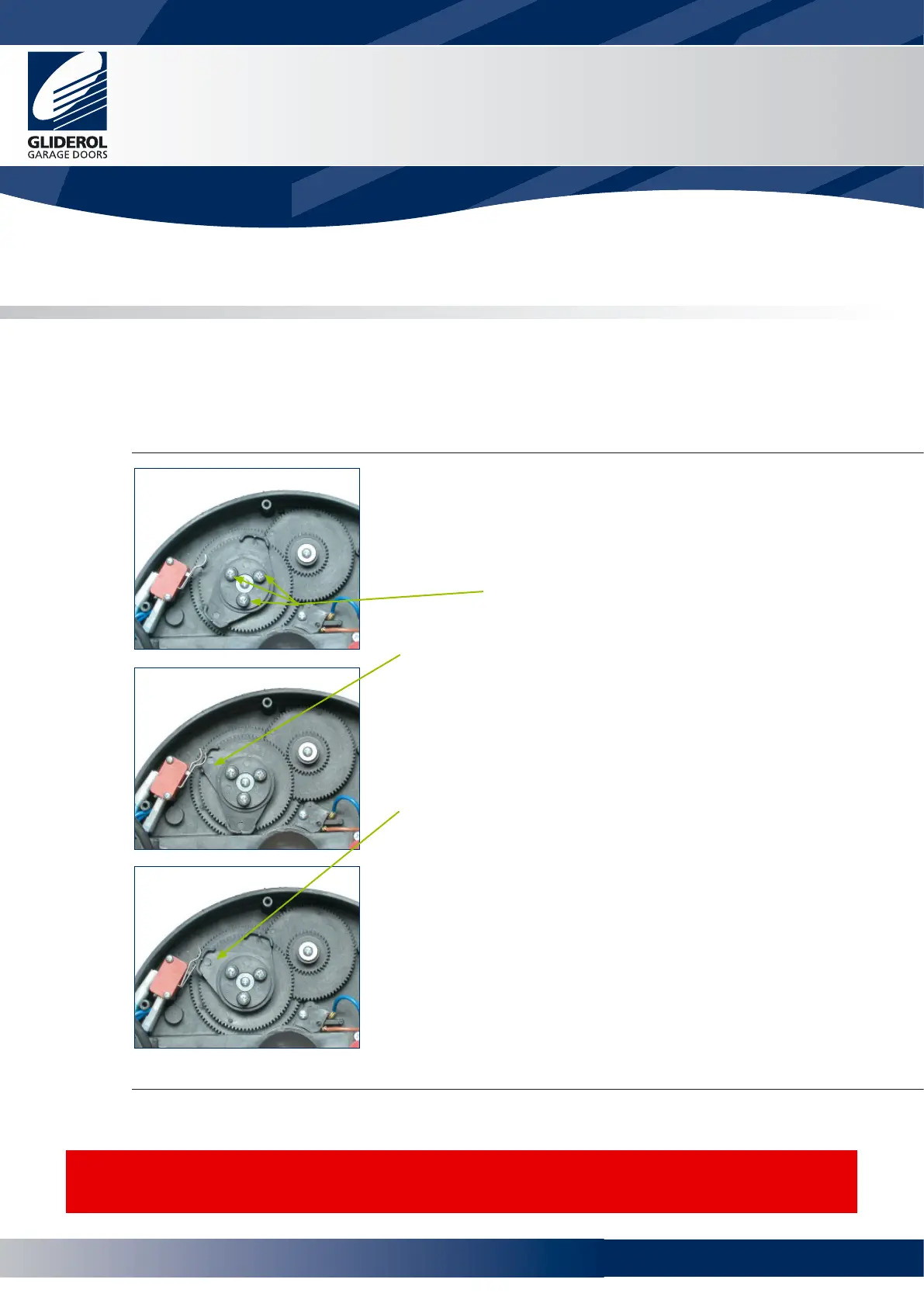
The door travel limit is determined by rotation of cams in the drive unit. The cams are driven by a gear
mechanism and activate a limit switch at the desired position.
• The inner cam determines the closed position.
• The outer cam determines the open position.
To adjust
• Set door to manual operation using the manual release lever
(Refer to Manual Operation)
• Remove the cam gear cover on the drive unit to gain access
to the internal cams
• Loosen cam gear screws (x3)
Closing - inner cam
• To set the closing position, manually lower the door to the
required closed position observing the direction of rotation of
the inner most cam
• Rotate the inner cam in the direction observed until it
activates the inner limit switch
Opening - outer cam
• To set the opening height, manually raise the door to
the desired open position (ensure the bottom bar is short of
contacting the head stop), observing the direction of rotation
of the outer cam
• Rotate the outer cam in the direction observed until it
activates the outer limit switch
To complete
• Tighten the cam gear screws (x3)
• Return manual release lever to normal position
• Carefully move the door in either direction until pin engagement
is noted and the unit is locked into position (Refer to Manual
Operation on page 5)
• Reinstall the cam cover after operating door electrically and
verifying limits of door travel.
The motorised travel of the door is directly controlled by the Cam adjustment
settings. Please ensure the required door travel is correctly set.
CAUTION:
Care should be taken to ensure the lever arms on the limit switch are not obstructed by the rotation of the
gearing.
Glidermatic™
Commercial Door Operator
User Manual
6
www.garagedoorsonline.co.uk



 To Next Page