Page 10
ALWAYS operate the slicer with the knife cover, sharpener and knife ring guard securely in
place. Failure to do so may cause serious personal injury.
MANUAL SLICER OPERATION
NOTE: For Manual Operation with an Automatic Slicer, please proceed to page 12 of this manual.
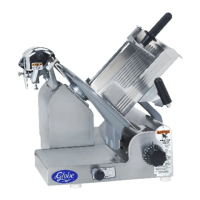
1. With the slicer turned off, pull the food chute completely towards you and put the food product onto the food
chute. Slice only boneless, unfrozen product with slicer. Use the end weight to hold the food product in
place. If the end weight is not needed, it may be stored out of the way by swinging it back behind the food
chute and locking it on the retaining pin.
2. Make sure all knobs are tightened before using slicer.
3. Rotate the slice thickness dial counterclockwise to the desired setting. If you happen to go past the desired
setting, you must rst rotate the slice thickness dial clockwise past zero (0), and then rotate the dial back to
the desired slice thickness setting. After slicing is complete, always turn the slice thickness dial clockwise past
zero (0) until it stops to close the slicer table.
4. Turn slicer on by pushing the START button on the front of slicer. The power indicator light will illuminate.
NOTE: If slicer does not start and the indicator light is ashing, the food chute is not in the home position.
Pull the food chute completely towards you and restart the slicer.
NOTE: The slicer is equipped with an auto-off timer. After 10 seconds of no chute movement the slicer will
shut off.
DO NOT hold the food product with your hand. Never put your hand on, or around the food chute
when slicer is on. The food chute handle is the only part of the slicer you should touch while
slicing.
5. Use the food chute handle to manually push the food chute back and forth. The food chute handle is the only
part of the slicer you should touch while slicing. Do not catch slices with your hand. Let slices drop onto the
receiving area.
If a product needs to be adjusted during slicing, ALWAYS pull the food chute all the way towards
you. Turn off slicer and close slicer table prior to adjusting the product and the end weight.
6. After the last slice stroke, pull the food chute all the way towards you. Turn slicer off by pressing the
STOP button located on the front of slicer. The power indicator light will go out. Always turn the slice
thickness dial clockwise past zero (0) until it stops to close the slicer table.
7. Now you can load and unload food product from the food chute.
Operating Instructions


 To Next Page