31
TESTING YOUR BLOOD GLUCOSE
Call Customer Service Toll Free at 855-GO-GMATE (855-464-6283) / 24 hours a day, 7 days a week.
www.Gmate.com
STEP 4
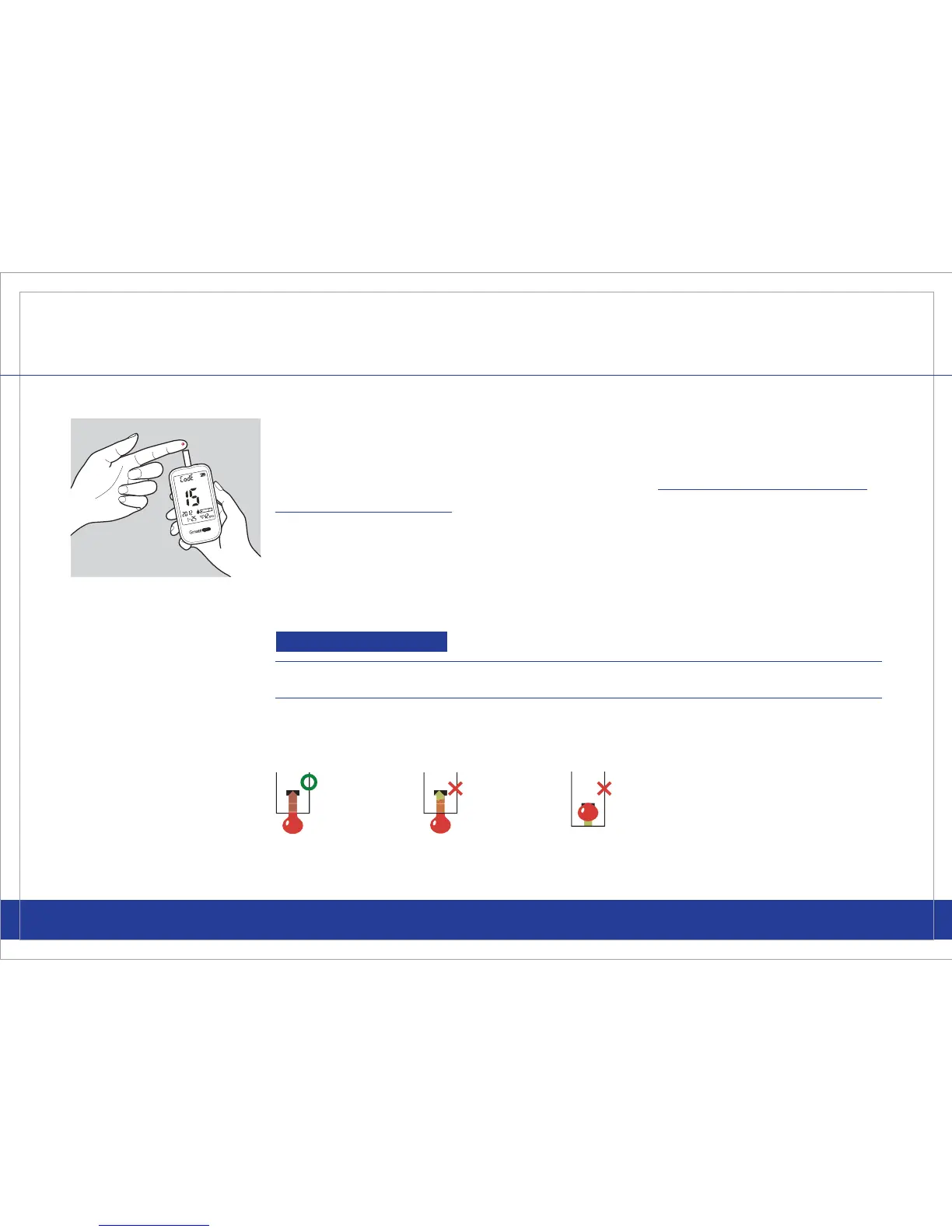
Using the lancing device to obtain the blood sample, place the blood from
your nger to the tip of the Gmate® Test Strip.
Do NOT press your finger
against the test strip.
The test strip will automatically draw the blood.
Continue to keep your nger on the test strip until the meter chimes
indicating that the volume of blood is sufcient and the meter will begin
calculating your blood glucose level. The reading will only take 5 seconds.
Important
The volume of the blood sample must be at least 0.5 microliter.
Please make sure that the blood sample completely lls the designated
area of the Gmate® Test Strip.



 To Next Page