PAGE 18 INSTRUCTION MANUAL G-COMBO
3-4-6 Chart symbols and information
This function is only available when a C-MAP SD card
is inserted.
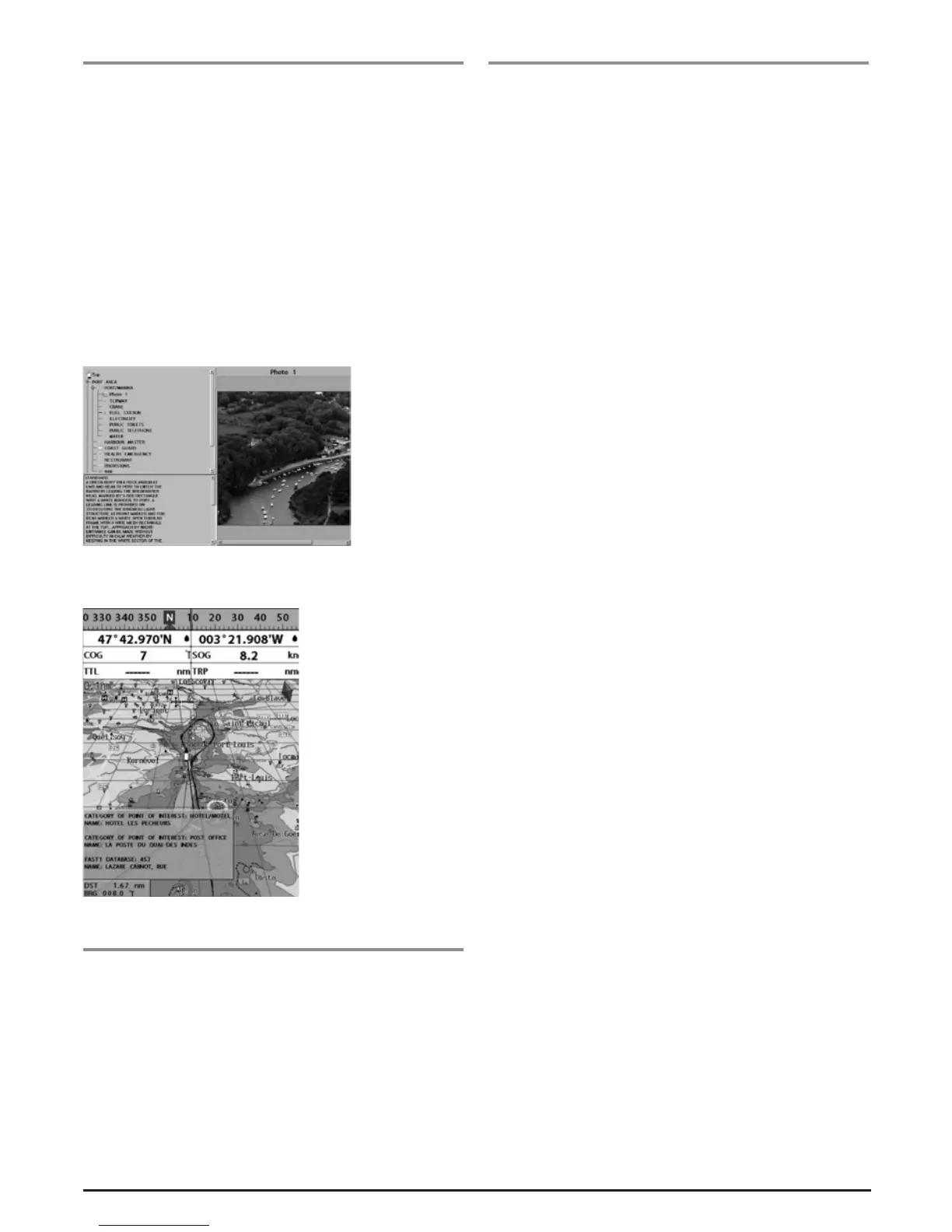
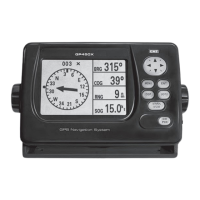
When using a C-Map Max card, you can view different kinds
of symbols and their information on the chartplotter display.
Some objects have a picture associated.
To display information
1 Move cursor onto an icon to display its name.
2 Press MENU and select Chart info.
3 Move cursor key to highlight an item and press ENT.
4 Information related to the item appears as below.
[Chart info]
[Chart symbol Data Box]
3-4-7 Introduction to navigating
Use the navigation chart to plan your course, view map
information and use as a navigational aid.
This unit has two ways of navigating, going straight to a
waypoint or following a route (a group of waypoints).
3-4 -8 Goi ng to a waypoin t or t o a po int on th e ch art
A waypoint is a particular location on a trip whether it is a
starting, intermediate or destination point. A waypoint is the
simplest piece of information your equipment requires to get
you to a destination, in the shortest distance possible. This
unit can save up to 10,000 waypoints.
GOTO Cursor Option
1 Press PAGE and select the Chart window.
2 Move the cursor to the destination point.
3 Press MENU and select Goto cursor to start navigating.
GOTO WPT Option
1 Press PAGE and select the Chart window
2. Move cursor onto Waypoint.
3 Press MENU and select Goto WPT to start navigating.
Find Option
1 Press PAGE and select the Chart icon.
2 In the Chart window, press MENU and select Find then
Waypoints.
3 Select a waypoint to start navigation.
Make sure the course does not pass over land or
dangerous waters.
Cancelling navigating
1 Press PAGE and select the Chart icon.
2 Press MENU and select Cancel Goto.


 To Next Page