PAGE 20 INSTRUCTION MANUAL G-COMBO
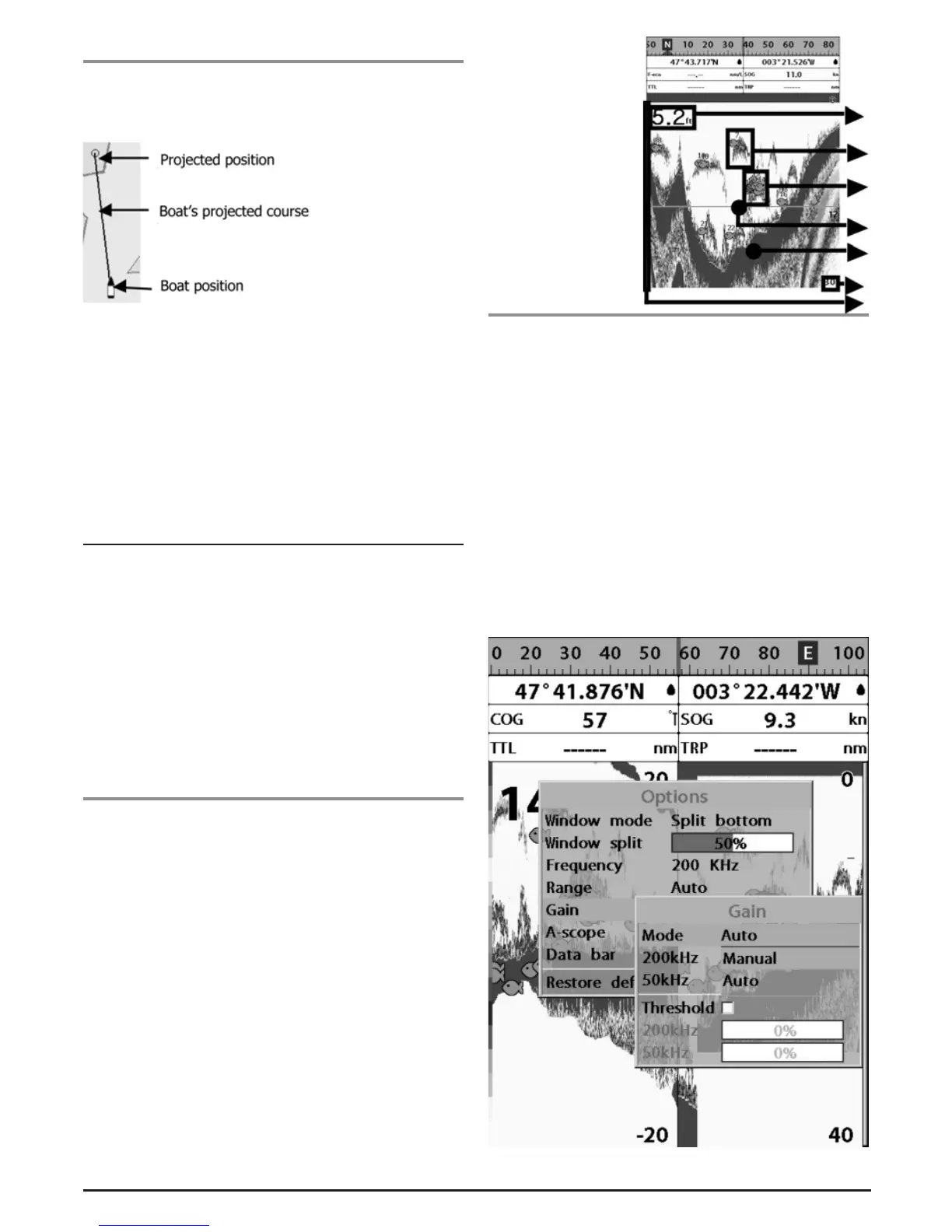
3-4-12 Projected course
The projected course shows you where the boat will be after a
cetain time. This function is very useful to avoid a collision with
other vessels.
To set a projected course time
1 Press and hold MENU.
2 Select CHART.
3 Highlight GENERAL.
4 Highlight PROJECTED COURSE.
5 Select time of projected course.
3 - 5 Sonar
The G142CFD proposes a sonar function when the unit is
connected to an optional depth transducer.
To activate sonar function;
1 Press and hold MENU and select System
Configuration icon
2 Select Features then Sonar.
3 Now the sonar page can be selected. Press PAGE and
select sonar option.
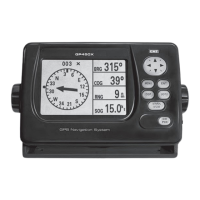
3-5-1 Interpreting the display
1 Depth.
2 Single fish: Fish symbols with depth.
3 School of fish.
4 Depth line.
5 Bottom: Hard bottoms such as rock and coral shown as
wide bands.
6 Soft bottoms such as mud, weed and sand show as narrow
bands.
7 Range of display.
8 Colour bar.
The window scrolls
from right (recent
sonar record) to left
(old sonar record).
3-5-2 Mode
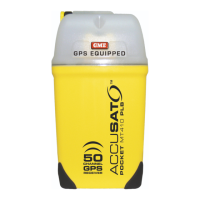
The unit operates in two different modes. You can choose a
mode depending on the condition.
• Auto mode: This is the most commonly used option. In
this mode, settings are automatically adjusted for the best
display of fish and bottom according to the environment.
• Manual mode: Use this option for manual setting. The
option might bring you better result for the conditions.
To change a mode;
1 Press MENU then select Gain.
2 Select Mode then Manual or Auto and press ENT.
3 Press ESC to exit.
1
2
3
4
5
6
7


 To Next Page