PAGE 32 INSTRUCTION MANUAL G-COMBO
3-14 NAVTEX
NAVTEX is an international automated direct printing service
for delivery of navigational and meteorological warnings and
forecast, as well as urgent marine safety information.
NAVTEX functions require an optional NAVTEX receiver with
NMEA0183 output to be installed and connected to
the chartplotter.
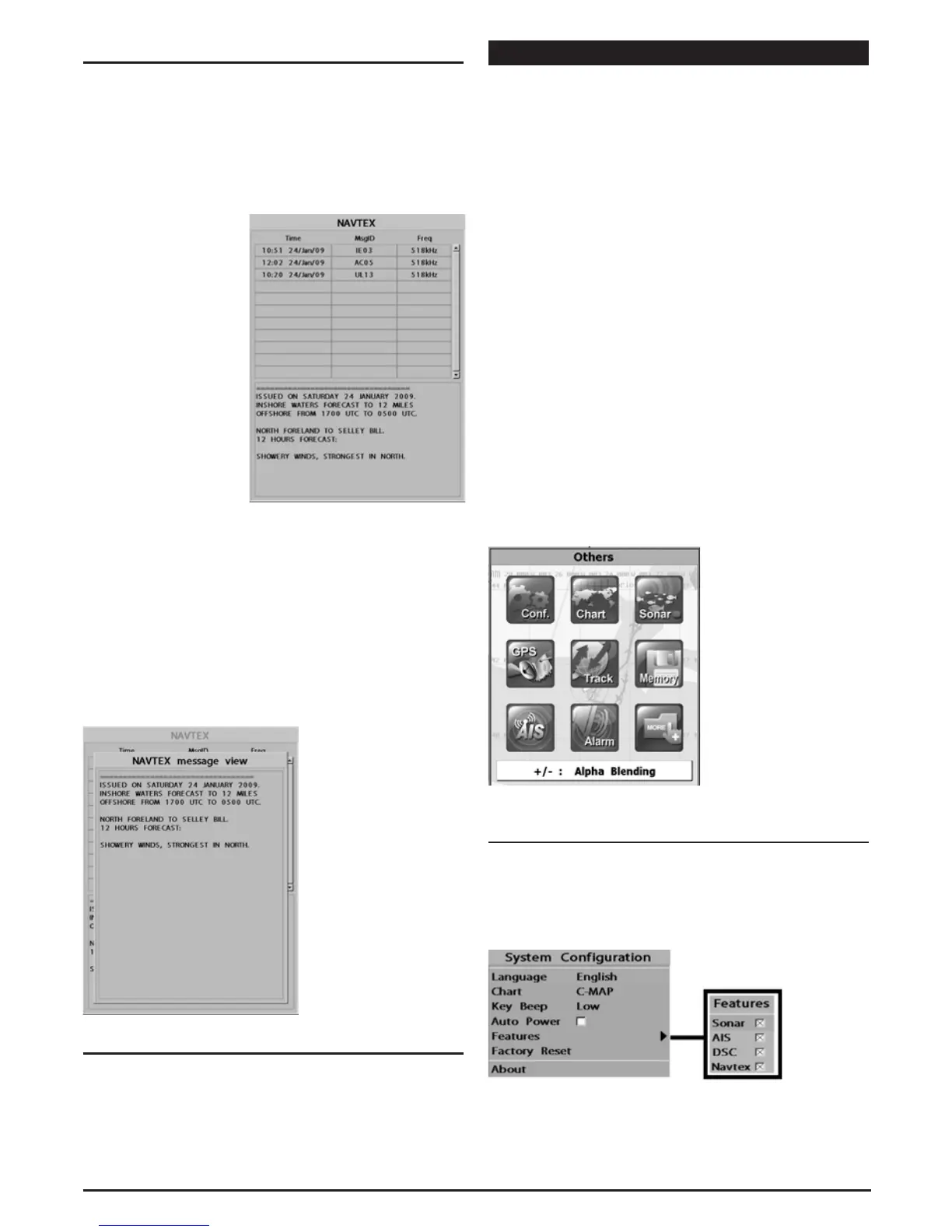
To go to the NAVTEX
window, press PAGE and
select the NAVTEX icon.
Reloading NAVTEX messages:
NAVTEX messages need to be loaded from a NAVTEX receiver
manually. (Up to 50 messages)
1 Press MENU and select Reload all.
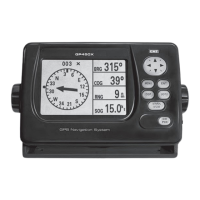
Deleting a message:
1 Move the cursor to the message you want to delete.
2 Press MENU and select Delete.
3-15 Engine Faults
The Engine Faults window shows you all the errors or
malfunctions relating to the engine in real time. If a problem is
solved then corresponding error or malfunction indication will
disappear.
4 ADVANCED SETTINGS
The system menu mainly consists of settings which do not
require frequent adjustment.
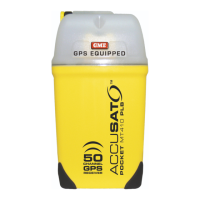
To go to system menu, press and hold MENU then select the
icon you want.
1 System Configuration.
2 Chart.
3 Sonar.
4 GPS.
5 Track & log.
6 Memory.
7 AIS.
8 Alarms.
9 Others.
10 Alpha blending (set transparency of menu boxes’
background over main windows).
4-1 System Configuration Settings
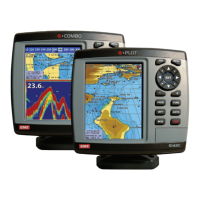
To go to System configuration:
1 Press and hold MENU.
2 Select the system configuration icon.
1
4
7
10
2
5
8
3
6
9


 To Next Page