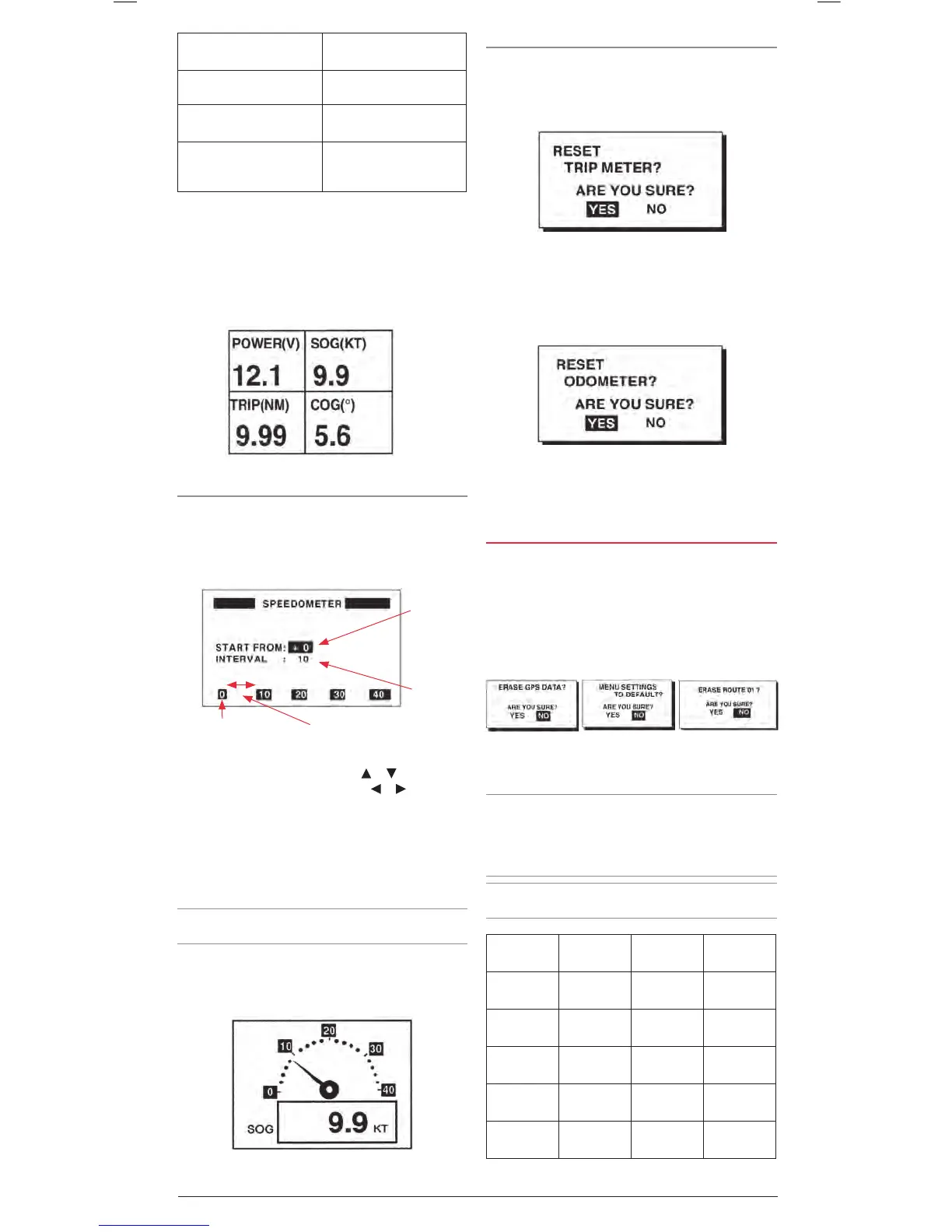
TRIP: Trip distance WPT: Range and bearing to
Waypoint.
TIME: Time and date
XTE: Cross track error
POSN: Position.
TTG: Time to go (to
destination).
POWER: Power source
voltage.
ETA: Estimated time of
arrival (at destination).
7. Repeat to select options for the other available
field locations.
8. When finished, press the MENU key twice to return to the
navigation screen. The Digital display options you selected
will now be available when the DISP key is cycled.
SPEEDOMETER
Select Speedometer to calibrate and display an analogue
speedometer on the User Display.
1. T he START FROM field is highlighted. Here is where you
calibrate the Speedometer. Press the ENT key to begin.
2. Use the cursor keys to enter the minimum speed you want
the speedometer to display. Press the
or keys to change
the value at the cursor position and the or keys to move
the cursor to the left or right. The range can be set from -99
to +99. Press the ENT key when done.
3. The Interval field is highlighted. Press the ENT key.
4. Use the cursor keys to enter the speedometer scale interval.
The range can be set from 1 to 99. Press the ENT key
when done.
Note: The resulting speedometer scale is displayed at the
bottom of the screen.
5. Press the MENU key twice to return to the navigation screen.
The Speedometer display options you selected will now be
available when the DISP key is cycled.
Resetting Trip and Odometer Distances.
1. At the main menu, select ERASE and press the ENT key.
2. Select the RESET TRIP? field and press the ENT key. The
Reset Trip Meter window is displayed.
3. Choose YES and press the ENT key. The Trip meter is reset
to 0.
4. Select the RESET ODO? Field and press the ENT key. The
Reset Odometer window is displayed.
5. Choose YES and press the ENT key. The Odometer is
reset to 0.
6. Press the MENU key twice to return to the navigation screen.
CLEARING DATA
You may clear GPS data, menu settings and all backup data to
start afresh.
1. From the main menu select ERASE and press the ENT key.
2. Select from GPS DATA, MENU SETTING or ALL BACKUP
DATA and press the ENT key.
3. One of the following messages appears;
4. Choose YES and then press the ENT key. A beep sounds
while the selected item is being erased.
NOTE: If you were using the simulation mode, when data is
cleared, the message Start Simulation - Are You Sure?
appears. Choose YES and press the ENT key to restart the
simulation mode, or press the ENT key to select NO and start
normal operation.
NOTE: When the memory is cleared the GP450X is restored to
a default position as shown in the table below.
Language Default
Position
Units Time
Difference
English N 22° 47,
E115° 22
nm, kt 0:00
German N 54°,
E10°
nm, kt 0:00
French N48° 52,
E2° 18
km, km/h 0:00
Spanish N40° 26,
W3° 40
nm, kt +2:00
Chinese N22° 47,
E115° 22
nm, kt +8:00
Example of the SPEEDOMETER User Display
Minimum
Speed
Speed
Interval
Minimum Speed
Speed Interval


 To Next Page