Simply follow the instructions for storing Selcall Idents in
memory as described earlier in this manual.
Receiving Group Calls
Receiving a Group Call is identical to receiving a normal
Selcall except that the alarm sound is a LOW tone beep
instead of the normal High tone beep. The Callers Ident
or Name appears on the display in the usual way.
DTMF (DUAL TONE
MULTIPLE FREqUENCy)
DTMF signaling can be used for dialling telephone
numbers or activating devices by remote control. If DTMF
is available on the radio, the method you will use to send
DTMF signals will depend on the options programmed.
Using the DTMF 'Speed Dial' Memories
DTMF 'Speed dial' memories are used when the radio
has been preprogrammed with the necessary DTMF tone
sequences for your application, with no provision to
manually alter them.
DTMF 'Speed Dial' memories may be programmed into
one or more of the function keys (F1, F2, F3, F4, F5,
F6, A or CALL).
To send a DTMF signal using a 'Speed Dial' memory,
press and HOLD the appropriate function key (F1, F2,
F3, F4, F5, F6, A or CALL) until a high beep is heard.
The TX indicator will appear on the display as the DTMF
tone sequence is sent.
Using the DTMF 'Speed Dial' Memories with
'Channel Recall'
The DTMF 'Speed Dial' memories may also have been
programmed to automatically go to a specific channel
before sending your DTMF signal.
To send a DTMF signal using a 'Speed Dial' memory
programmed with 'Channel Recall', press and HOLD the
appropriate function key (F1, F2, F3, F4, F5, F6, A or
CALL) until a high beep is heard. The radio will change
to the preprogrammed channel and the TX indicator will
appear on the display as the DTMF signal is sent. The
radio will then stay on the preprogrammed channel.
If enabled by the Dealer, the PAGE or transpond feature
allows you to leave your radio unattended yet still be
informed of any incoming Selcalls. If your Selcall Ident is
received while your TX4800 is in the PAGE mode, it will
automatically call another radio to alert you to the call.
PAGE MODE
NOTE: To allow your TX4800 to operate in the PAGE
mode when your vehicle is unattended, your radio must
be wired so that it has a continuous 13.8 Volt power
source even when the vehicles ignition is switched off
(see installation instructions).
Selecting the Paging Channel
Your TX4800's Paging channel is preprogrammed by
the Dealer.
Setting the Paging Ident
The PAGE Ident is the Ident of the receiver you will use to
receive the paging call. Depending on your requirements,
the Paging Ident may be fixed by the Dealer, or provision
may have been given for you to programme it yourself. It
is programmed in the same way as Selcall Idents and is
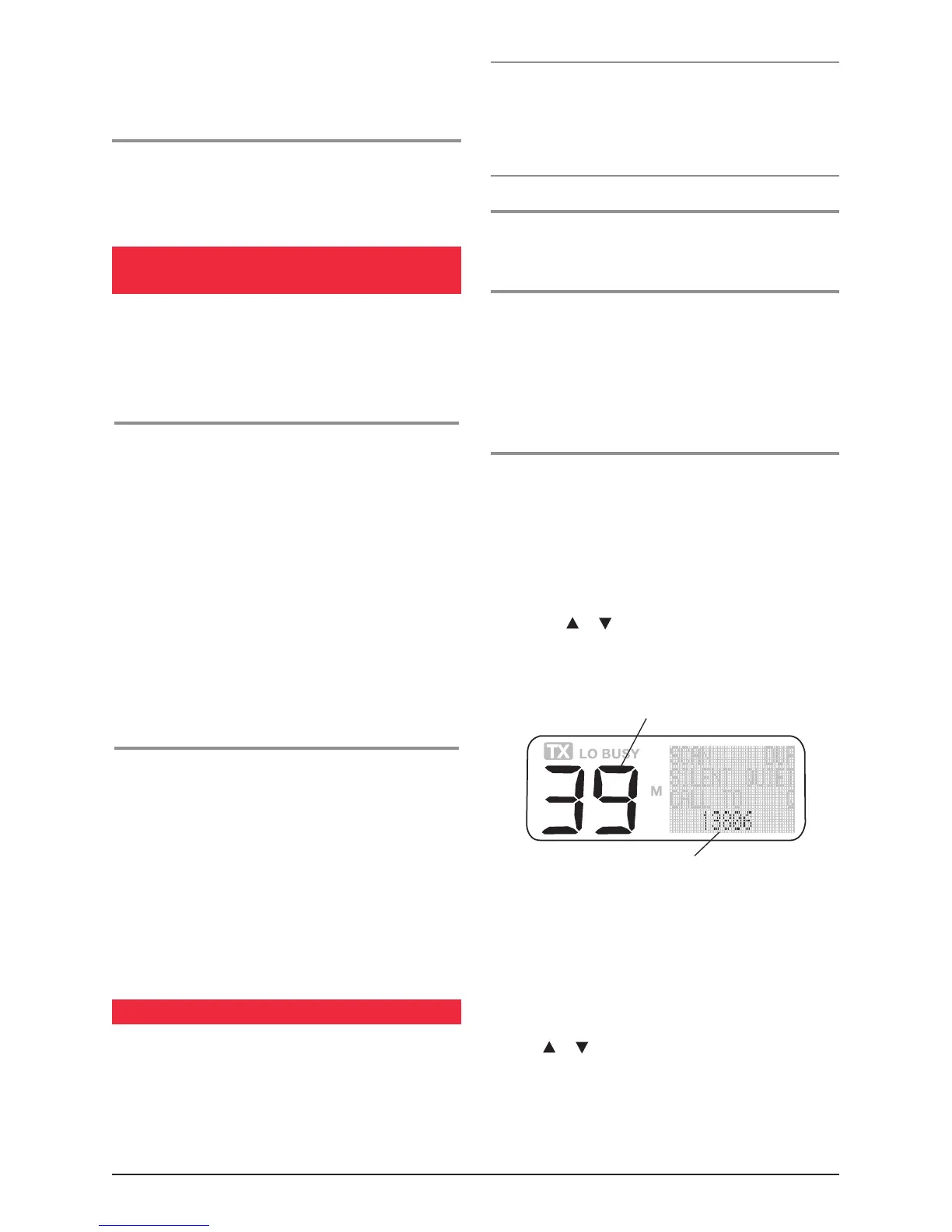
stored in Selcall memory 39.
To program the Paging Ident
1. Briefly press the Call button. 'Call To' will appear on
the display, and the Selcall ident for memory location
1 will be displayed. If the radio is in Alpha mode,
the ident may display a label representing the ident
instead of the ident number itself. If there is no label
programmed, the selcall display area will be blank
when in Alpha mode.
2. Press the
or selector switch to select Selcall
memory. The selected selcall memory number is
displayed in the channel display area. If Alpha mode is
selected, 'PAGER' will be displayed in the Selcall area.
3. Briefly press the F6 key to select the Numeric mode.
'NUMER' will appear briefly in the Selcall display area
when Numeric mode is selected.
4. To enter the EDIT mode, press and hold the F5 key
until a beep is heard. 'EDIT' will appear briefly in the
selcall display area and the right hand selcall digit will
begin flashing.
5. Press
or
to alter the flashing digit. When the
correct digit is displayed, briefly press F5 to move to
the next digit. Continue the process until the required
Selcall ident is displayed.
PAGE Selcall Ident
Selcall memory 39



 To Next Page