•
If a normal signal is received on an open channel,
scanning will pause while the channel is busy and will
resume scanning 5 seconds after the channel becomes
clear. (If you were scanning in GS mode, the radio
may switch between the open channel and the Priority
channel - this is normal).
•
If a normal signal is received on a Quiet channel but
your Selcall Ident is not detected, the signal will be
ignored and scanning will continue.
•
If a signal containing your Selcall Ident is received
on any channel - Open or Quiet - both scanning and
QUIET modes will be cancelled and the receiver will
stay on that channel. In addition, the alarm will beep
to alert you to the call and the caller's Ident will be
displayed. The channel will now be open for normal
transmission and reception.
SENDING A SELCALL
There are several ways to make a Selcall transmission.
The method you use will depend on the options
programmed into the radio.
Sending a Selcall using the Selcall
'Speed Dial' Memories
Selcall 'Speed dial' memories are used when the radio
has been preprogrammed with the necessary Selcall
codes for a group, with no provision to manually
alter them.
'Speed Dial' memories are programmed into one or more
of the function keys.
To send a Selcall using a 'Speed Dial' memory, press and
HOLD the appropriate key (F1, F2, F3, F4, F5, F6, A
or CALL) for a few seconds until a beep is heard. The TX
indicator will be displayed as the Selcall code is sent.
If the Selcall is successful, you will hear two quick beeps
in the speaker. This is an acknowledge signal, sent back
to you from the radio called. It is used to confirm that
your Selcall was received.
Sending a Selcall using the Selcall 'Speed
Dial' Memories with 'Channel Recall'
Your 'Speed Dial' memories may have been programmed
to recall a specific channel before sending the Selcall.
To send a Selcall using a 'Speed Dial' memory
programmed with 'Channel Recall', simply press and
HOLD the appropriate key for a few seconds until a beep
is heard. The radio will change to the preprogrammed
channel, and the TX indicator will be displayed as the
Selcall code is sent. The radio will then stay on the
preprogrammed channel.
If the Selcall is successful, you will hear two quick beeps
in the speaker. This is an acknowledge signal, sent back
to you from the radio called. It is used to confirm that the
Selcall was received.
Sending a Selcall using the preprogrammed
'Call To' Selcall Memories
The radio has provision to hold up to 40 preprogrammed
Selcall idents in its 'Call To' memory. These memories
are likely to have been preprogrammed by the Dealer.
However, provision may have been given to allow you to
edit these memories yourself.
Selecting the 'Call To' Memories
if available
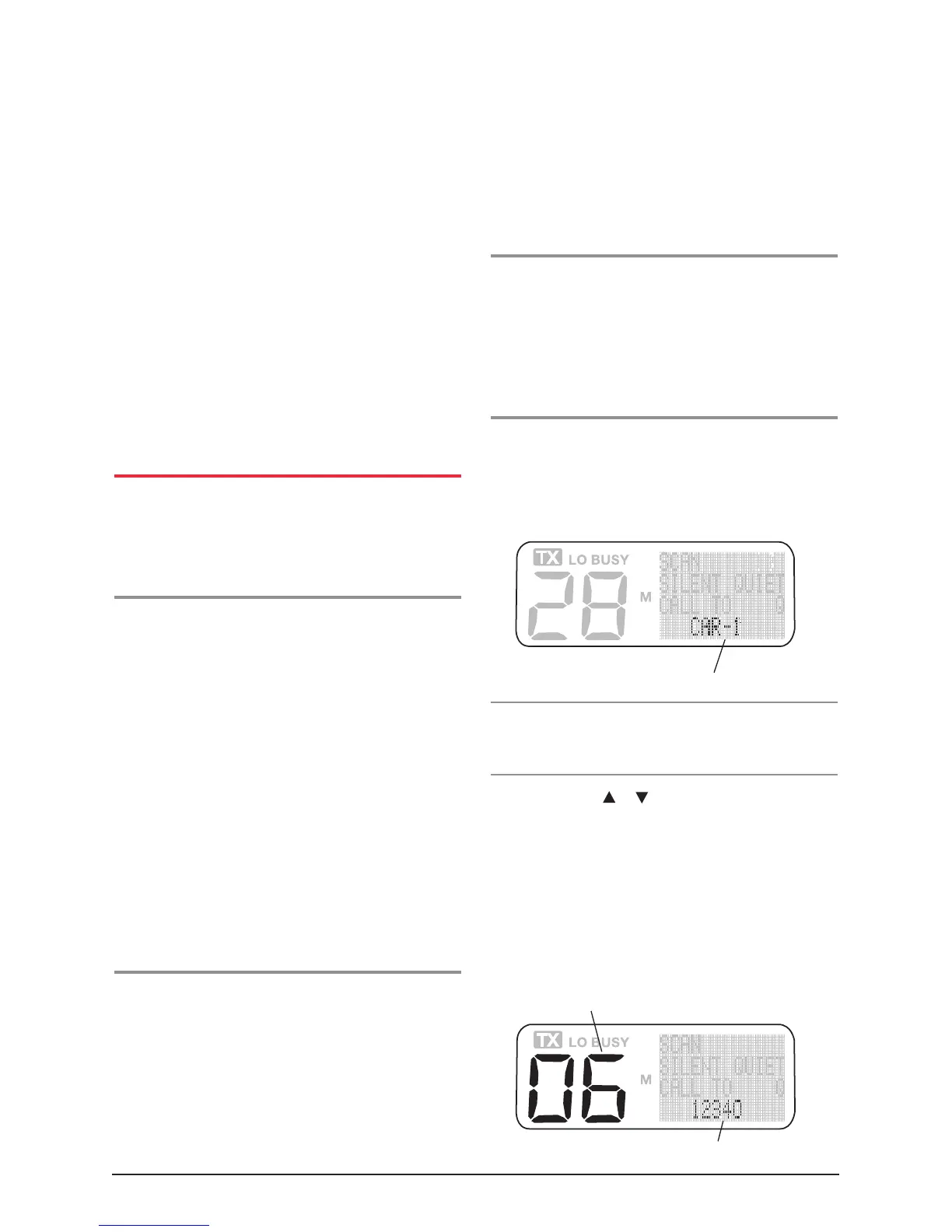
1. Briefly press the Call button, 'Call To' will appear on
the display, along with the Selcall ident for memory
location 1. If the radio is in Alpha mode, the ident may
display a label representing the ident instead of the
ident number.
NOTE: If no user input is detected for 20 seconds, the
radio will return to normal mode and you will have to
begin again.
2. Press either the
or buttons to step through
the available Selcall memories. The selected selcall
memory number is displayed in the channel
display area.
3. If there are Alpha labels associated with the Selcall
idents, you can switch between Alpha and Numeric
display modes by briefly pressing the Volume knob.
ALPHA or NUMER will appear briefly in the selcall
display area to indicate the selected mode.
Selcall Label displayed in Alpha Mode
Selcall memory location
Selcall Ident or Label



 To Next Page