To transmit the selected Selcall ident while in the Call To
mode, press and hold the Call button for a few seconds
until a beep is heard. The TX indicator will appear on the
display and the selected selcall will be transmitted. The
radio will then return to normal operation.
NOTE: Of the 40 available memory locations, 1 thru 38
are available for user defined or preprogrammed Selcall
memories. Location 39 contains the Pager Ident. If the
Pager feature is disabled, then this memory location is
also available as a user defined memory. Location 40 is
reserved for the ‘last-sent’ selcall ident and is
not editable.
Editing the Preprogrammed ‘Call To‘
Selcall Memories.
If the Dealer has enabled ‘Selcall Memory Editing’ on
your radio, you can program and store your own Selcall
Ident memories and associated Alpha labels as follows.
Tip: The memory is programmed in two stages with
the Numeric Ident being programmed first, followed
by the Alpha label if required. Each memory should be
programmed in one continuous process. If no user input
is detected for 20 seconds, the radio will return to normal
mode and you will have to begin again.
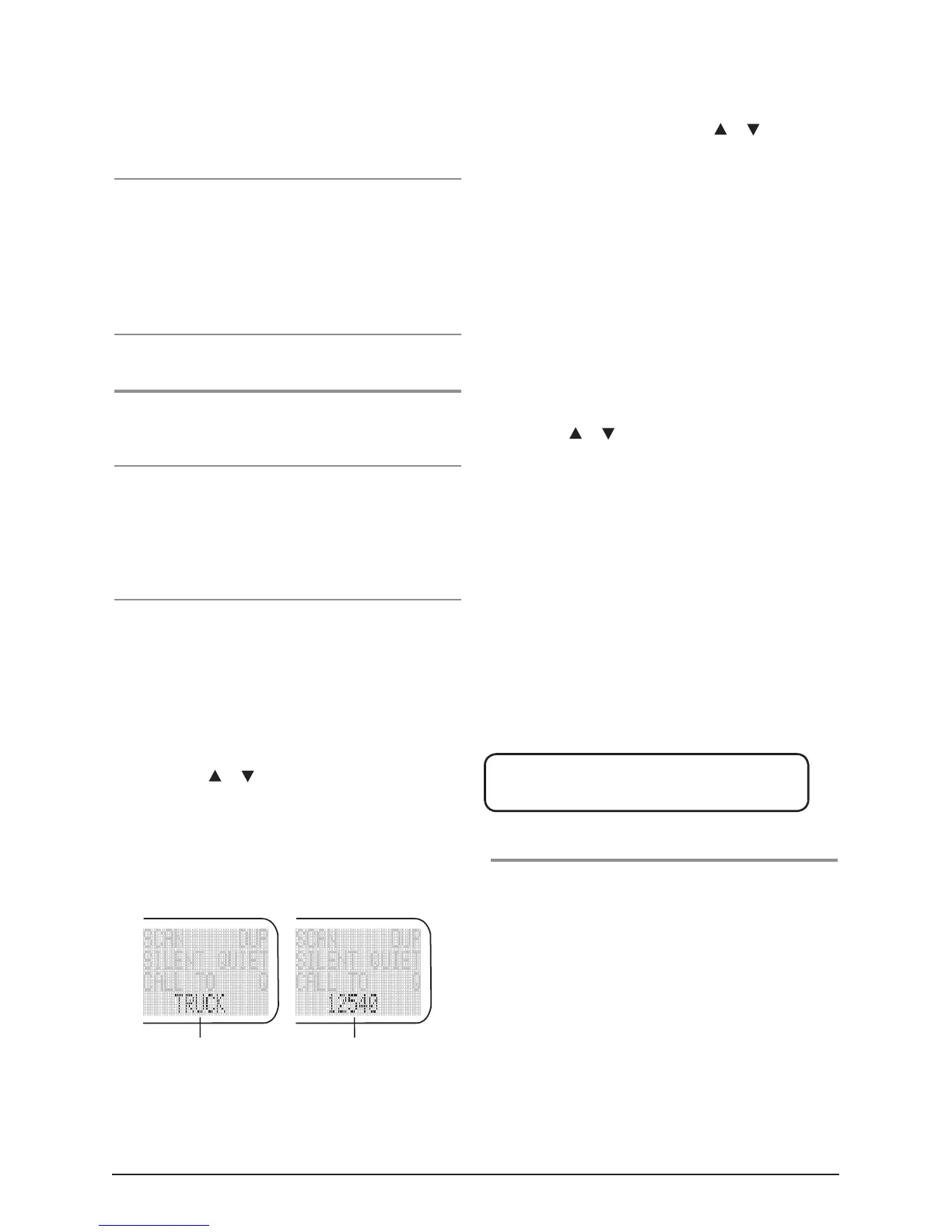
1. Briefly press the Call button, 'Call To' will appear on
the display, and the Selcall ident for memory location
1 will be displayed. If the radio is in Alpha mode,
the ident may display a label representing the ident
instead of the ident number itself. If there is no label
programmed, the selcall display area will be blank
when in Alpha mode.
2. Pressing the
or selector to select the required
Selcall memory. The selected selcall memory number is
displayed in the channel display area.
3. Briefly press the F6 key to select the Numeric mode.
NUMER will appear briefly in the Selcall display area
when Numeric mode is selected.
4. To enter the EDIT mode, press and hold the F5 Key
until a beep is heard. 'EDIT' will appear briefly in the
selcall display area and the right hand selcall digit will
begin flashing.
5. Select the required digit using the
or buttons
to alter the flashing digit. When the correct digit is
displayed, briefly press the F5 key to move to the next
digit. Continue the process until the required Selcall
ident is displayed.
6. Now press and hold the F5 key again to store the
Ident. All the digits will flash, then the radio will beep
and 'SAVED' will appear briefly in the selcall area.
7. To program an Alpha Label, briefly press the F6 key.
'ALPHA' will appear briefly in the selcall area.
8. Enter the EDIT mode again by pressing and holding
the F5 key until a beep is heard. 'EDIT' will appear
briefly in the selcall display area.
9. Using the
or buttons to select the ‘rightmost’
character of the label you wish to enter. When done,
briefly press the F5 key to move left to the next
character position. Continue the process until the
required label is displayed. Up to 5 characters can
be entered.
10. Now press and hold the F5 key again to store the
Label. All the characters will flash, then the radio will
beep and 'SAVED' will appear briefly in the
selcall area.
Briefly press the Call button again (or wait 20 seconds)
to return to normal mode.
The following characters can be selected in the
Alpha mode:
* + - 0 1 2 3 4 5 6 7 8 9 A B C D E F
G H I J K L M N O P Q R S T U V W X Y Z <SPACE>
Sending individual Selcalls
If this feature is available, you can enter and send
individual selcall codes without the need to store or
retrieve them from the memory.
1. Briefly press the Call button. 'Call To' will appear on
the display, along with the Selcall ident for memory
location 1.
2. If the radio is in Alpha mode, briefly press F6 to select
the Numeric mode. 'NUMER' will appear briefly in the
selcall display area to indicate the selected mode.
3. Press and hold F5 until a beep is heard. 'EDIT' will
appear briefly in the selcall display area and the right
hand selcall digit will begin flashing.
Alpha Mode
Numeric Mode



 To Next Page