TURNING THE TX4800 ON OR OFF
Rotate the volume control clockwise past the 'click' to
turn the TX4800 ON. Rotate the control fully counter
clockwise past the click to turn the radio OFF.
ADJUSTING THE RECEIVER VOLUME
While receiving a signal, rotate the volume control to
achieve a comfortable listening level.
If there are no signals present, press the SQUELCH
key briefly to open the squelch, then adjust the volume
while listening to the receiver's background noise. When
finished, briefly press the SQUELCH key again to return
the receiver to the quiet state.
If the radio does not have a SQUELCH key and there
are no signals present, set the Volume control to the 11
o'clock position as a starting point.
NOTE: The minimum setting of the volume control has
been factory preset so that, even with the volume turned
right down, you can still hear a low level sound from
the speaker.
SELECTING CHANNELS
The channels in your radio are preprogrammed by the
Dealer and are identified by numbers. In addition, each
channel may also be programmed with an identifying
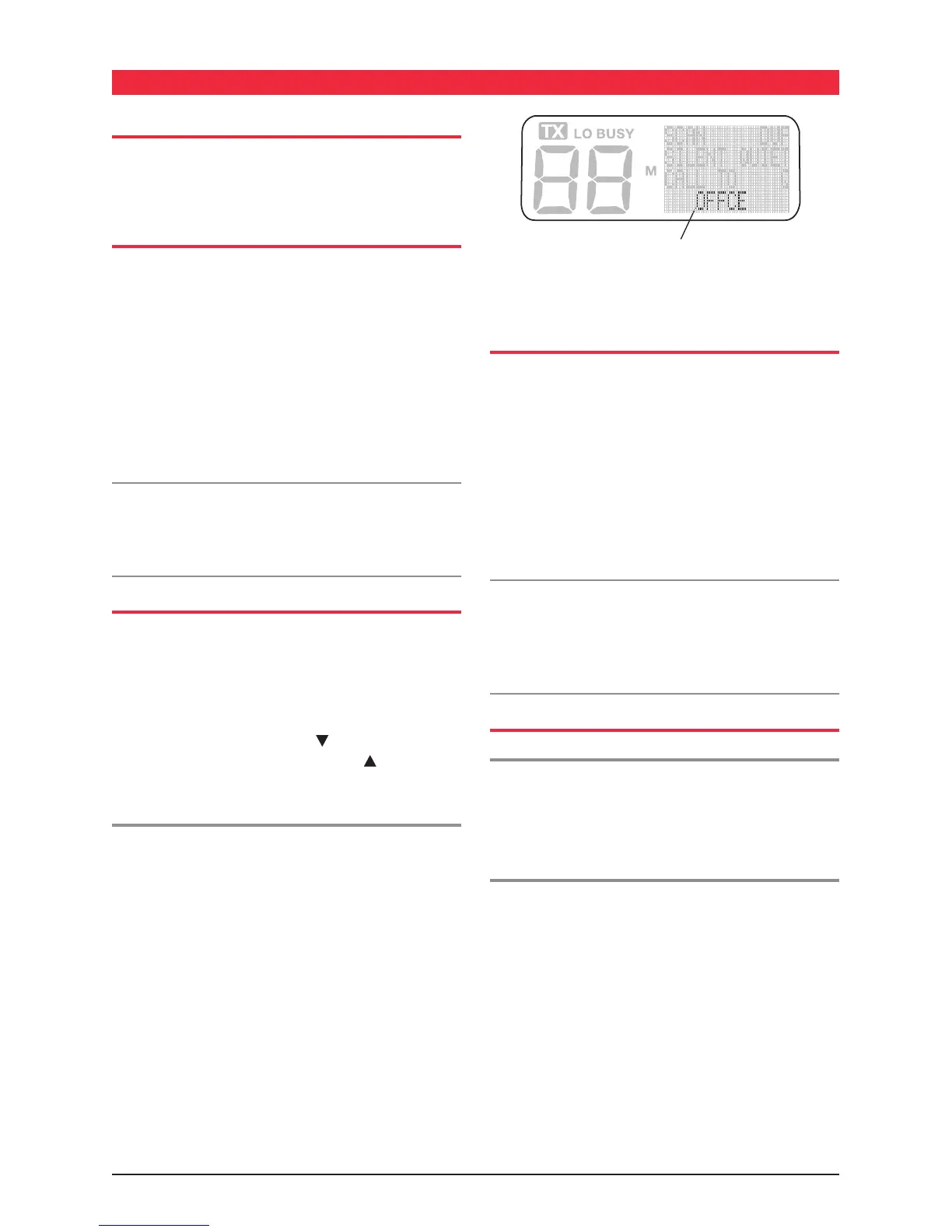
name or 'alphanumeric label'. The label appears in the
bottom right of the display.
To change channels, Pressing the
button will select
lower channel numbers, and pressing the button will
select higher channel numbers.
Alphanumeric Labels
As well as identifying channels by their channel numbers,
channels may be programmed with an alphanumeric
label. Using labels with meaningful names makes it much
easier to identify channels.
e.g. The channel on which you normally contact your
office might be labelled OFFCE while a construction
site channel might be labelled SITE1. In this way you
no longer need to remember which channel numbers
to select, you simply select the required channel by
it's label.
Alphanumeric labels are preprogrammed into the radio
by the Dealer.
TRANSMITTING
Before transmitting, check if the channel is already in use
(i.e. 'BUSY' will be displayed). If the channel is busy, wait
until it is clear before transmitting.
To transmit, press the Push-To-Talk (PTT) switch on
the microphone. Hold the microphone about 2 - 6 cm
from your mouth and slightly to one side so that you
are speaking across the microphone, not directly into
it. When talking, speak at a normal voice level. The
microphone is quite sensitive so it is not necessary to
raise your voice or shout.
NOTE: The radio may have been programmed to prevent
it from transmitting when the channel is already in
use. If this is the case, pressing the PTT switch while
the channel is busy will result in a low beep and the
transmitter will not function.
RECEIVING
Normal Reception
The radio will normally be muted (squelched) so that it
is quiet when there are no signals. When a transmission
is received, the radio will automatically un-mute itself to
allow you to hear the call.
The BUSY Indicator
Whenever the channel is active, the 'BUSY' indicator
will appear on the display. However, depending on the
muting options programmed into the radio, you may not
always hear any sound from the speaker. This can happen
when sharing the channel but calls are not meant for you.
For this reason it is important that you visually check that
the channel is not busy before making a call to ensure
you do not accidentally talk over someone else. In some
cases the radio may be programmed with 'Busy Channel
Lockout' to prevent it from transmitting while the channel
is busy.
OPERATION
Alphanumeric Label



 To Next Page