25
HEAT
The “WAIT (Too COLD)” indicator
may appear if the speed is set too
fast for the material being laminated.
Either lower the speed setting or
press STOP
and wait until the
“READY” indicator appears.
Operation of the laminator for more
than thirty minutes at a time may
necessitate a lower speed setting.
It is recommended that, during
periods of long runs, the items
being laminated are alternated
between thick and thin. Do not
combine thick and thin items
at the same time, as this will
result in a poor edge seal
around the thinner material. If
you are unsure that the laminator is
set at the proper speed for the item
to be laminated, run a test piece
(scrap) of the same or similar
material through the laminator. This
procedure is recommended
because rotating the heat roller
prior to lamination will more evenly
distribute the heat. Make speed
adjustments if necessary.
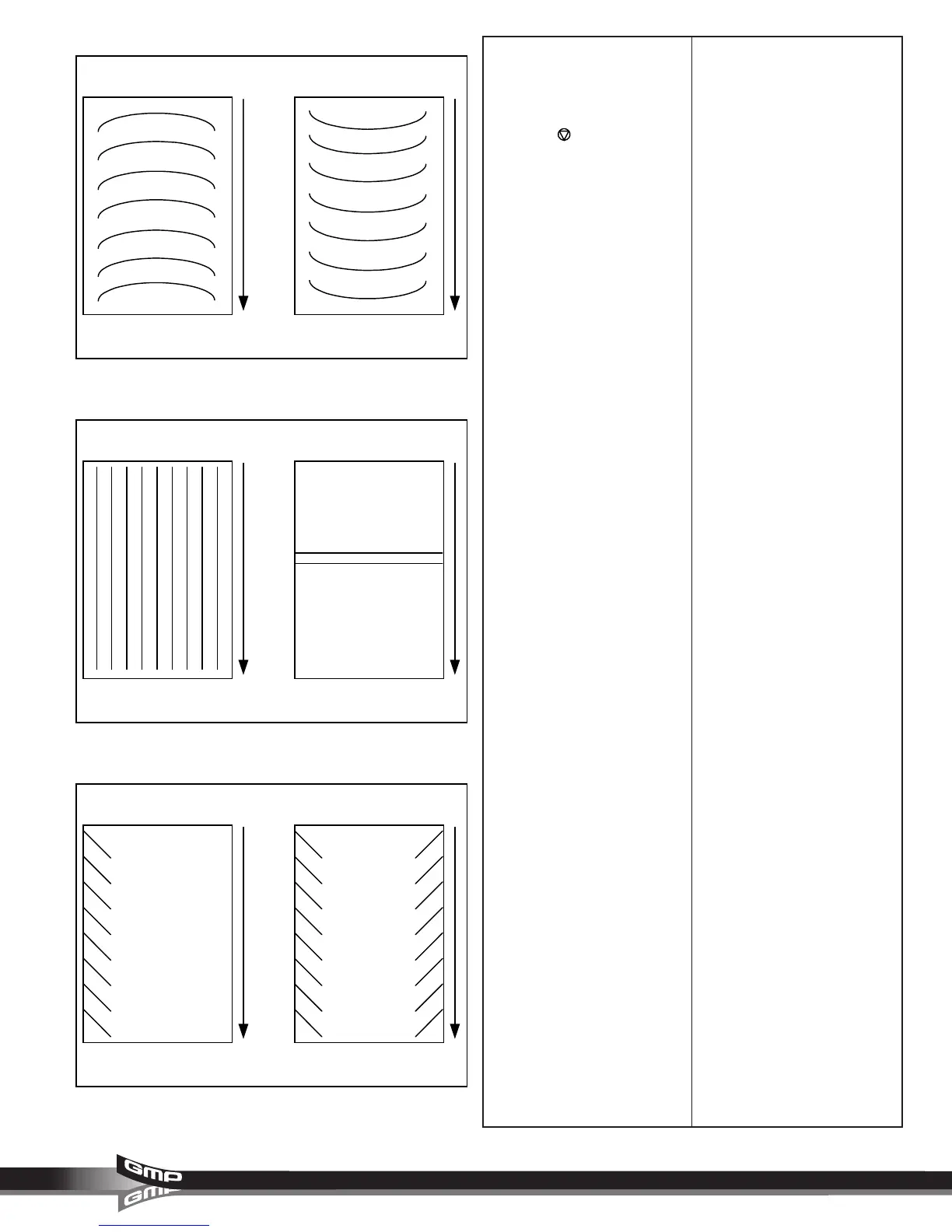
OUTPUT
1. “D” waves in the image
(Figure 45 A).
– Check paper tension.
– Paper may be damp or not dry.
2. “D” waves in the laminate
(Figure 45 B).
– Change roller handle pressure.
3. Straight waves in output
(Figure 46 A).
– Check operational settings for
materials being used.
4. Indent waves in output after
pull rollers (Figure 46 B).
– Insufficient cooling time.
– Output was handled prior to
cooling.
– Use cooling feature if not on.
– Machine was stopped on print.
5. Angled waves in the output
(Figure 47 A & B).
– Change roller handle pressure.
– Check for even paper tension
(Figure 46 A only)
Fig. 45
Fig. 46
Fig. 47
- A - - B -
- A - - B -
- A - - B -



 To Next Page