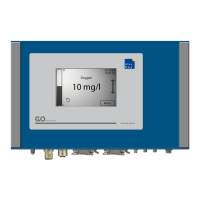
BlueSense Module
GO Systemelektronik GmbH Faluner Weg 1 24109 Kiel Germany Tel.: +49 431 58080-0 Fax: -58080-11
Page 15 / 16
www.go-sys.de info@go-sys.de
Work flow:
a. Select a gain factor [1].
b. Enter the reference value of the first reference fluid in the appropriate input field [2].
c. Dunk the sensor in the first reference fluid, wait until the values shown in [3] and [4] are stable.
d. If the displayed values do not stabilize, then set the digital filter [7] on e.g. 20 %.
e. Click on the button [6] that is assigned to the first reference value to transfer the raw value.
f. Repeat steps b. to e. with the second reference fluid.
g. Click button <Set>. ⇒ The calibration for the selected gain factor is completed.
h. If necessary calibrate again with a different gain factor.
∗
i. Select the intended gain factor or
Automatic [1], before closing the window.
∗
On operation with automatic range switching ( Automatic) you have to calibrate at all three ranges.


 To Next Page