20
DT2 / DT4 series User Manual
IP Setting
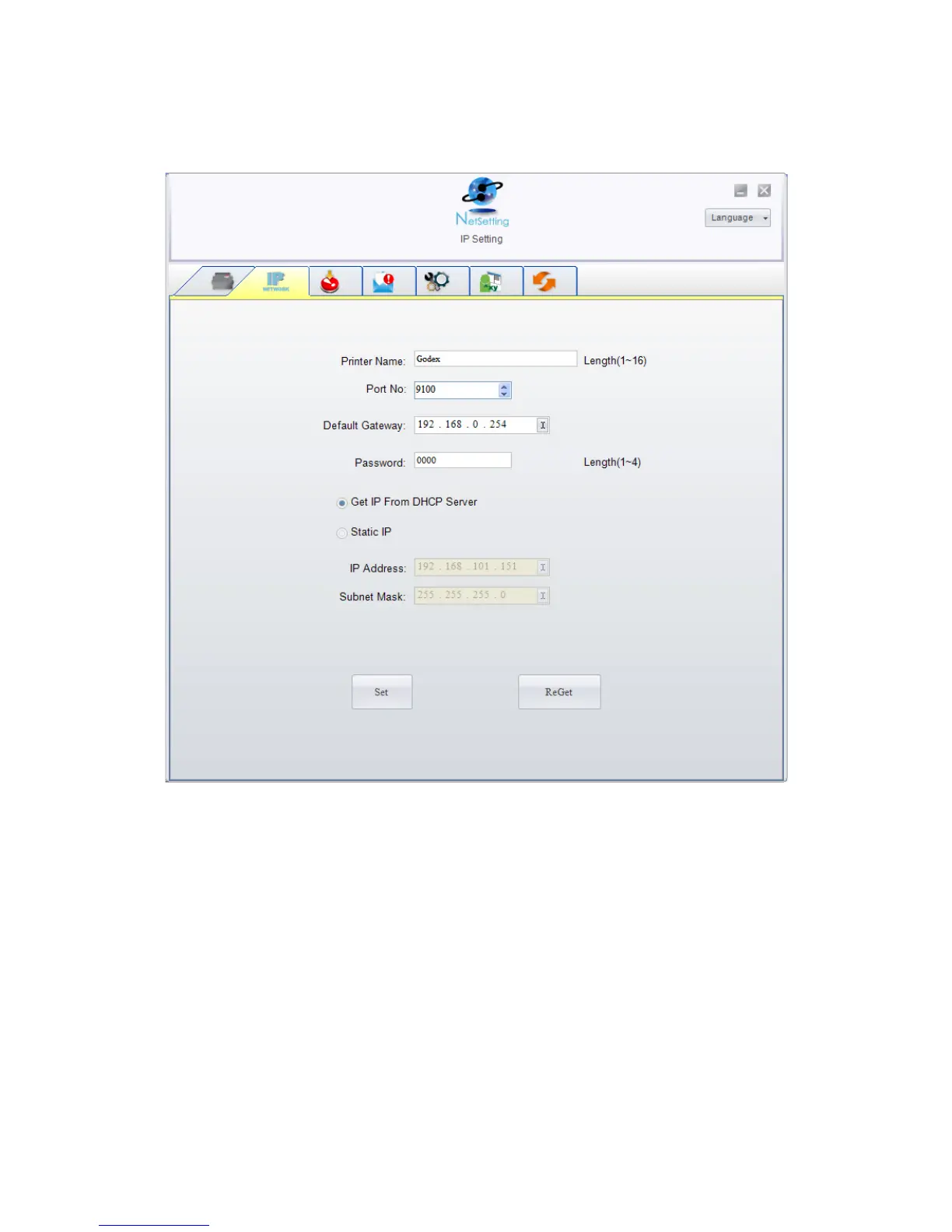
The IP Setting tab can change the printer name, Port number, Gateway setting and the
password for configuring the printer. You can also set the printer’s IP address ether by
DHCP or by Static IP.
You can press “Set” button to apply the settings and “ReGet” button to refresh the
setting values.
【
Note
】
To fully benefit from the NetSetting software, you should be familiar with basic
networking principles. Please contact your network administrator for related network
setting information.



 To Next Page