14
Optic S1 Secondary Unit Setting
In M manual flash mode, press the <MENU> button to enter C.FN-F2 to choose S1
function, so that this flash can function as an optic S1 secondary flash with optic sensor.
With this function, the flash will fire synchronously when the main flash fires, the same
effect as that by the use of radio triggers. This helps create multiple lighting effects.
Optic S2 Secondary Unit Setting
Press the <MENU> button to enter. C.FN-F2 to choose S2 function, so that this flash can
also function as an optic S2 secondary flash with optic sensor in M manual flash mode.
This is useful when cameras have pre-flash function. With this function, the flash will
ignore a single “pre-flash” from the main flash and will only fire in response to the
second, actual flash from the main unit.
S1 and S2 optic triggering is only available in M manual flash mode.
Display Flash Duration
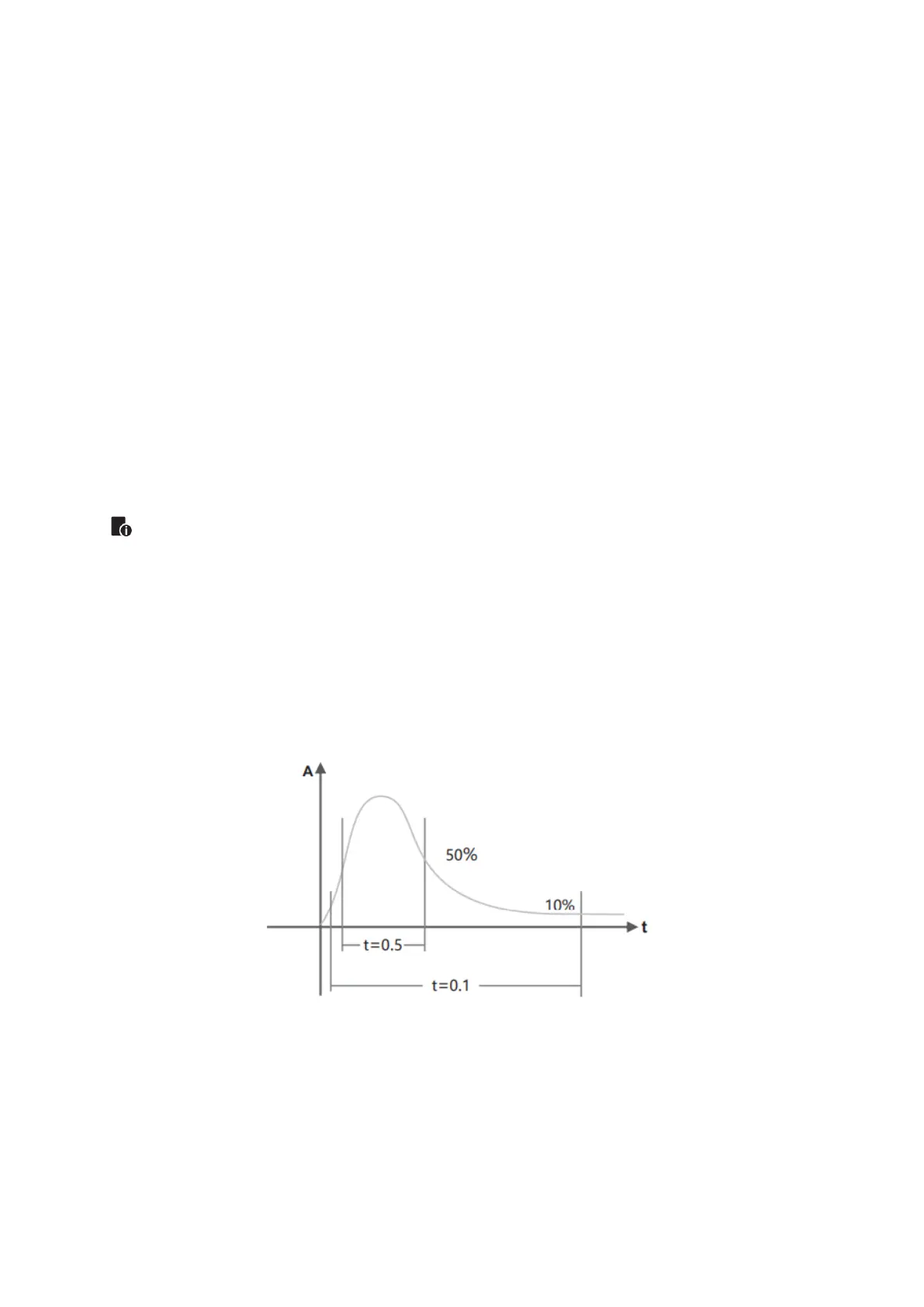
Flash duration refers to the length of time that from flash’s firing to reach the half peek
at maximum. The half peak at maximum is usually expressed at t=0.5. In order to
provide the photographer with more concrete data, this product adopts t=0.1. The
difference between t=0.5 and t=0.1 is shown in the following picture.
Display Flash Duration Operation:
1. Press the <MENU> button to enter C.FN function.
2. Adjust the Select Dial to F6, the t0.1 icon will be displayed on the AV panel.
3. Press <SET> button to enter the adjustment condition.
4. Turn the Select Dial to choose the ON/OFF.


 To Next Page