18
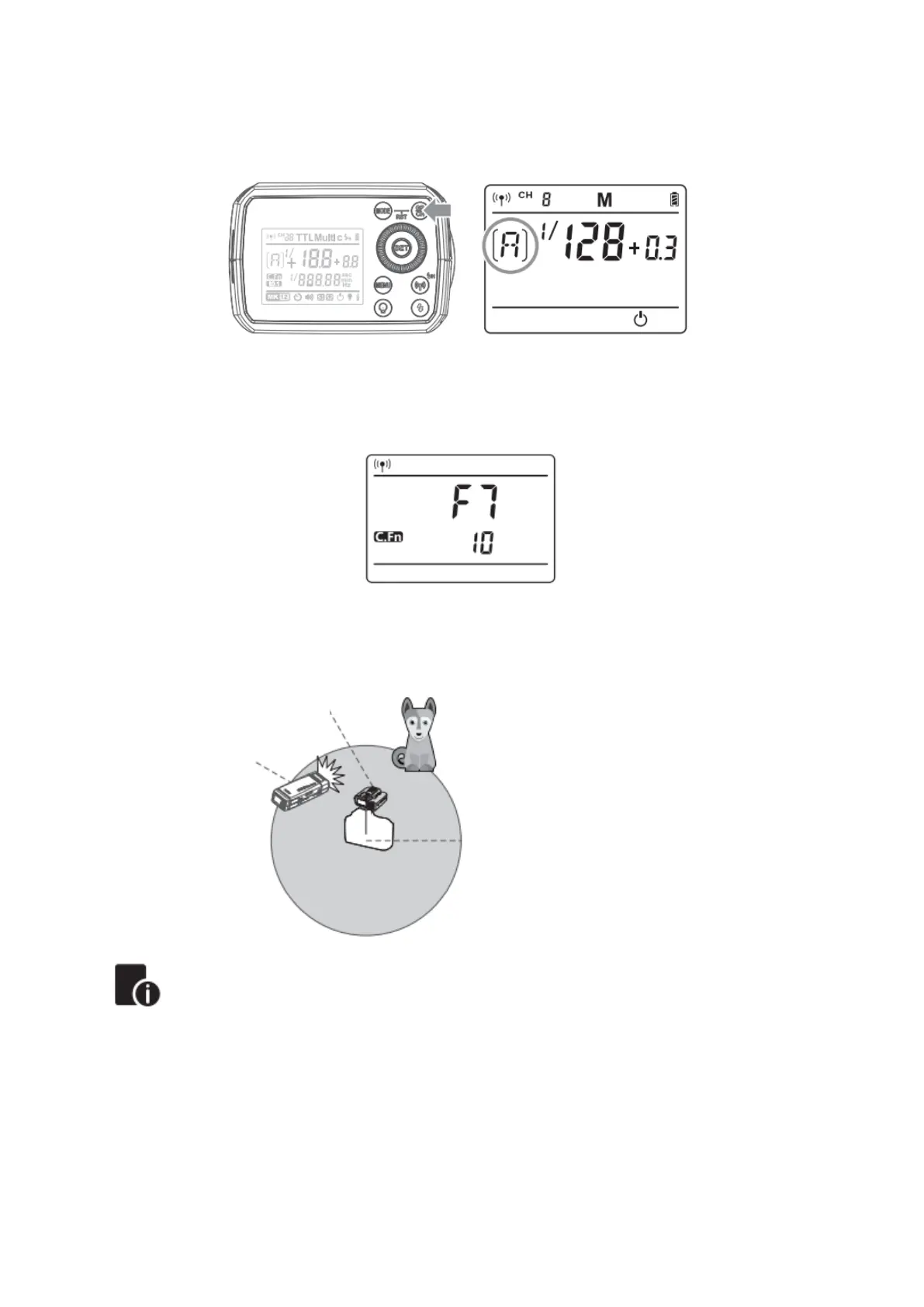
Setting the Communication Group
Short press the <GR/CH> button to choose group ID from A to E.
Wireless ID Settings
Press the MENU button to enter C.Fn-ID to choose OFF or any figure from 01-99.
Note: This can only be used when the master unit possesses the wireless ID function.
Positioning and Operation Range (Example of wireless flash shooting)
• Auto flash Shooting with One Slave Unit
• Use the supplied stand to position the slave unit.
• Before shooting, perform a test flash and test shooting.
• The transmission distance might be shorter depending on the conditions such as
positioning of slave units, the surrounding environment and whether conditions.
• With a lot of wireless signal interference conditions, if you miss flash, please
change the wireless communication channel.


 To Next Page