17
Wireless Control Function
• The flash unit is built in with a Wireless Control Port (6) so that you can wirelessly
adjust the power level of the flash and control the on-or-off of your flash, focus
assist beam and buzzer as well as trigger the flash.
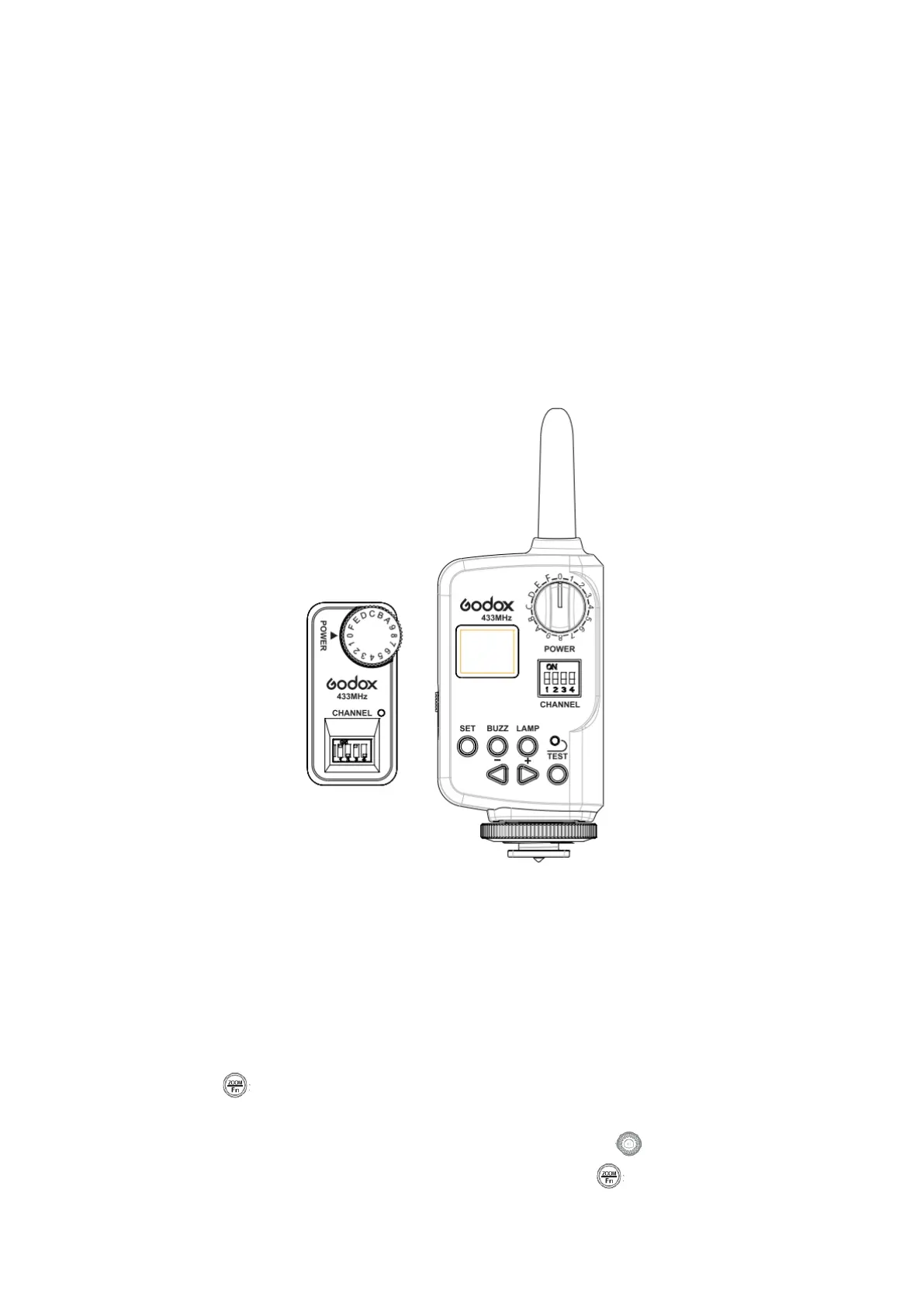
• To control the flash wirelessly, you need a Godox FT series remote control set
(on-camera and on-flash).
Insert its receive end into the Wireless Control Port (6) on the flash and insert the
transmit end into the camera hot shoe. Settings made on the hotshoe-mounted
transmit and receive ends will be wirelessly communicated to the flash. Then you
can press the camera shutter-release button to trigger the flash. You can also
hold the transmit end at hand to control your off-camera flash.
• For full instructions on the use of FT series remote control, see its user manual.
Sync Triggering
The Sync Cord Jack (7) is a Φ3.5mm plug. Insert a trigger plug here and the flash will be
fired synchronously with the camera shutter.
Custom Function---Sleep Function
• This product is equipped with Sleep Function to avoid battery drain when the
flash unit is idle.
• Press < > button and hold for 2 seconds to enter the sleep Function Mode. The
LCD panel displays “SL” (Sleep) and “Sleeping Time”. Idle time before entering
Sleep Mode is 10 minutes by default. Rotate Select Dial < > to set a desired
time for the flash or to turn off Sleep Function. Press < > button to return.


 To Next Page