Using the Flash
Power Management
Use ON/OFF Power Switch to power the flash until on or off. Turn off it will not be used
for an extended period of time. This flash unit has Sleep Function and will enter into
sleep status when there is no operation for a long time. For Sleep Function setting, see
the following instruction.
Flash Output
• Flash output can be varied from 1/128th power to 1/1 full power in 1/3 stop
increments. To obtain a correct flash exposure, use a hand-held flash meter to
determine the required flash output.
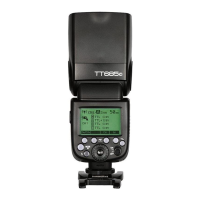
• Adjust the power output by rotating Select Dial. The following table makes it
easier to see how the stop changes in terms off/stop when you increase or
decrease the flash output:
Figure displayed when reducing flash output level
Figures displayed when increasing flash output level.
When “OF” is shown on the LCD display, it means no flash output and flash firing is
turned off.


 To Next Page