11
Buzz Settings
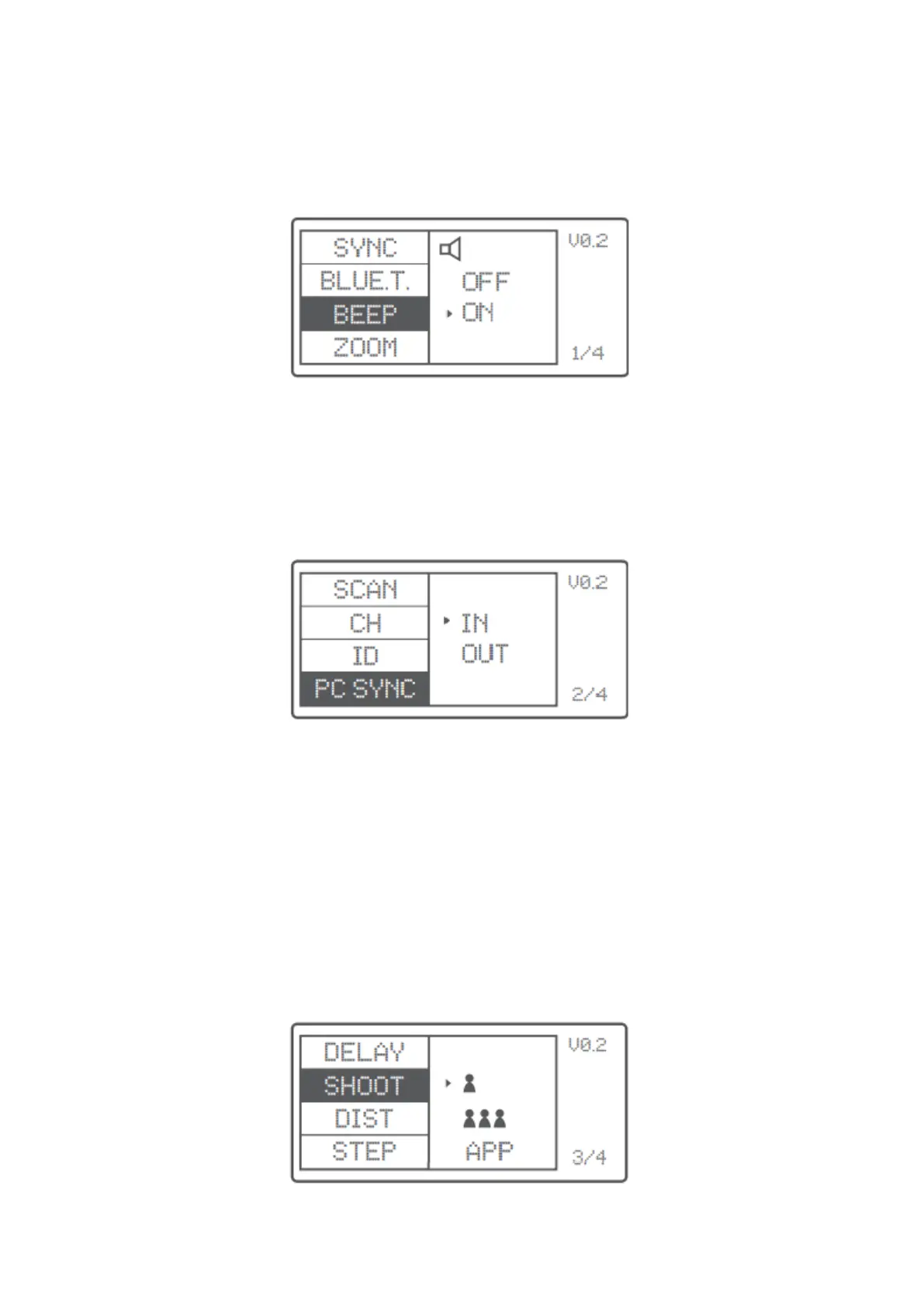
Press the <MENU> button to enter C.Fn BEEP and press the <SET> button. Choose ON to
turn on the BEEP while OFF to run off it. Press the <MENU> button again to back to the
main menu.
Sync Socket Settings
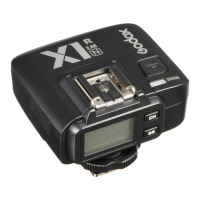
• Press the <MENU> button to enter C.Fn SYNC and press the <SET> button to
choose IN or OUT. Press the <MENU> button again to back to the main menu.
o When choosing IN, this sync socket will enable X2T-C trigger flash.
o When choosing OUT, this sync socket will send trigger signals to trigger
other remote control and flash.
SHOOT Function Settings
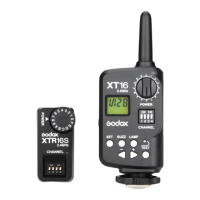
Press the <MENU> button to enter C.Fn SHOOT. Press the <SET> button to choose one-
shoot or multi-shoots and press the <MENU> button again to back to the main menu.
One-shoot: When shooting, choose one-shoot. In the M and Multi-mode, the master
unit only sends triggering signal to the slave unit, which is suitable for one person
photography for the advantage of power saving.
Multi-shoots: When shooting, choose multi-shoots, and the master unit will send
parameters and triggering signals to the slave unit, which is suitable for multi person
photography. However, this function consumes power quickly.
APP: Only send triggering signal when camera is shooting (control the flas’s parameters
by smartphone APP)



 To Next Page