9
Output Value Settings
In the M mode:
• Press the group button to choose the group, turn the select dial, and the power
output value will change from Min to 1/1 in 0.3 stop increments. Press the <SET>
button to confirm the setting.
• Press <ALL> button to choose all group’s power output value, turn the select dial,
and all groups power output value will change from Min to 1/1 in 0.3 stop
increments. Press <ALL> button again to confirm the setting.
Note: Min. refers to the minimum value that can be set in M or Multi mode. The
minimum value can be set to 1/128 0.3, 1/256 0.3, 1/128/ 0.1, 1/256 0.1, 3.0(0.1) and
2.0(0.1) according to C.Fn-Min. For most of camera flashes, the minimum output value is
1/128 and cannot be set to 1/256. However, the value can change to 1/256 when using in
combination with Godox strong power flashes e.g. AD600, etc.
Flash Exposure Compensation Settings
In the TTL mode:
Press the group button to choose the group, turn the select dial, and the FEC value will
change from -3~3 in 0.3 stop increments. Press the <SET> button to confirm the setting.
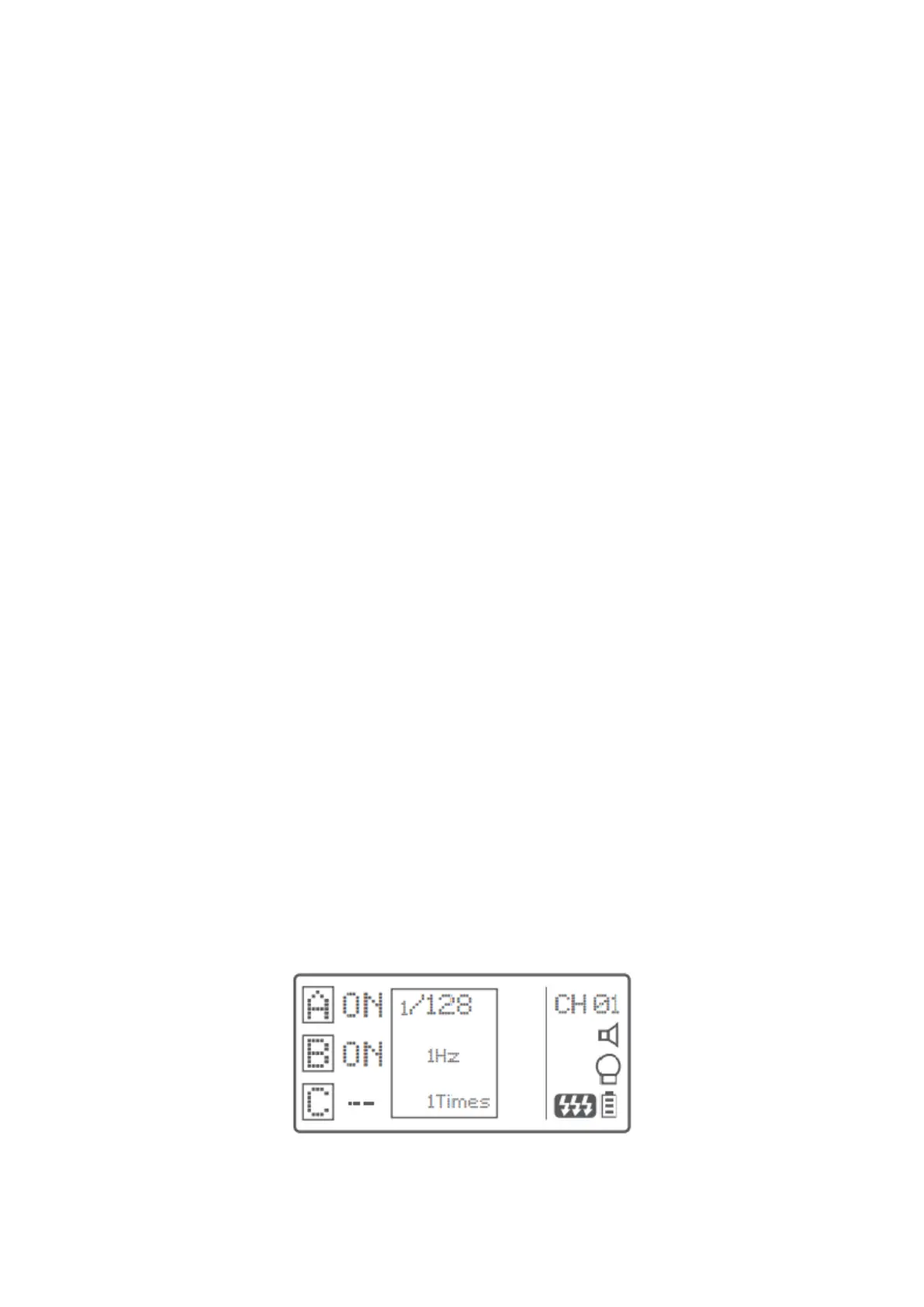
Multi Flash Settings (Output Value, Times and Frequency)
• In the multi flash (TTL and M icon are not displayed).
• The three lines are separately displayed as power output value, Hz (flash
frequency) and Times (flash times).
• Press the <SET> button and turn the Select Dial to change the power output value
from Min. to 1/4 in integer stops.
• Press the <SET> button again and choose Hz to change flash frequency. Turn the
select dial to change the setting value.
• Press the <SET> button again and choose Times to change flash times. Turn the
select dial to change the setting value.
• Until all the amounts are set. Or during any value setting, short press the <SET>
button to exit setting status.
• In the multi flash setting submenu, short press the <MODE> button to return to
main menu when no values are blinking.



 To Next Page