8
Automatically Enter Power Saving Mode
• The system will automatically enter standby mode after stop operating the
transmitter over 60 seconds. And the displays on the LCD panel disappear now.
• Press any button to wake up. If the flash trigger is attached to the host shoe of
CANON EOS camera, half press the camera shutter can also wake the system up.
Note: If do not want to enter power saving mode, press the <MENU> button to enter
C.Fn custom settings and set STBY to OFF.
Power Switch of AF Assist Beam
Slide the AF-assist beam switch to ON, and the AF lighting is allowed to output. When the
camera cannot focus, the AF assist beam will turn on, when the camera can focus, the AF
assist beam will turn off.
Channel Setting
• Short press the <MENU> button and choose CH to set the channel value.
• Turn the select dial to choose the appropriate channel. The channel value will be
confirmed after exiting the menu.
• This flash trigger contains 32 channels which can be changed from 1 to 32. Set
the transmitter and the receiver to the same channel before usage.
Wireless ID Settings
Change the wireless channels and wireless ID to avoid interference for it can only be
triggered after the wireless IDs and channels of the master unit and the slave are set to
the same.
Press the <MENU> button to enter C.Fn ID. Press the <SET> button to choose OFF
channel explosion shutdown, and choose any figure from 01 to 99.
Note: It can only be used when the slave units have the wireless ID settings functions. If
they do not have, please set the ID to OFF.
Mode Setting
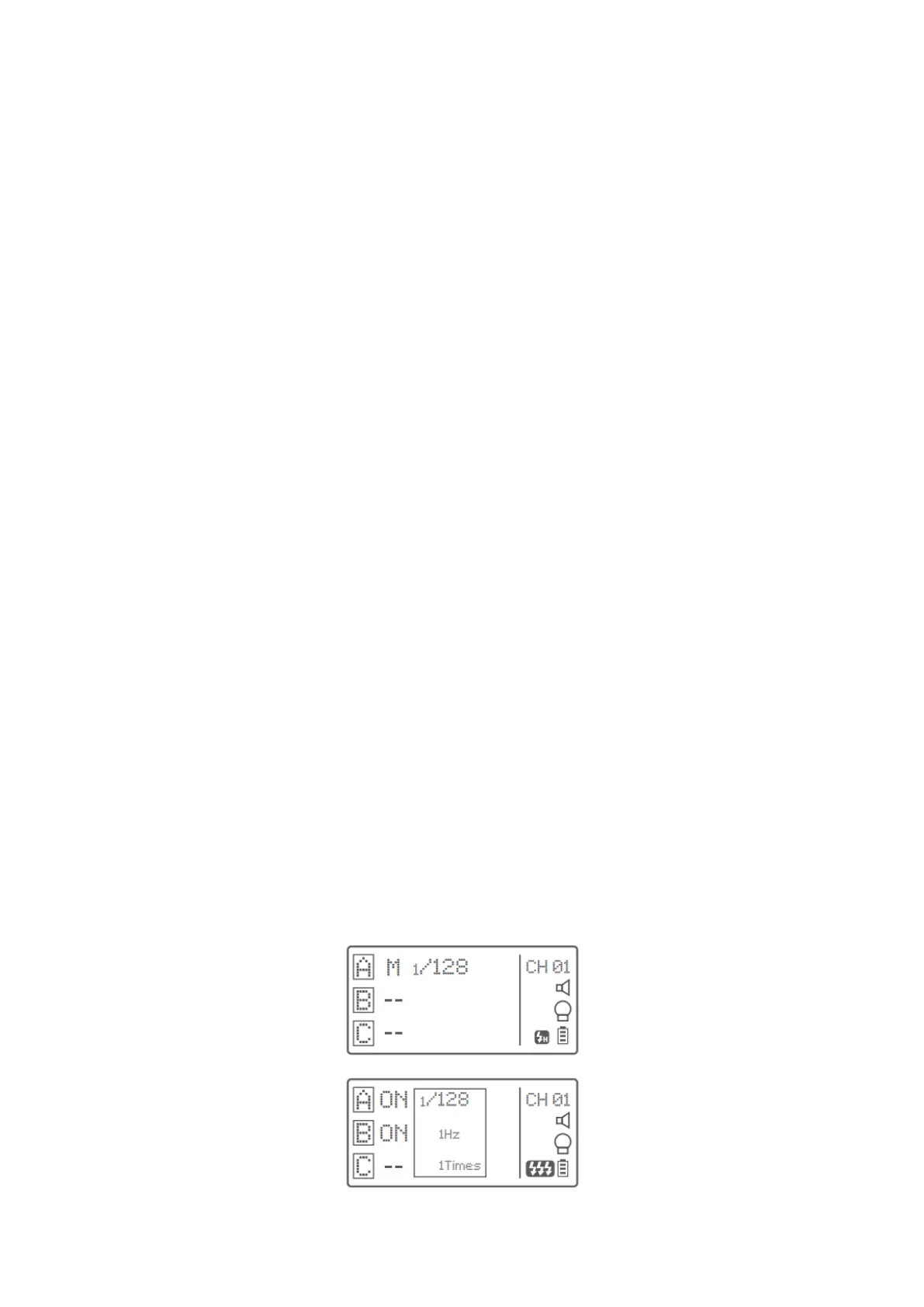
• After pressing the group button to select one group, press the <MODE> button
and all the current group’s mode will be changed by the order of TTL/M/--.
• In normal situation, press the <MODE> button to switch the multi-group mode to
MULTI mode. Press the group selection button and then press the <MODE>
button can set the MULTI mode to ON or OFF.



 To Next Page