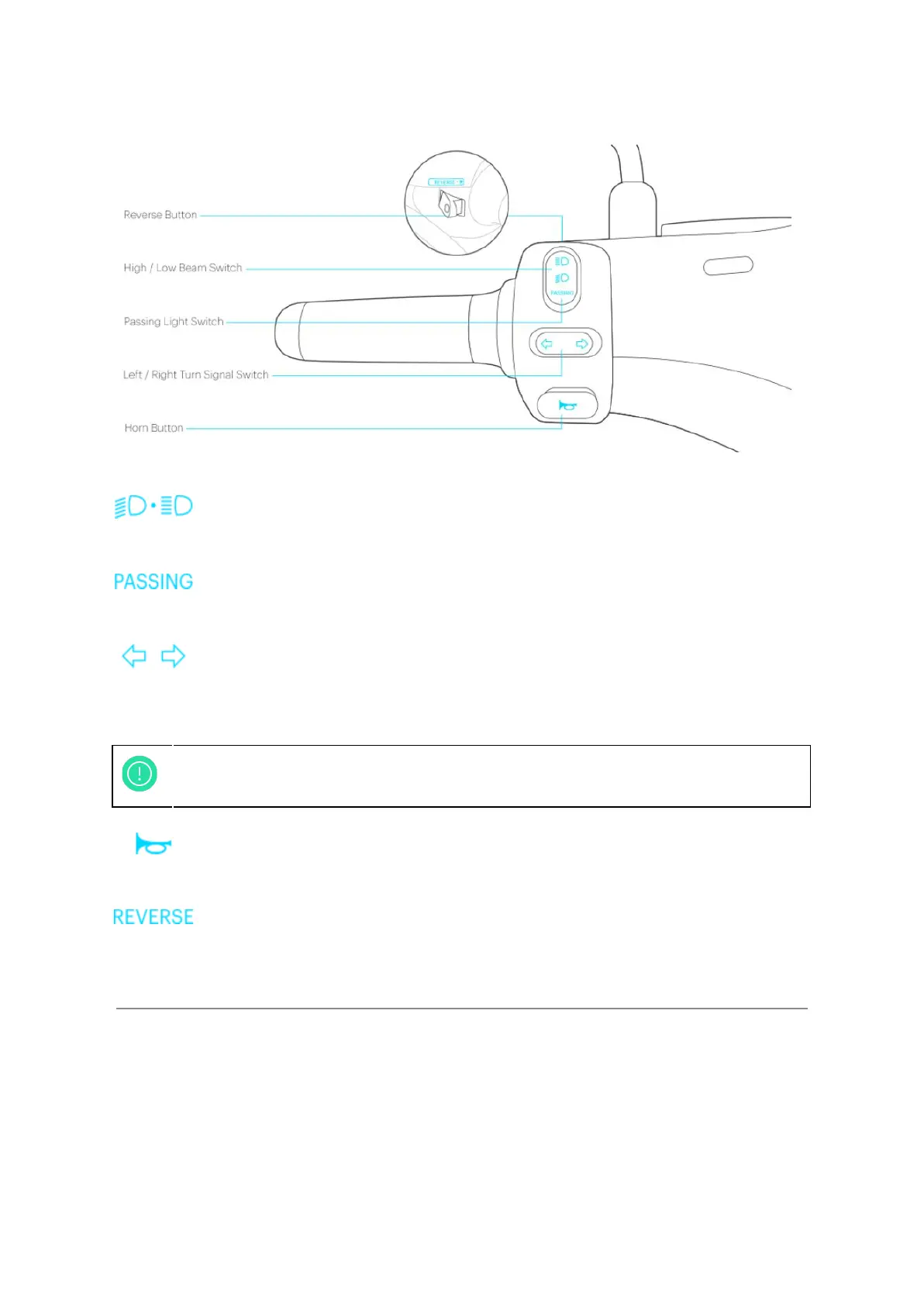
Figure 1-3: Left Handle Switches
High/low beam switch:
● Press to switch the headlight from low beam to high beam.
Passing light switch:
● Press to activate passing light, release to turn off.
Left/Right turn signal switch:
● Press once - the left turn signal blinks and plays an acoustic note. Press again to
turn off.
Horn button:
● Hold the horn button to activate the sound, release to stop.
Reverse button:
● Under motor standby mode, press it and the scooter will reverse slowly with flashing
and audible warning signs.
5
The auto-off feature built into the turn signal lights will be activated when the
handle is turned back past a certain threshold.



 To Next Page