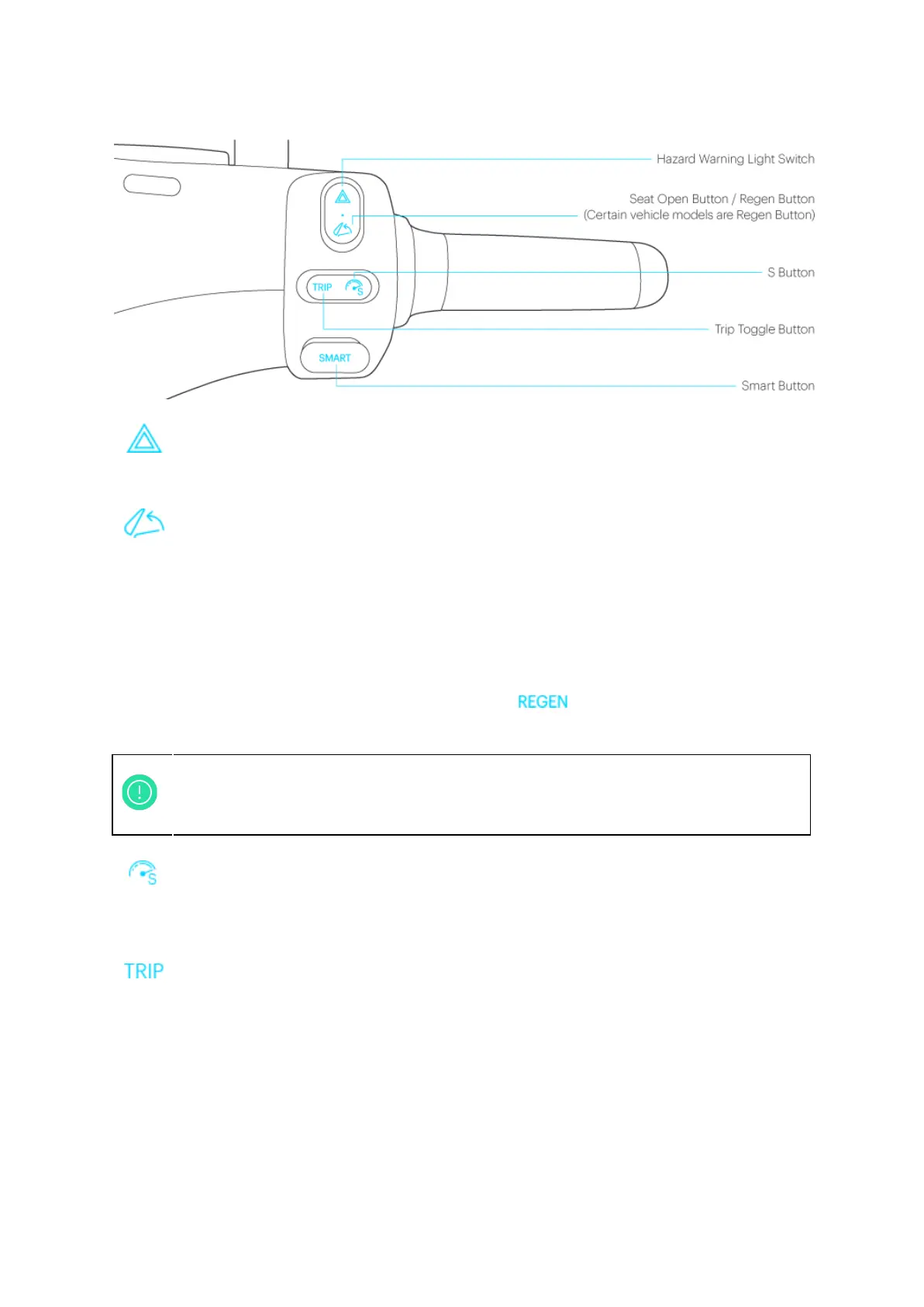
Figure 1-4: Right Handle Switches
Hazard warning light switch:
● Press on the switch makes both turn signals blink and play an acoustic note.
Seat open / Regen button:
● If the Smartscooter® is already unlocked, and the motor is still off, press this button
to open the seat for accessing the storage compartment below. (Models with iQ
System® Smart Keycard)
● If the Smartscooter® is locked, long press this button and swipe Smart Keycard to
open the seat. (Models with iQ System® Smart Keycard)
● If the motor is standing by, press this button will turn on/off regenerative braking
function. When regenerative braking is on, icon on the dashboard will be
on.
S Button:
● Press the S Button to enter Super Boost Mode, another press switches back to
Normal Mode.
Trip Toggle Button:
● Short presses cycle through different information on the odometer display; the
information includes total mileage (ODO), single trip mileage (TRIP) and estimated
remaining mileage for the current charge (RANGE).
● With TRIP information on display, press the button for 3 seconds to reset.
● When TPMS is installed and Smartscooter® remains stationary, short pressing Trip
Toggle Button to switch odometer display mode. Tire pressure is displayed as
follows: ”F --,r --”. By short pressing Trip Toggle Button when commencing riding
Smartscooter®, the actual tire pressure will be shown on odometer TPMS mode, for
example : F 36,r 40.
6
The system sets the intensity of regenerative braking based on the setting in the
Gogoro® App, but also takes the current speed and remaining battery level into
consideration, and makes minor adjustments accordingly.



 To Next Page