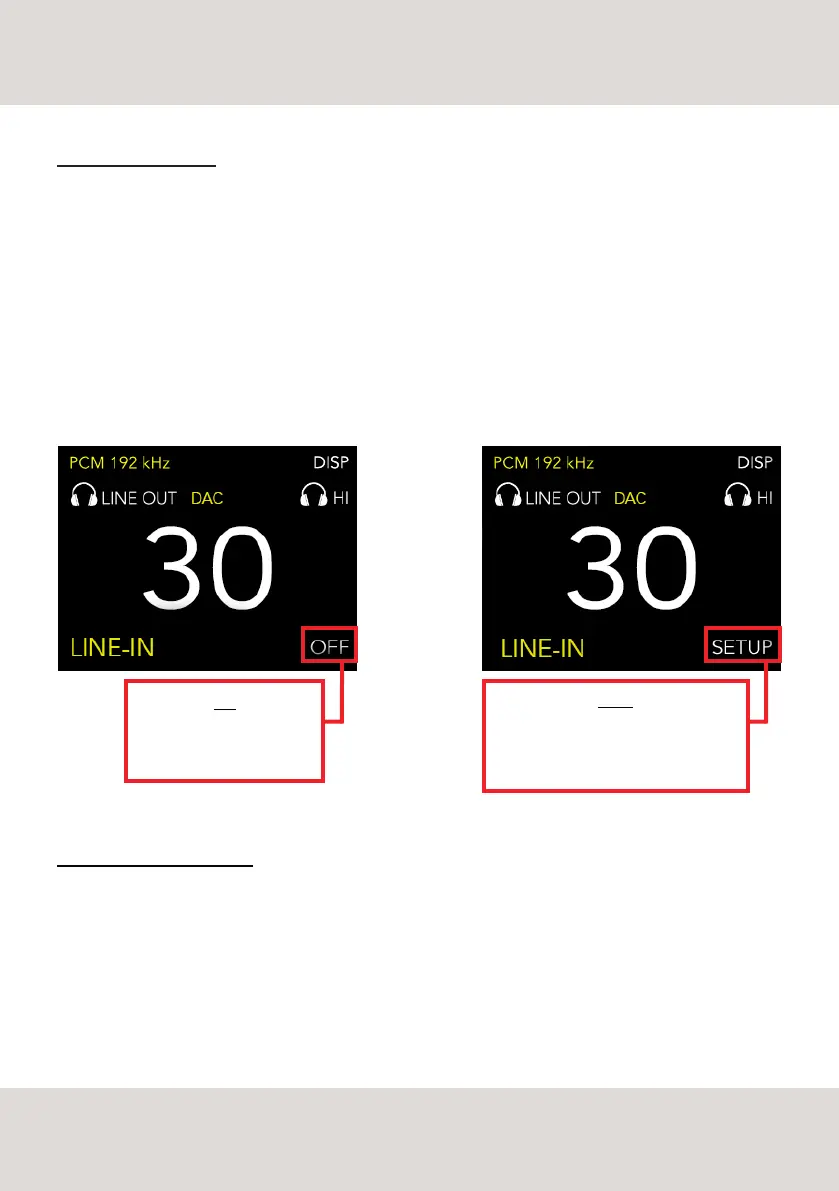
OFF
DS-10 PLUS is in standard
mode (factory setup)
SETUP
Push the rotary knob on the front panel
or the Enter key on the remote control
to access the PRESET menu
THE CHAMELEON DAC
Thanks to its 192 different setup options, DS-10 PLUS has the ability to completely blend in with different
music genres, giving the listener the opportunity to adapt the behaviour of the unit to the music playing, to
one’s stereo system and most of all to the listener’s taste.
The combination of Equalisation Curve (low pass filter), De-emphasis curve and Power give each device its
character and specific sonic profile as well as being the means by which a digital-analogue converter affects
the sound.
Other than the DACs on the market, equipped with only one sonic profile, DS-10 PLUS allows modifying and
storing these parameters in real time through 3 presets.
ACCESS THE PRESET MENU
To access the PRESET menu one can either use the remote control or the rotary knob on the front panel of
the DS-10 PLUS.
- By remote control: use the left and right arrow keys to browse the functions visible on the display. Select the
word SETUP and push the ENTER key (central key with GN logo) to confirm and access the PRESET menu.
- By rotary knob: turn the knob to browse the functions, select the word SETUP and push the knob to confirm
and access the PRESET menu.
12
SELECTABLE PARAMETERS



 To Next Page