PLAY TO AND MUSIC
18
CONTROL APP
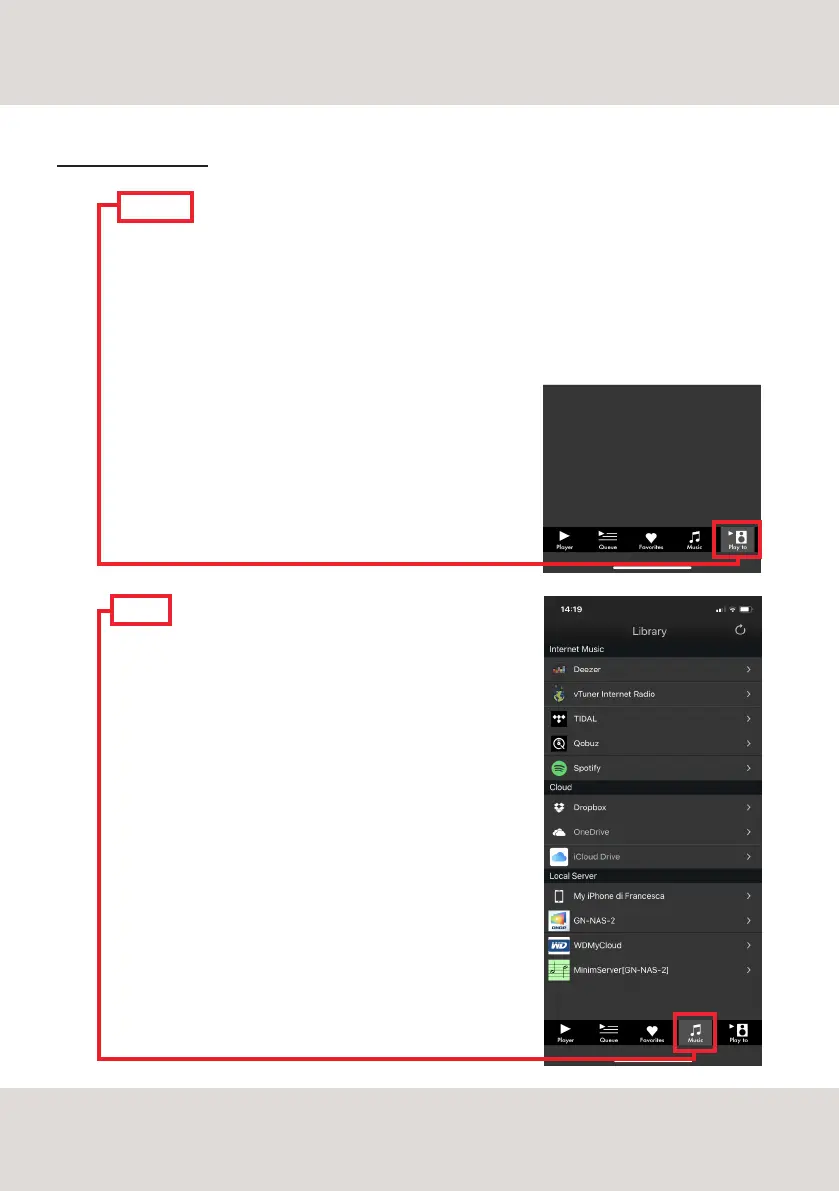
MUSIC
In the "Browser" tab choose the source of the music:
STREAMING SERVICES
Deezer | Qobuz | Spotify | TIDAL | vTuner
CLOUD STORAGE SERVICES
Dropbox | OneDrive
LOCAL SERVERS
Network NAS and UPnP/DLNA services
USB flash drives are listed as "DS-10 PLUS Server"
PLAY TO
Select the "Play To" tab and then select DS-10 PLUS.
Please be sure that the DS-10 PLUS is connected to
the same network the mobile device is using.
If the App doesn't show the DS-10 PLUS it is most
likely due to the fact the mobile device is connected
to a different network than the DS-10 PLUS.



 To Next Page