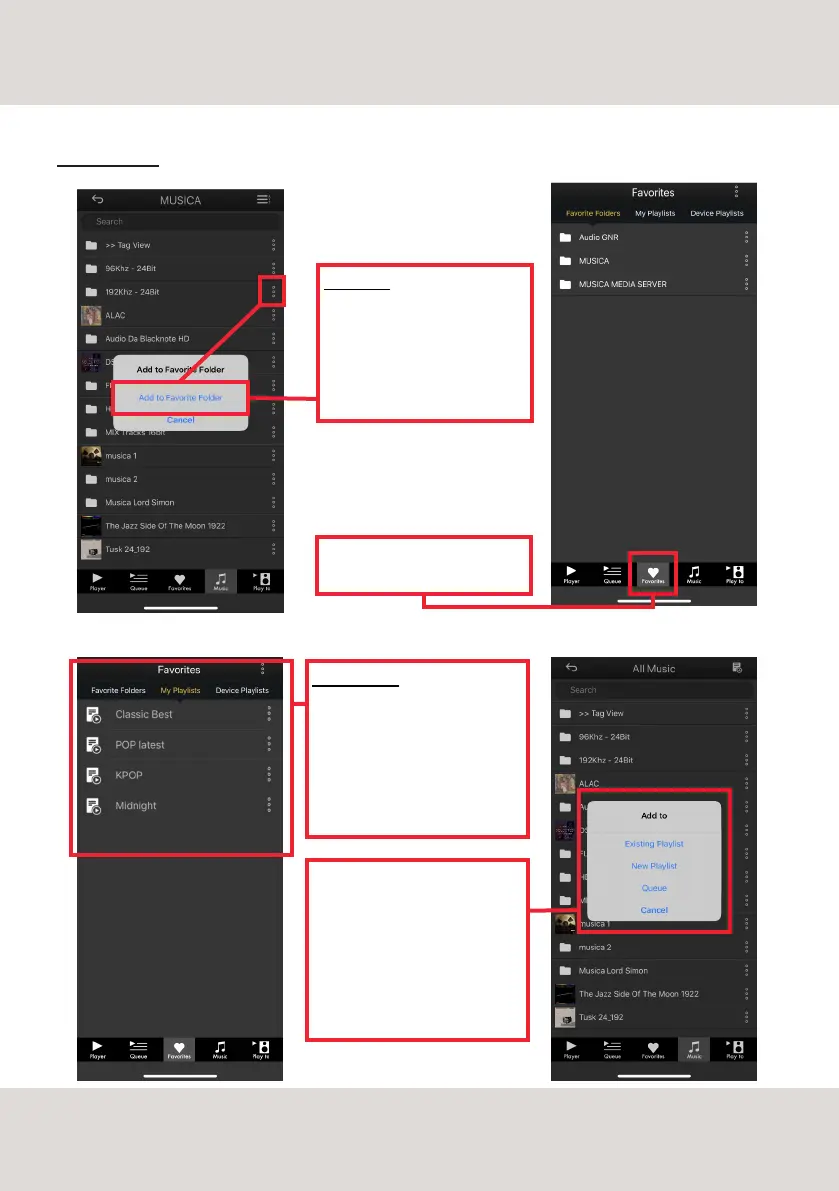
FAVORITES
Use this button to add folders
and tracks to your Favorites list.
The folder/tracks will be then
listed in the Favorites tab.
You can find the Favorites tab in
the bottom menu.
MY PLAYLISTS
New playlists can be created using
this button when you are in the My
Playlist screen. Use this tab to
manage your playlists, rename or
delete them.
You can create a new playlist also
while browsing music on Streaming
services and local servers.
If you don't want to create a new
Playlist, simply add the tracks to
the playback Queue.
CLOUD SETUP
19
CONTROL APP



 To Next Page