3. GOLF MODE
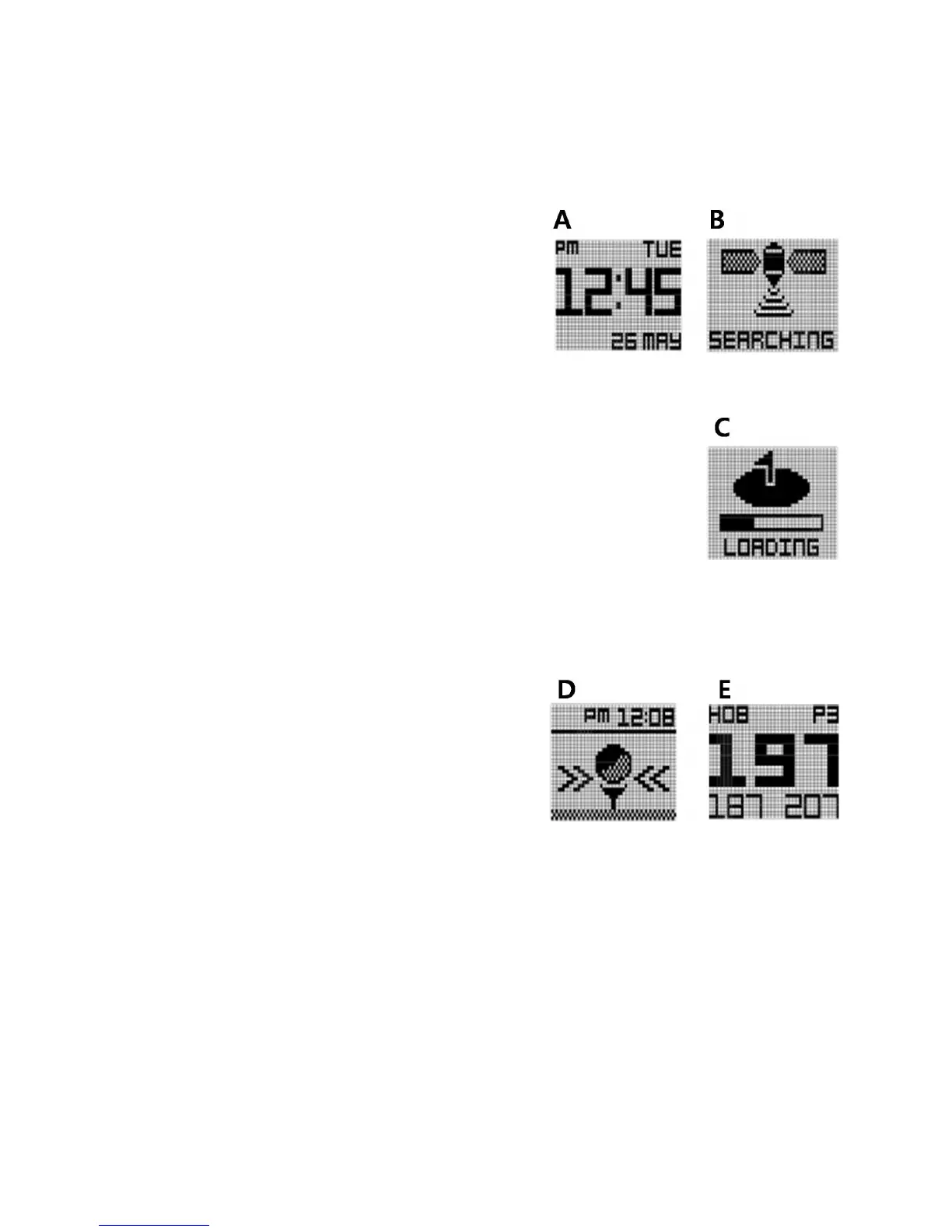
To enter Golf Mode, simply press the GOLF button
from the time mode.(Image A).
The screen show image B.
After selecting Golf Mode, the WT6 will search for satellite signal as
shown in the image to the left (image B). This can be cancelled by
pressing the “MENU” button once, and you will be returned to the time
mode. Once a satellite connection is established the WT6 will load the
golf course (image C.). This will take approximately 25 – 30 seconds. The
loading screen also shows the golf unit of measurement setting for
confirmation.
If you are not at a tee box after the golf course has
finished loading, the WT6 will prompt you to head to
the tee box (image D.). Once you arrive at your
starting tee box, the front, center, and back of the
green distances (FCB) screen will appear (image E.).
Note : To access Play Golf mode properly, you should be at the golf course. If you are not at the golf
course, the loading courses screen will display a "Go to Course". This will also display in the rare
occasion that you are at a golf course that is not currently mapped.
If your course is not mapped, please contact the Golf Buddy Course Department:
http://golfbuddyglobal.com/course library



 To Next Page