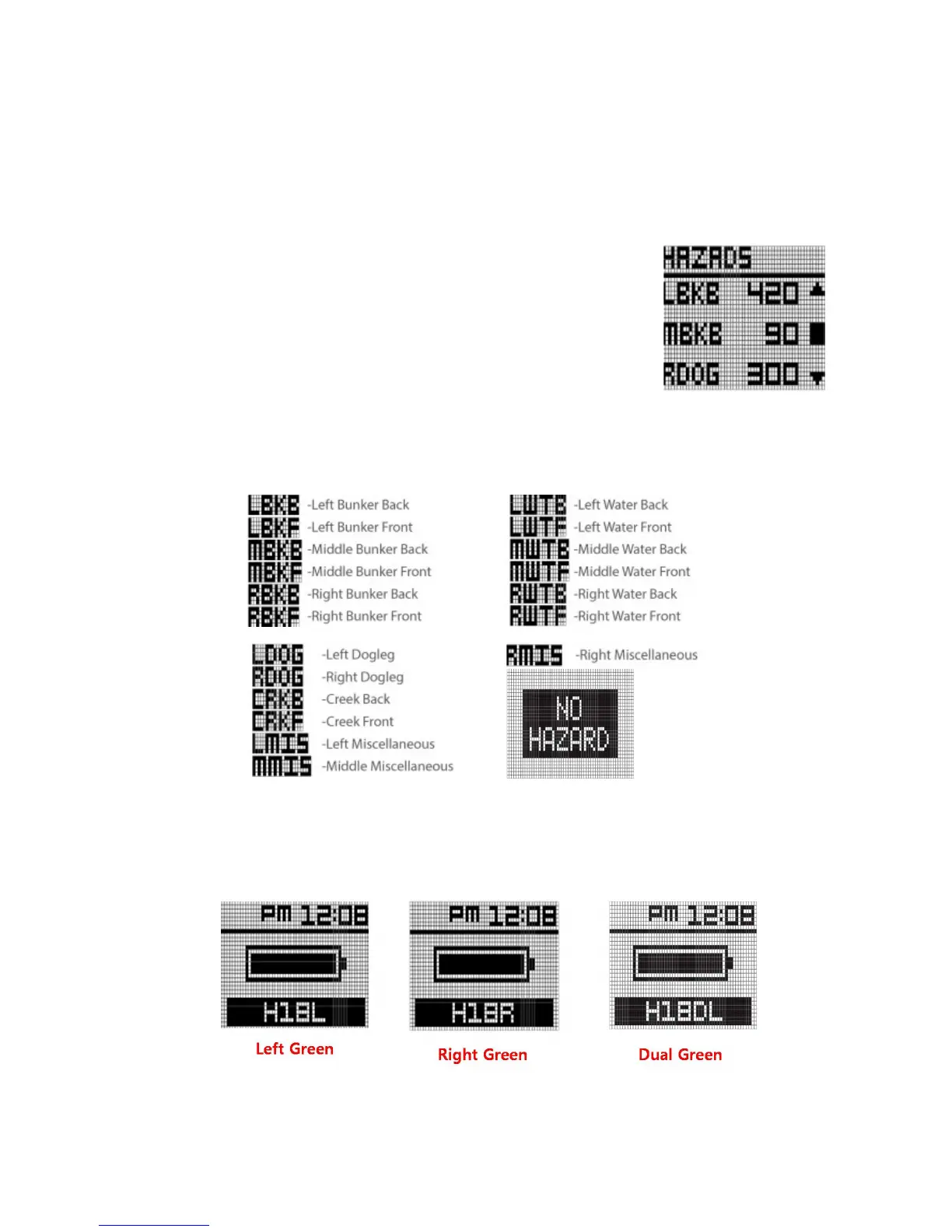
3.2 Hazards
To view the available hazards for your current hole, press OK button
from the FCB screen. The WT6 watch displays up to 11 hazards per
hole. Cycle through hazards using the UP button for next Hazard and
the DOWN button for previous hazard. Distance to the start point of
hazards display at the bottom of the screen, while distance to the end
point of hazards (if available) display at the top of the screen (Note:
only 1 distance provided at a time).
Below are abbreviation information of Hazards
One more pressing the OK button from the Hazards screen will show Green information
(Information screen) and remaining battery life. User can change green information, using the
UP button and the DOWN as below.



 To Next Page