Commander III
2-12
24-0171
ok
Drive
Left Front
24-0171
Elev
Trav
Steer
EscTravel
El/Str
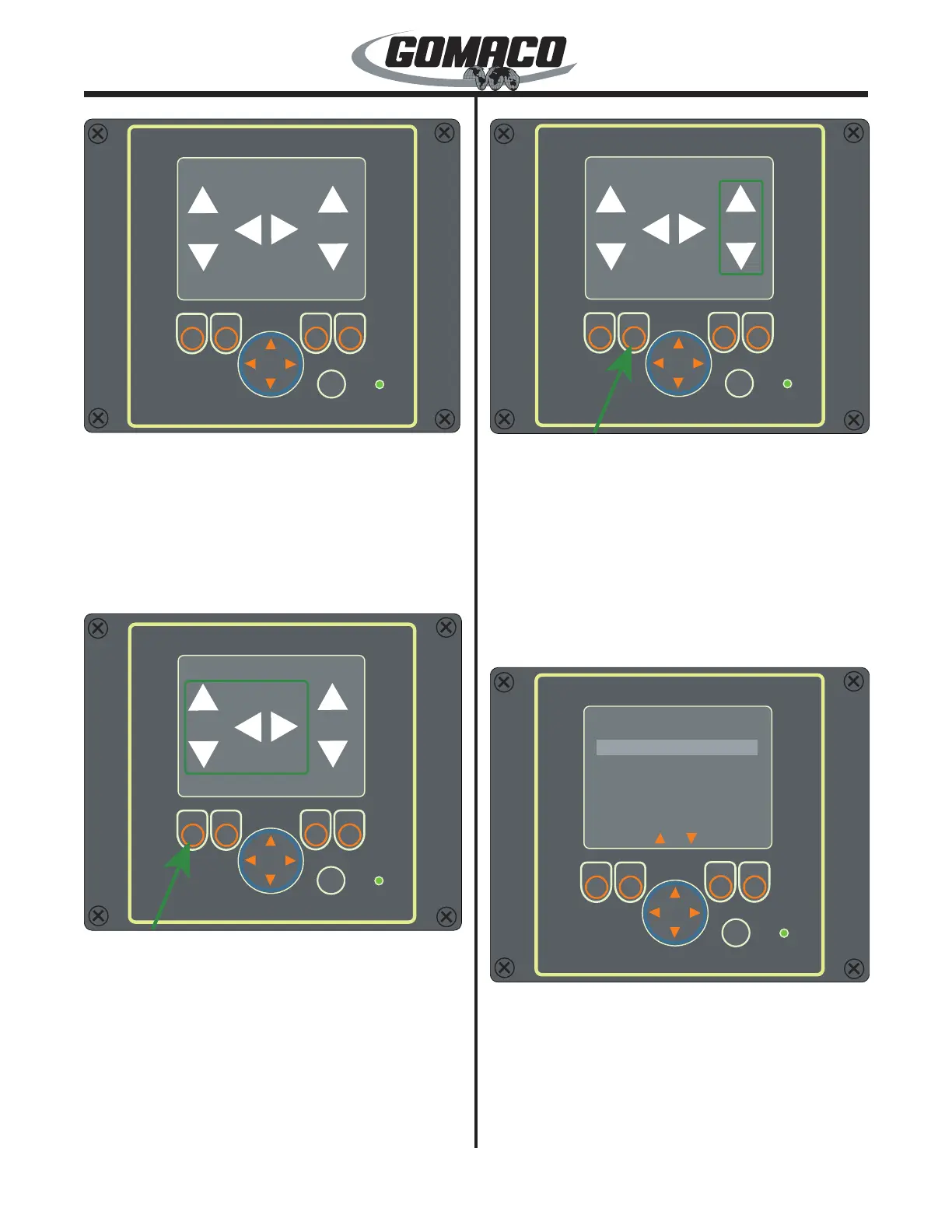
Move the cursor to the Left Front and press the OK
button. The display screen for control of the left front
leg will appear. From this screen, the elevation and
steer of the leg can be controlled. The labels for the
function buttons below the screen are at the bottom
of the display. The buttons are elevation/steer (El/
Str), Travel, Drive and Escape (Esc). Press the Esc
(escape) button to return to the Leg Control Menu.
24-0172
ok
Left Front
24-0172
Elev
Trav
Steer
El/Str
To control the elevation of the leg, depress and hold
the button below the El/Str label (other labels will
disappear when El/Str button is depressed). A box
will appear around the elevation and steer arrows on
the display. Press the up or down arrow on the arrow
button to raise or lower the leg. Press the left or right
arrow button to steer the track left or right.
Note: The function button must be depressed for
control of the elevation or steering. If the button is
released, the arrow buttons will not work.
24-0176
ok
Left Front
24-0176
Elev
Trav
Steer
Travel
To control the travel of all tracks, depress and hold
the button below the Travel label (other labels will
disappear when El/Str button is depressed). A box will
appear around the travel arrows on the display. Press
the up arrow on the arrow button to move all tracks
forward. Press the down arrow on the arrow button to
move all tracks in reverse.
Note: The function button must be depressed for
control of the track travel. If the button is released,
the arrow buttons will not work.
24-0177
ok
OK
Esc
Drive Setup
Elevation Drive
Travel Drive
Steer Drive
24-0177
Drive Setup: Pressing the button under the Drive
label will bring up the Drive Setup screen for that
leg. The drive setup allows setting of the maximum
speed of the individual elevation, steer or travel when
controlled from the remote. Use the up or down arrow
to scroll through the choices and press the OK button
to enter the desired (highlighted) choice. Press the
Esc (escape) button to return to the leg drive screen.


 To Next Page
 Loading...