Commander III
2-13
24-0231
ok
OK
Elevation Drive
50%
24-0231
Esc
The display will show the percentage of drive for
the corresponding function. Press the up or down
arrow on the arrow button to increase or decrease
the percent of drive. The drive should be adjusted to
provide a slow, smooth movement of the function. If
the setting is too low, the function may not respond.
If the setting is too high, the function may move
erratically. Press the OK button to store the setting.
Press the Esc (escape) button to retain the original
setting and return to the Drive Setup screen.
24-0182
ok
Elevation All Jog
24-0182
Elev
Elev
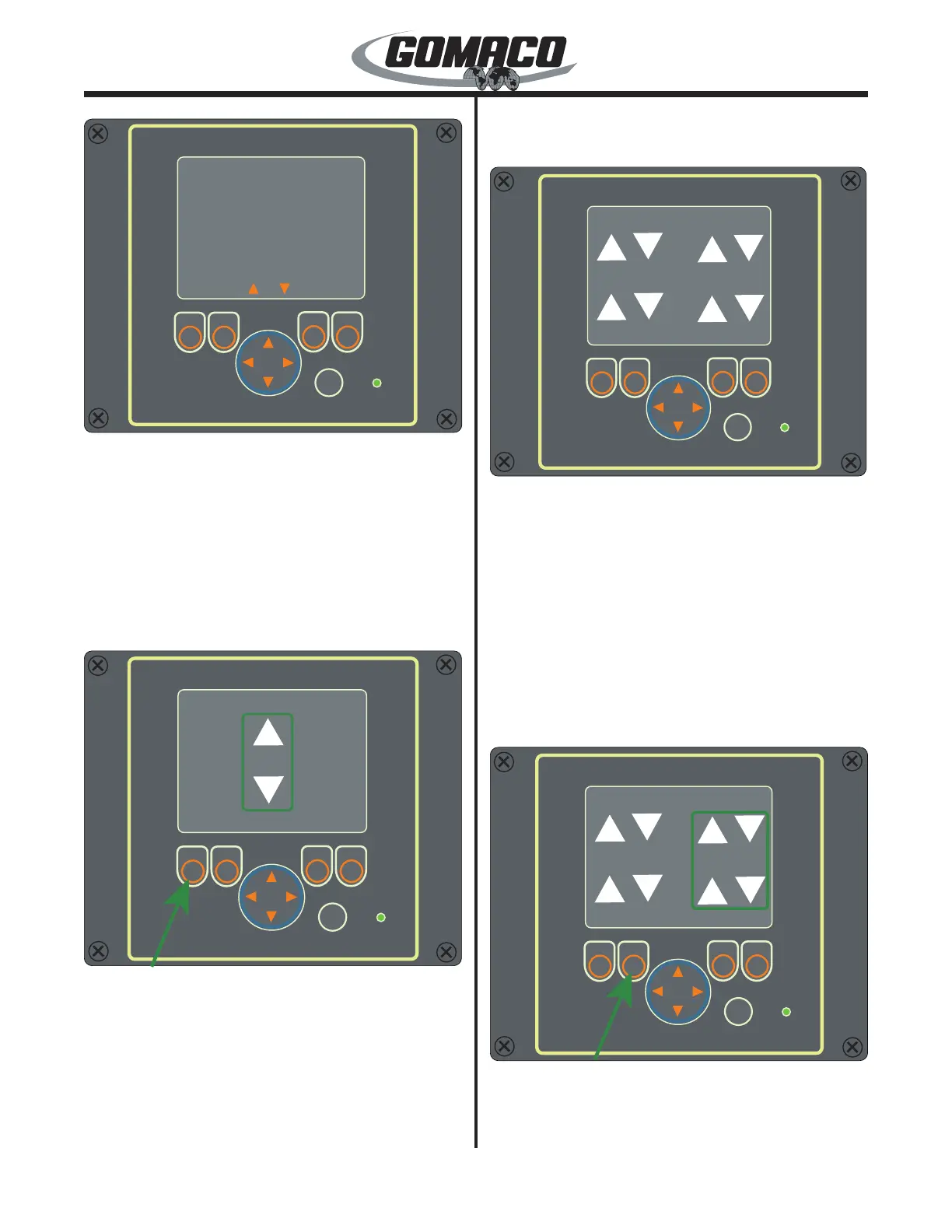
Elevation All Jog: From the Main Menu move the
cursor to the Leg Control selection and press the OK
button. The Leg Control screen will appear. Move the
cursor to the Elevation All Jog selection and press the
OK button. Press the Esc (escape) button to return to
the Main Menu. Depress and hold the button below
the Elev label. A box will appear around the elevation
arrows on the display. Press the up or down arrow on
the arrow button to raise or lower the left and right legs
simultaneously.
24-0181
ok
All Travel
24-0181
All
Left
Right
Esc
Right
Left
All Travel: From the Main Menu move the cursor to
the Leg Control selection and press the OK button.
The Leg Control screen will appear. Move the cursor
to the All Travel selection and press the OK button.
Press the Esc (escape) button to return to the Main
Menu. From this screen, the track travel can be
controlled. The labels for the function buttons below
the screen are at the bottom of the display. The
buttons are Left, Right and All. Press the Esc (escape)
button to return to the Leg Control Menu.
Note: The left, right and all buttons will operate all
tracks together.
24-0178
ok
All Travel
24-0178L
Right
Left
Right
To move the machine, depress and hold the button
below the Left, Right or All label (other labels
will disappear when one of the travel buttons
is depressed). A box will appear around the



 To Next Page