Commander III
2-17
When either of the throttle switches is depressed, the
display will change to a tachometer to indicate engine
speed. The display will return to the preceding screen
after 2-3 seconds of inactivity.
Manual Steer Dial: Used to turn the track(s) when
a manual steer mode is selected and the controller
is in run mode. Center dial position will indicate a
steer percentage of 0% on the Run Menu (see Run
Menu description later) and the machine will travel
straight. Rotating the dial in either direction from
center will cause the tracks to turn. The Run Menu
steer percentage will increase up to 100% in either
direction. The dial is disabled when the “auto” steer
mode is selected or when the controller is in “standby”
mode. Press the center switch on the dial to return the
track(s) and steer signal to 0% (straight travel) with the
controller in run mode.
055a
Manual Steer Mode Select Switch: Used to select a
manual steer mode from icons that appear on a pop-
up display (see description later). Press and release
the switch until the appropriate manual steer icon is
selected by the red cursor. The selected steer mode
will be displayed on the right side of the run menu after
the pop-up display disappears.
056
Vibrator A/M Switch: Used to select the vibrator “on”
or “off” operating modes. The vibrators will not operate
in the “off” mode. Selecting the “on” mode will cause
the vibrator circuit to activate when forward travel
direction is selected and the travel variable speed
dial is rotated past 5% travel speed as indicated on
the Run Menu (see Run Menu description later). The
vibrator circuit will deactivate when the travel variable
speed dial is rotated below 5%; when the travel system
is placed in neutral; or when the controller is placed
in the standby mode. The vibrator icon in the center
section of the Run menu (see run menu description
later) will be gray in the “off” mode and green when the
“on” mode is selected.
Note: The hydraulic vibrator variable control
valves must be turned in the "increase" direction to
operate the corresponding vibrators.
057
Steer Mode Selector: Press the steer mode select
switch to select the automatic steering mode or
the manual steering mode. The automatic mode
is selected when steering is to be controlled by the
steering sensors (or 3D control). The manual mode is
selected when using the manual steer dial. The mode
will be displayed on the right side of the Run menu
(see run menu description later).
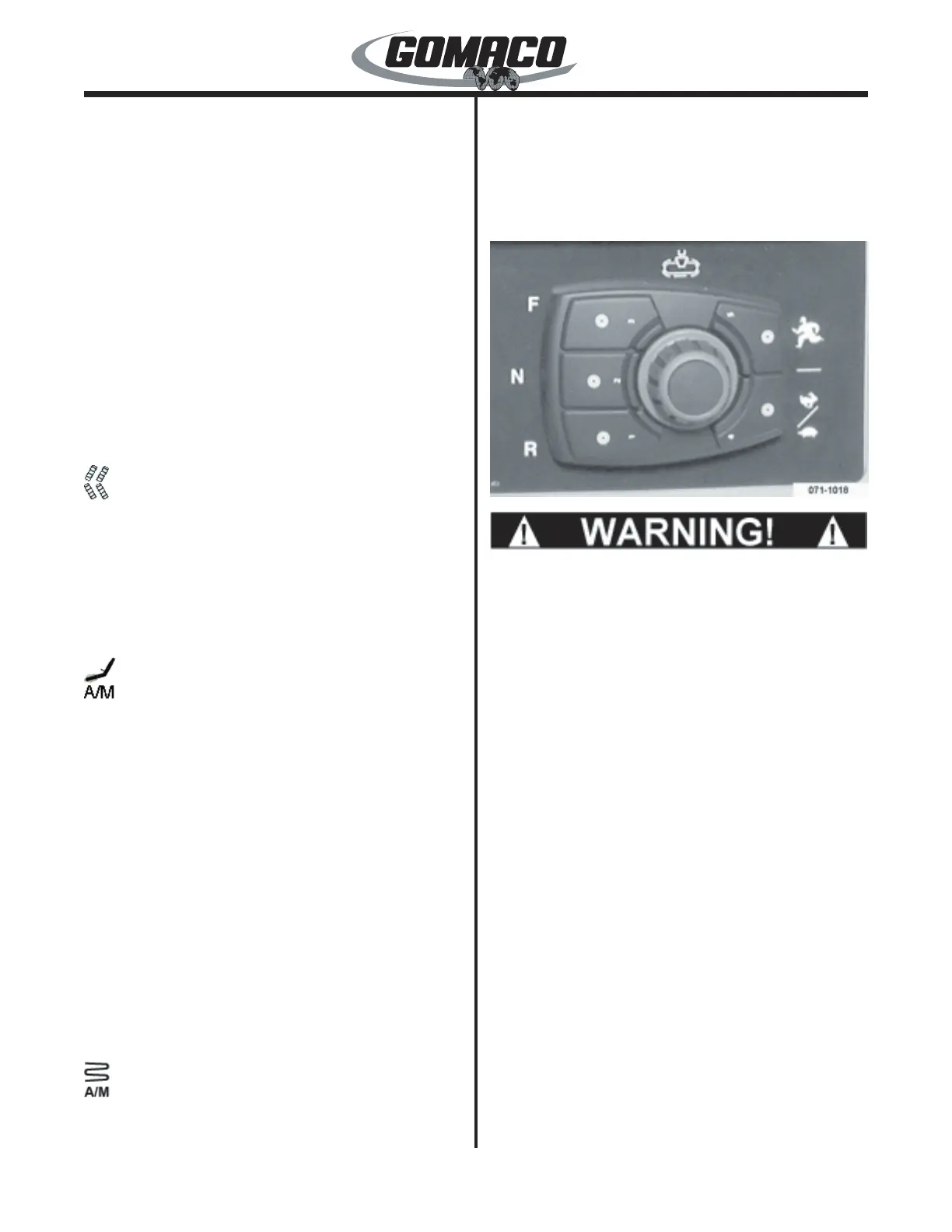
071-1018
0038
Do not operate the machine with a defective
backup alarm. Maintain the alarm in proper
working condition. The alarm must sound when
traveling in reverse to alert personnel to machine
movement. Injury could occur if contact is made
with moving machine.
Travel Direction Switches: Controls the direction
of machine travel. Press the "F" (forward) switch to
select forward travel direction. Press the "R" (reverse)
switch to select reverse travel direction. Depressing
either switch also sets the automatic steering to
properly follow the stringline in the corresponding
direction. Press the "N" (neutral) switch to stop
machine travel and the vibrators.
A backup alarm will sound when the machine travel is
started in reverse direction. The neutral switch must
be pressed before changing travel direction or high/low
travel speed. When changing between forward and
reverse, it will be necessary to turn the travel variable
speed control dial to the “off” position to activate the
change. The mode will be displayed with an arrow
pointing in the corresponding direction on the bottom
section of the Run menu (see run menu description
later).
The operator may press the neutral switch to stop
pouring operations without adjusting the travel variable
speed dial. Press the forward switch to resume
pouring operations at the adjusted travel speed


 To Next Page
 Loading...