Commander III
2-33
Selects the operating parameters for the 4400 3-Track
machine model with three track option.
083
Selects the operating parameters for the 4400 4-Track
machine model.
084
Selects the operating parameters for the Commander
III machine model in three track setup conguration.
085
Selects the operating parameters for the Commander
III machine model in four track setup conguration.
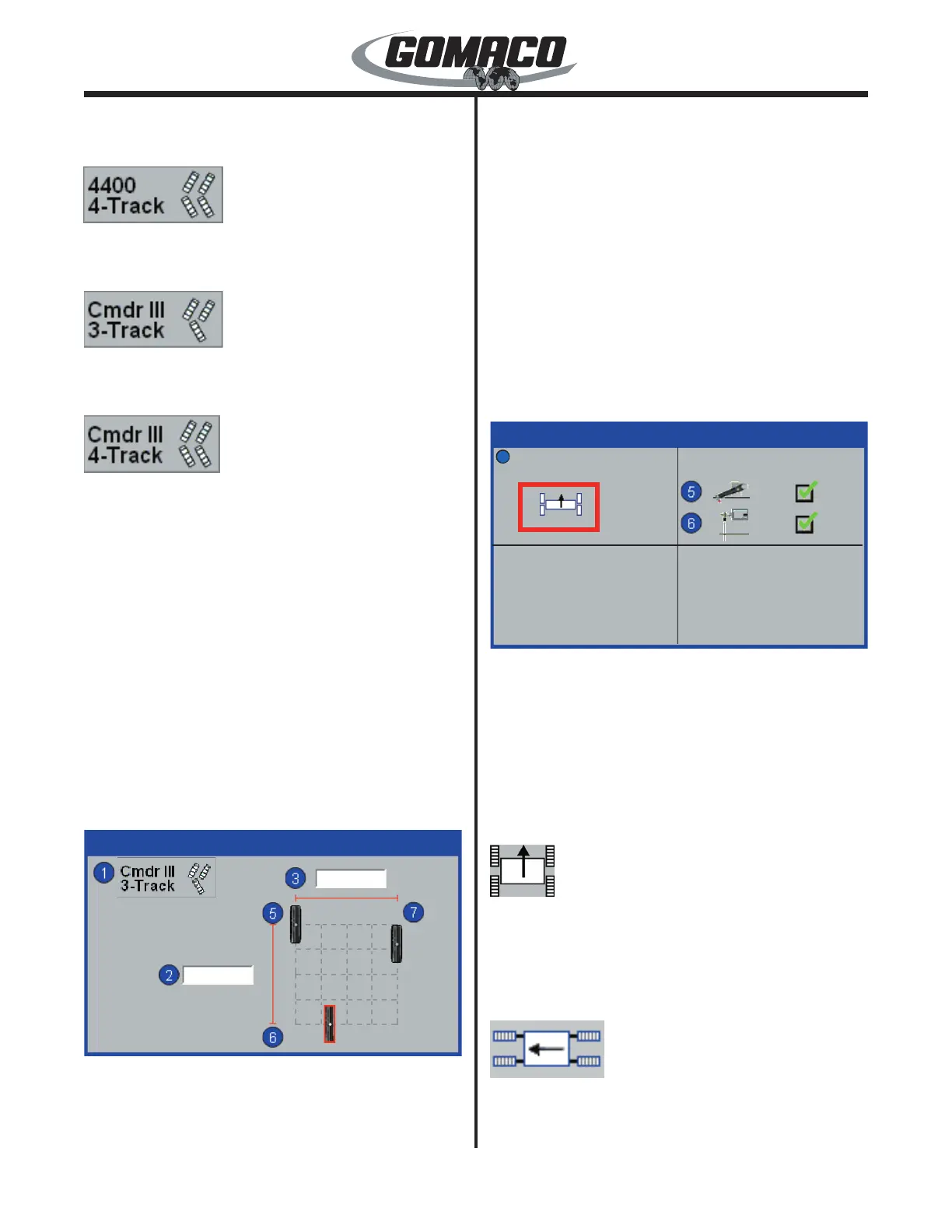
Machine Width and Length Section: Used to set the
width and length of the machine. Press the number
button indicated next to the data value box and the edit
value display will appear (see description earlier).
Machine width (data box above the horizontal red
line) is the maximum measured distance between the
center of the left and right track(s). Machine length
(data box next to the vertical red line) is the maximum
measured distance between the center of the front and
rear track(s).
Note: Make certain that frame extensions
are added or extended prior to taking the
measurements.
157G+
Machine Setup
157G+
2 ▲▼
120.00
71.96
in
in
(0,20)
(30,0)
(0,0)
Track Grid: Used to adjust individual track
positions within the grid area to approximate the
actual track location on the machine frame. Special
track placement options or offsets may require
this adjustment to correct for changes in steering
conguration. Press the number button indicated
next to the appropriate track icon and a red cursor
will appear around the icon. Adjust the track position
using the ▲, ▼, ◄ or ► navigation buttons.
The numbers (0,0) next to the track icon represent a
percentage of movement within the grid area with an
adjustment range of 0 to 50 percent. Each grid square
represents 25 percent. The rst number is left or
right movement and the second number is forward or
backward movement.
Note: The track grid will show a 3-track
conguration for 3-track machine type and a
4-track conguration for 4-track machine type.
168G+
Machine Setup
Sensor FaultsPave Mode
168G+
3 ▲
1
Pave Mode: Pave mode is used to set steering
control for proper operation when the machine is in
either the 4-track paving mode or in 4-track transport
left/right mode. Press the ▲ or ▼ navigation buttons
to select from the following modes.
Note: Pave Mode is used with 4-track paver
setup and will not appear when Machine Type is
selected as 3-track.
045
When the machine is setup for paving operations,
the Pave mode must be selected. When in the Pave
mode, the left front, right front, left rear and right rear
are determined by facing the forward direction of travel
(normal paving direction).
068
When the tracks and legs are swung to the ends
of the frame for transport, the left or right transport
mode must be selected. If the left end of the machine


 To Next Page
 Loading...