Page 15
Trouble Shooting
SYMPTOM: The Heating does not attempt
to turn on.
CAUSE: The heating setpoint is set too
high, the Mode Switch is not set for
Heat, the batteries are too weak, or the
Aux Heat Switch is set for Emergency.
REMEDY: Consult the Normal Operation
section in this manual to:
Raise the heating setpoint.
Correct the Mode Switch position.
Replace the batteries.
Slide the Aux Switch to Normal.
P/N 88-846
Rev. 2
C
c
F
FOR HOME OR OFFICE USE
Tested to Comply
with FCC Standards
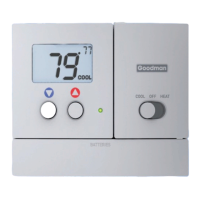
Battery Stat TSTATG2152-2
INSTALLATION INSTRUCTIONS
Air Conditionin
g
& Heatin
g
SYMPTOM: Aux Heat does not turn on.
CAUSE: The Aux Heat Switch is set for
Lockout.
REMEDY: Consult the Aux Heat section
of this manual to slide the Aux
Heat Switch to Normal (Page 7 of the
Owner’s Manual).
4Z95
Goodman Manufacturing Company, L.P., reserves the right to discontinue, or change at any time,
specifications or designs without notice or without incurring obligations.
Copyright © 2009 • Goodman Company, L.P. • Houston, TexasManufacturing
TSTATG2152-2


 To Next Page