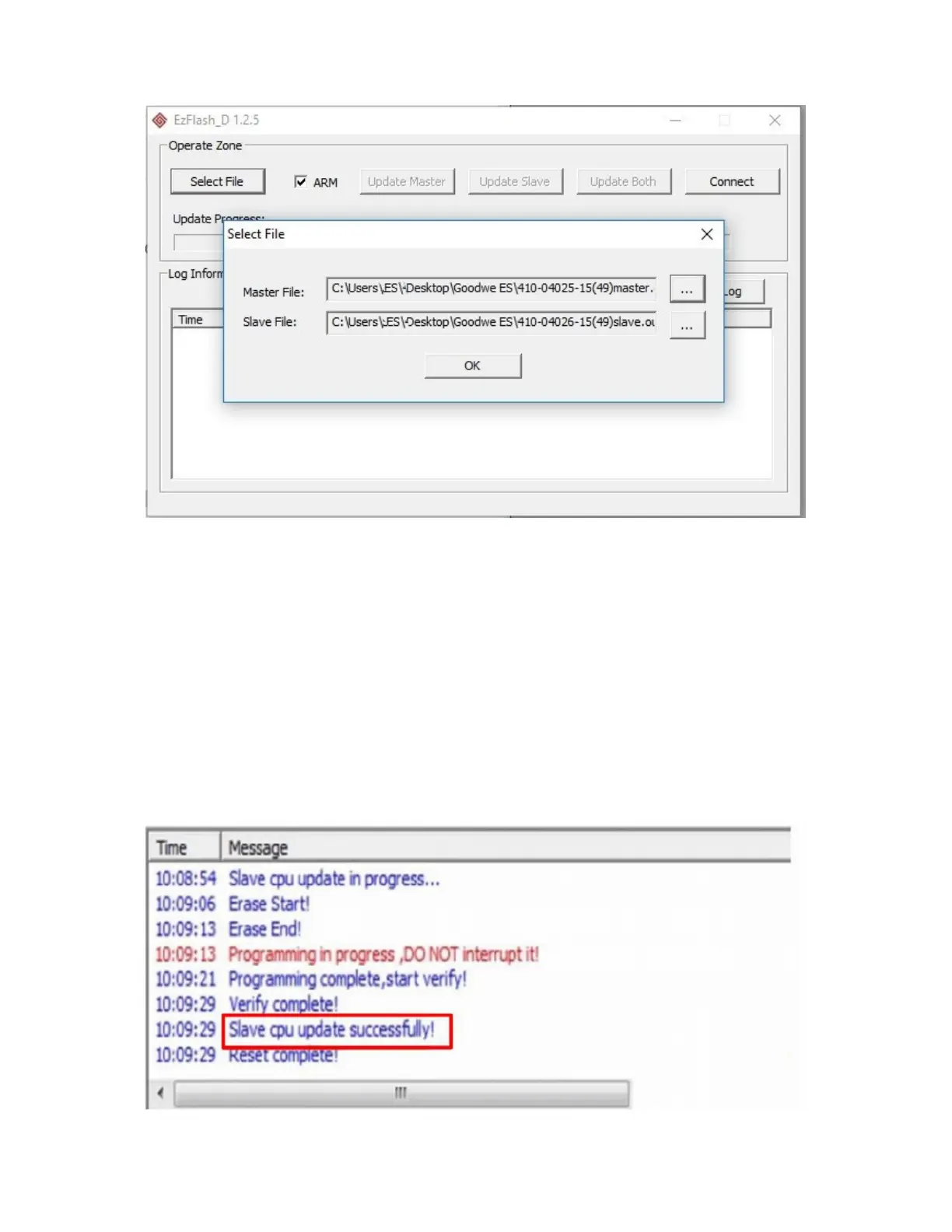
Press ok.
Then select the
Update Both
button.
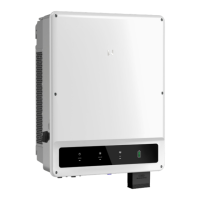
Wait for the update to finish, it takes about 5 minutes.
Until you see: Reset complete!
The update process should not be interrupted.
The update will run through the master cpu will update first.
The Slave cpu will then update.
Once the updates have complete successfully the system will reset.
On reset complete you can close the EzFlash application and proceed to step 3 to update
ARM firmware.


 To Next Page