66
09 Maintenance
User Manual V1.6-2024-03-20
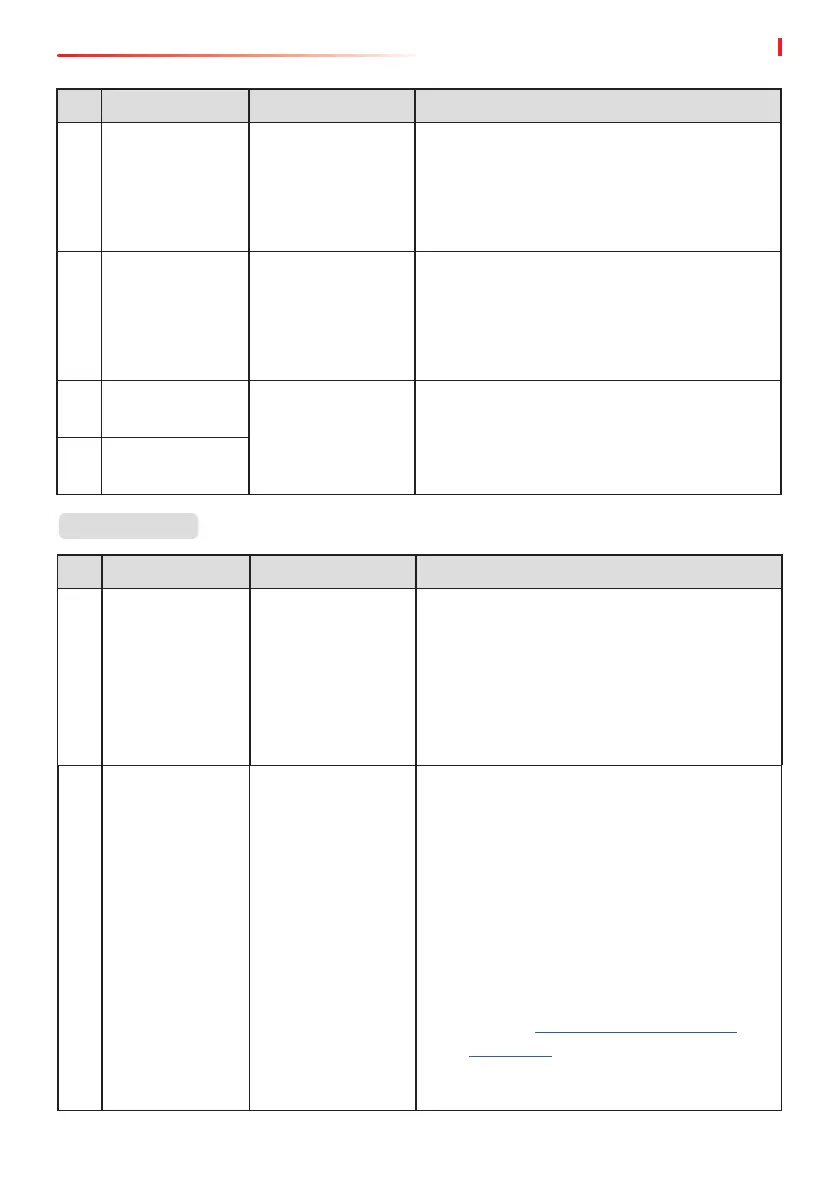
No. Fault Cause Solutions
31
PV Continuous
Hardware
Overcurrent
1. The PV
conguration is
not proper.
2. The hardware is
damaged.
Disconnect the AC output switch and DC input
switch, then connect them 5 minutes later.
Contact the dealer or the after-sales service if
the problem persists.
32
PV Continuous
Software
Overcurrent
1. The PV
conguration is
not proper.
2. The hardware is
damaged.
Disconnect the AC output switch and DC input
switch, then connect them 5 minutes later.
Contact the dealer or the after-sales service if
the problem persists.
33
String1 PV String
Reversed
The PV string
is connected
reversely.
Check whether the PV1 and PV2 strings are
connected reversely.
34
String2 PV String
Reversed
No. Fault Cause Solutions
1
Abnormal
parallel CAN
communication
The parallel
communication
cable connection
is abnormal, or
an inverter in the
parallel system is
oine.
Check whether all the inverters are powered
on and whether the parallel communication
cables are rmly connected.
2
Communication
indicator of the
inverter and
Ezlink indicator
in error
Ezlink connection
failed
1. Check whether the WiFi signal is normal.
If it is not, check whether the router works
well.
2. Check whether Ezlink obtains IP
successfully via APP. Execute the following
if IP is not obtained:
1. Reset the communication parameters
via APP.
2. Check whether the server connection is
correct.
3. Log in to the website mqtt.goodwe-
power.com in PC, check the analyzed
IP address and obtain the connected
server information.
Parallel System


 To Next Page