38 GMC-I Gossen-Metrawatt GmbH
21 Setting the Measurement Parameters
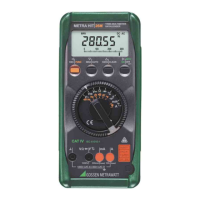
The menu mode allows for the setting of operating param-
eters, data queries and activation of the interface.
➭ The menu mode is entered by pressing the ↵ key twice if
the instrument is switched off, or only once if the instru-
ment is switched on and in the measuring mode. “SEt”
appears at the display.
➭ Repeated activation of the key causes alternate
opening of the main menus „SEnd“ , „inFo“
(as well as “StorE” and “CLEAr” for the METRA HIT 22M/
26M/MIL) and finally once again “SEt”.
➭ After the desired main menu has been selected, the sub-
menus can be opened with the ↵ key.
➭ The desired sub-menu can be selected by repeatedly
activating the key.
➭ Activate the ↵ key, in order to change the corresponding
parameter in the sub-menu.
➭ After the parameter has been changed or the unit of
measure has been selected, the display returns to the
menu mode (SEt).
➭ Return to the measuring mode by pressing and holding
the ESC|FUNC key until the measuring display appears.
➭ In order to switch the multimeter off, press and hold the
ON key until the display goes blank.
Examples
Battery Voltage Query
SEt inFo bAtt 3.0 V.
or in abbreviated form:
SEt inFo ↵ bAtt ↵ 3.0 V.
Setting Time
SEt ↵ tiME ↵ 10:24 ↵ 10:24:42
Setting hours minutes and seconds:
Select characters, cursor position blinks. Press and
hold key for rapid change of characters.
↵ After entry acknowledgement, the next entry position
(to the right) blinks.
This key sends the cursor back to the previous entry
position.
↵ After acknowledgement for the last entry position
(extreme right) – in this case seconds – the instrument
returns to the menu mode.
➧
↵
➧
↵


 To Next Page
 Loading...